Participant
April 8, 2019
Question

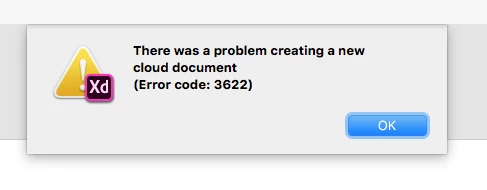
Cloud document - Error 3622

  • April 8, 2019
  • 2 replies
  • 882 views

Hi guys,

Since of today i get this strange 3622 error. It also doesn't load my cloud documents.

I tried to reinstall it. Also tried it with v17.01.12. My creative cloud app is also up-to-date: 4.8.1.435 running Mac OS. Also rebooted the PC. Tried everything. Could you help?

Kind regard,
Finn

This topic has been closed for replies.

2 replies

Atul_Saini
Community Manager
Community Manager
April 8, 2019

Hi Finnruijter,

Thanks for sharing the screenshot and version. As you are getting Error code 3622 while creating a new file, I would request you to try the steps mentioned here: - Issue saving xd files to creative cloud after updating it to Adobe XD 18. 

If the problem still persists, I would request you to share the version of Creative Cloud Sync and the location of Creative Cloud files folder.

Thanks,

Atul_Saini

Participant
April 8, 2019

Hi Atul,

Thanks for your response. I followed your steps, but it still doesn't work. I can see my cloud documents in other apps. Here is my version for CC Sync and the location:

Thanks in advance.

Kind regards,

Finn

Atul_Saini
Community Manager
Community Manager
April 9, 2019

Hi Atul,

Thanks for your response. No, sorry. Like i said in my thread i run Mac OS. How can i get the logfiles on mac?

Thanks in advance.

Kind regards,

Finn


Hi Finn, sorry about that confusion, I have updated my previous response. Please check out that location on Mac for the logs and share the details.

Thanks,

Atul_Saini

cmgap
Community Expert
Community Expert
April 8, 2019

Did you try completely signing out of your creative cloud manager? Can you see your cloud documents in other apps?