Inspiring
January 22, 2020
Answered

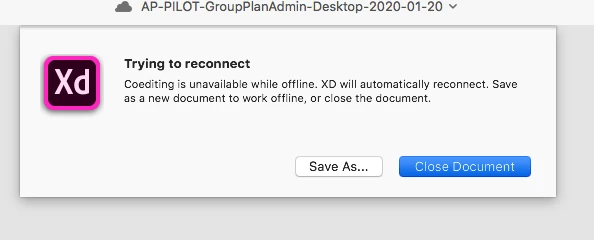
[Collaborating]-Adobe XD gives an error when coediting is enabled "Trying to reconnect".

  • January 22, 2020
  • 2 replies
  • 2634 views

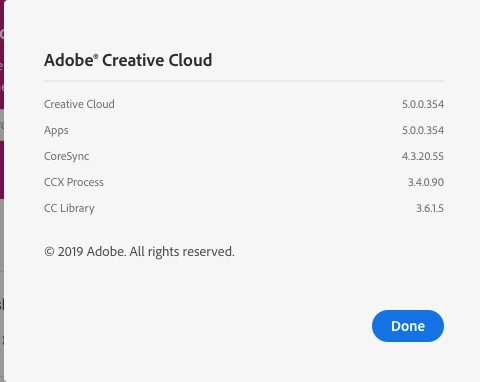
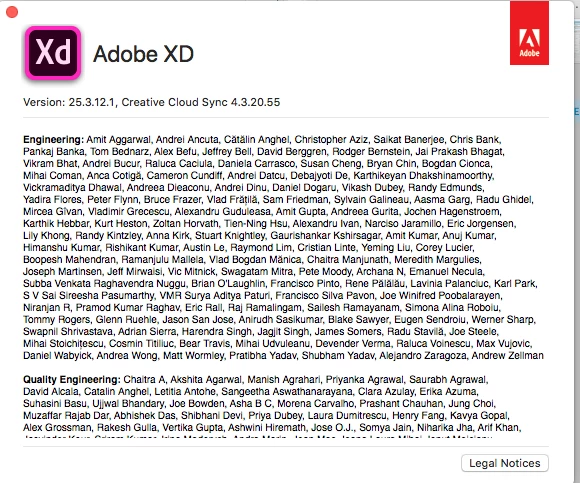
I get this error once I enable Coedit on any cloud xd file.. I've restarted, I've gone through all of the updates and settings for Creative Cloud... now what?? Has anyone had success in using it? Running on a Mac OS 10.13.6, Creative Cloud 5.0.0.354, XD 25.3...  Highband with corporate network...


<The Title was renamed by moderator>

This topic has been closed for replies.
Correct answer wendymill2

Hi Harshika,


It was a combination of not running Catalina and also there was an older security app installed that was interferring - it's working now!

Thanks,


Wendy

2 replies

Participant
March 12, 2020

In shared XD file, a message "Trying reconnecting... (in Japanese 再接続しようとしています)" appeared suddenly even though my computer is connected to the internet.

I cannot continue editing my XD file because of this error.

I know I can do that if I copy the file, but I think the changes for the new copied file will not be adapted to the original shared file, so I don't want to save copy.

Rishabh_Tiwari
Legend
March 24, 2020

Hi there,


Thanks for using Adobe XD. I am writing this to follow-up with you if you are still experiencing this issue? Let us know, we'll be happy to assist you.


Regards

Rishabh

Known Participant
May 12, 2020

Hi there,


Sorry to hear about the trouble. Could you please share a few more details like:


  1. The version of Adobe XD.
  2. Please ensure that the core sync should be up to date. For more information about core sync and how to update it, please refer to this article: https://helpx.adobe.com/xd/kb/issue-saving-xd-file-creative-cloud.html
  3. Please try signing out of Adobe XD and Adobe Creative Cloud Desktop app, close all Adobe related processes from activity monitor in macOS, or from Task manager if you have Windows and check again after signing in on Adobe CC desktop app and launching XD from there.


Regards

Rishabh


Hi Rishabh,


The version of XD  I am using is 28.9.12.2


The version of Creative Cloud Sync is 4.3.42.4


I tried wat you suggested and the problem still persists. 

HARSHIKA_VERMA
Community Manager
Community Manager
January 22, 2020

HI Wendy, 


We are sorry to hear you are having trouble using Adobe XD. If I heard you right you are working on the enterprise network, if so, please contact your IT team to enable the XD network endpoints as mentioned in this article: https://helpx.adobe.com/enterprise/kb/network-endpoints.html 


We would also suggest trying to enable the coediting on a Mac OS 10.15 and share the results with us. We will try our best to help.


Thanks,

Harshika

wendymill2AuthorCorrect answer
Inspiring
February 18, 2020

Hi Harshika,


It was a combination of not running Catalina and also there was an older security app installed that was interferring - it's working now!

Thanks,


Wendy