Participant
December 15, 2019
Answered

Color Palette doesn't show dark color in Adobe XD.

  • December 15, 2019
  • 1 reply
  • 1466 views

Greetings!

Today there was a problem in Adobe XD.

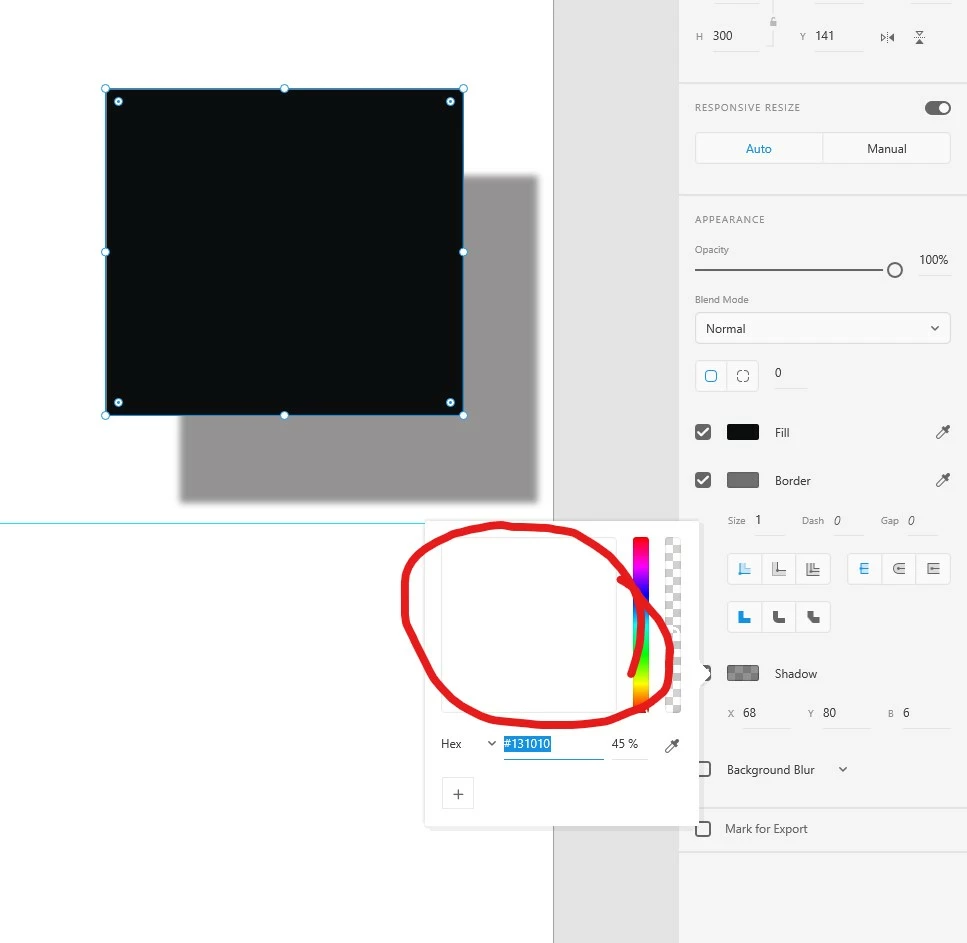
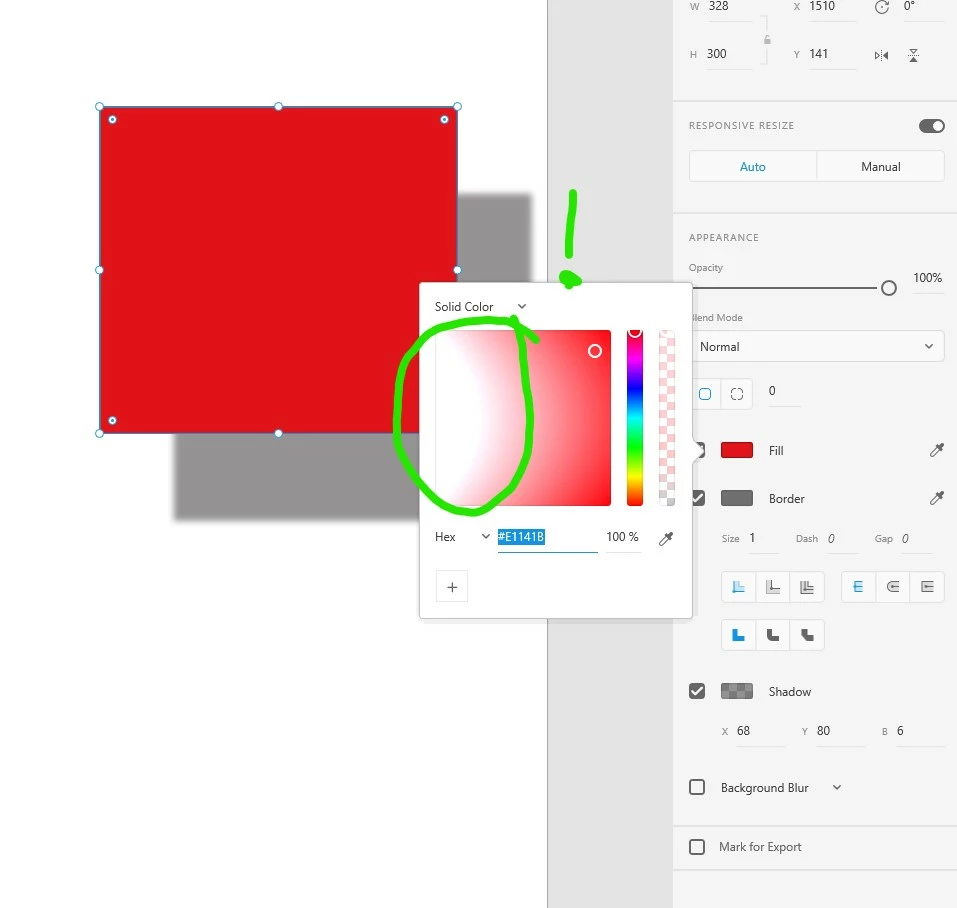
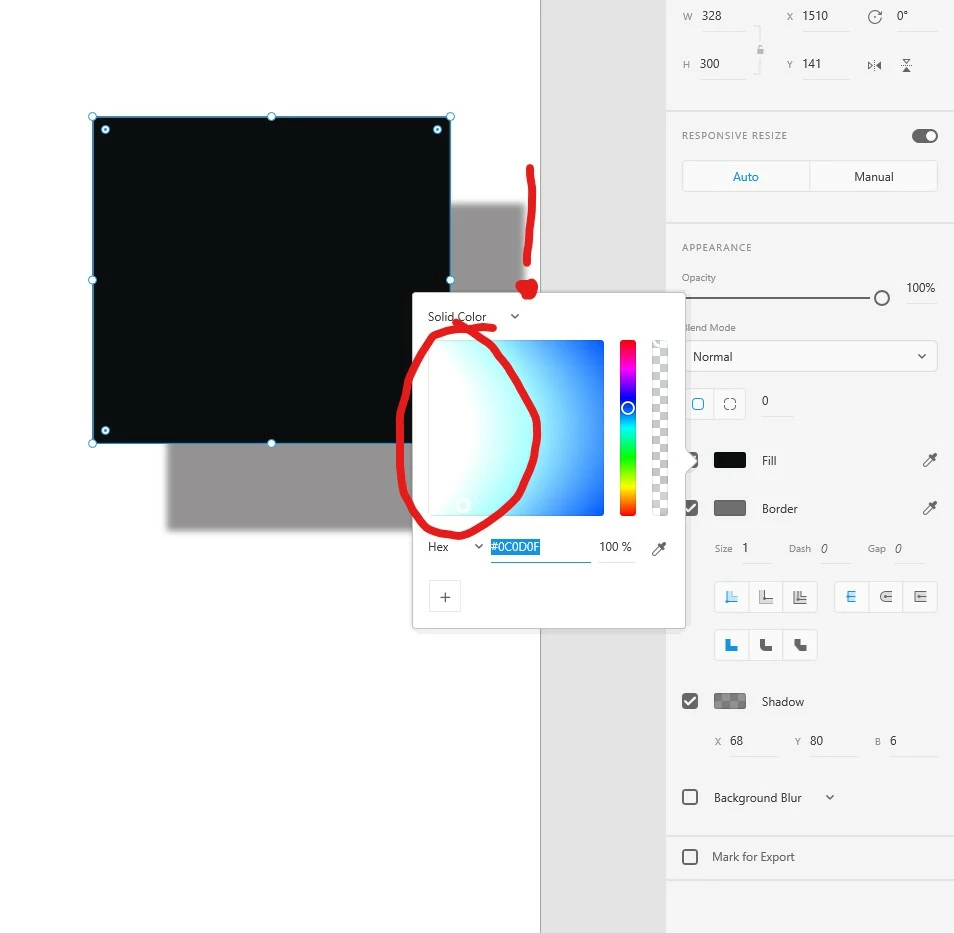
In the palette, all the black shades changed to light. Now there are no dark shades at all.

The color itself in the workspace is displayed correctly, according to the HEX values, but in the palette everything is white.

In the attachment are examples of how this can be seen.


Please help me to solve this problem


Может ли


Приветствую!

Сегодня случилась проблема в Adobe XD.

В палитре все черные оттенки поменялись на светлые. Теперь нет темных оттенков вообще.

Сам цвет в рабочей области отображается верно, согласно HEX значениям, но в палитре все белое.

Во вложении примеры того как это видно.


Помогите мне, пожалуйста, решить эту проблему


<The Title was renamed by moderator>

This topic has been closed for replies.
Correct answer HARSHIKA_VERMA

Hi Alex,


We ares sorry to hear you're having trouble using color palette in Adobe XD. In addition to what Sjaani has asked, we'd also like to know a few more details like-


  • Have you installed the latest updates to your graphics drivers? If not, please visit the manufacturer's site to check for and apply the latest updates to graphics drivers.
  • What is the version of XD you are using?
  • Please try using any other extended monitor and let us know if that helps.


We will try our best to help.


Thanks,

Harshika

1 reply

Sjaani
Community Expert
Community Expert
December 15, 2019

That definitely doesn't look right. I'm not seeing the same issue on my system.
Has this happened after an update? Of either XD or your OS?
Did you try to shutdown and restart the app?
Have you done a reinstall of XD?

Participant
December 16, 2019

No, the system and XD did not update.

After emergence of a problem rebooted the computer and reinstalled XD - the problem remains.

The only thing I did was change the monitor. Bought Iiyama Prolite xb3270qs

The first thing I thought it might be because of the color profiles that could be set, with the new monitor. But I check everything and put by default. And still the problem does not disappear. The most interesting thing is that other applications do not have this problem and the palette is displayed correctly.


Нет, систему и XD не обновлял.

После появления проблемы перезагружал компьютер и переустанавливал XD - проблема остается.

Единственное, что я сделал, так это поменял монитор. Купил Iiyama Prolite xb3270qs-b1.

Первое, что я подумал, что это может из-за цветовых профилей, которые могли установиться, с новым монитором. Но я провери все и поставил по-умолчанию. И все-равно проблема не исчезает. Самое интересное, что в других приложениях этой проблемы нет и палитра отображается верно.


Photosop

Illustrator


HARSHIKA_VERMA
Community Manager
HARSHIKA_VERMACommunity ManagerCorrect answer
Community Manager
December 16, 2019

Hi Alex,


We ares sorry to hear you're having trouble using color palette in Adobe XD. In addition to what Sjaani has asked, we'd also like to know a few more details like-


  • Have you installed the latest updates to your graphics drivers? If not, please visit the manufacturer's site to check for and apply the latest updates to graphics drivers.
  • What is the version of XD you are using?
  • Please try using any other extended monitor and let us know if that helps.


We will try our best to help.


Thanks,

Harshika