
Answered
Embedding prototypes onto other webpages
Under 'share', there's an option to copy an embed code for my prototype, to paste into markdown on my own website. But when I paste it in, it massively overlaps the space. Can anyone please advise how to tell it to fit the window it's in? You can see what I'm talking about here: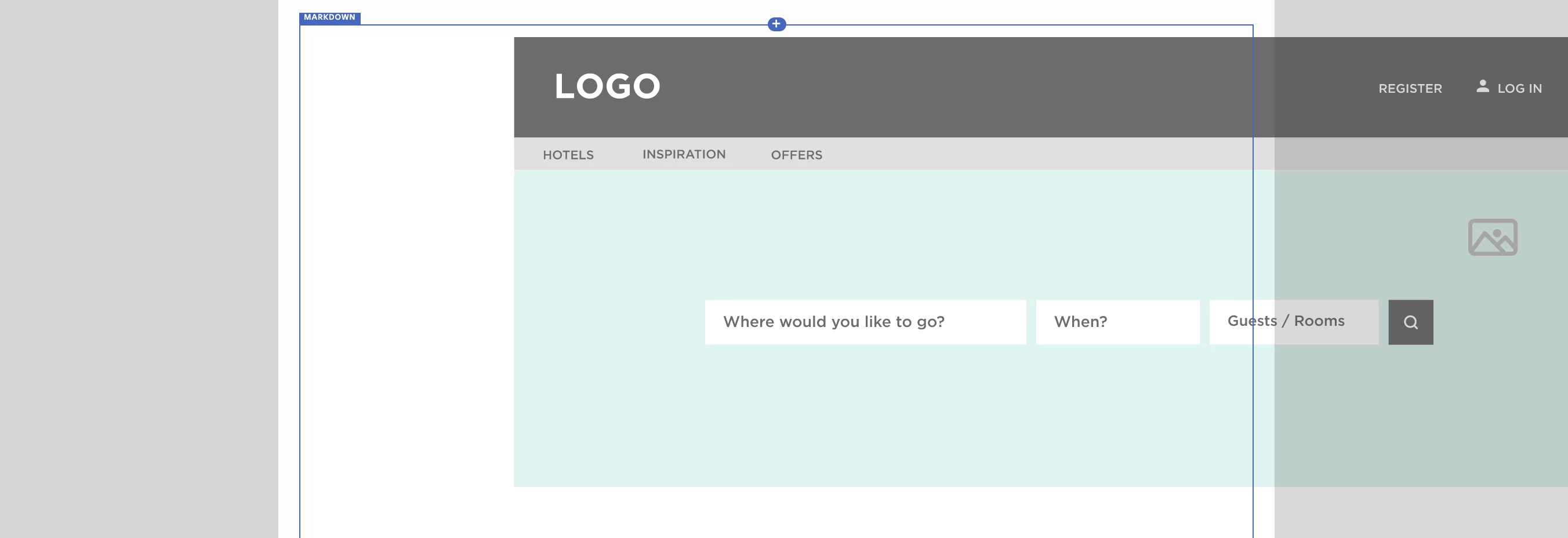 The embed code it generated was <iframe width="1920" height="1080" src="https://xd.adobe.com/embed/46fe53f9-9d26-4448-827f-88b5d8d04224-13ad/?fullscreen" frameborder="0" allowfullscreen></iframe>. Perhaps it's related to the full screen bit but I don't know how to take this off without breaking the code.
Any assistance appreciated. Thank you.
 AdChoices