
Participant
March 17, 2019
Answered

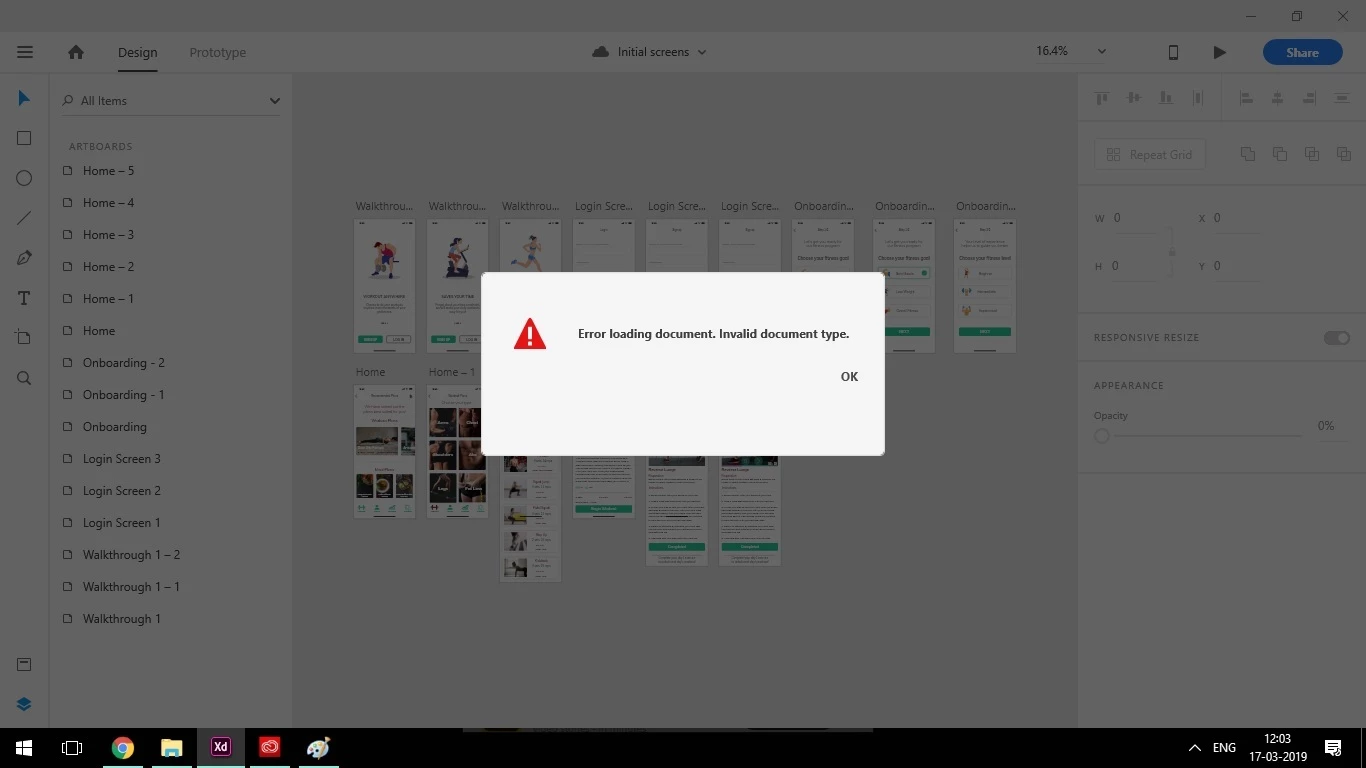
Error loading document. Invalid document type.

  • March 17, 2019
  • 4 replies
  • 4781 views

Hi there,

Guys i have been working on a project for my education purposes. The power went off while i was working on my pc and when i tried to reopen the cloud document in which i have been working this error pops up. Please help me on this , I am really frustrated since i have been working very long hours on this one and it ended up like this. Please help me retrieve my files. The document opens on my mobile preview but its not opening on my pc. I am really panicked, help me out please!
This topic has been closed for replies.
Correct answer saravanax6

Hey thanks for the reply, my problem was solved anyways.

I could only preview the files on the mobile. It had no option to save it back on the cloud.

I asked one of my friend to login into my Adobe ID on his system and check whether he could access that particular cloud file. Fortunately he could access that in his pc without the error that prevented me from opening it. Then he downloaded it and shared it to me. So i think probably the roaming file got corrupted in my PC as soon as the power went off. Thanks anyways

4 replies

Participant
July 30, 2019

I had the same problem. The fix above didn't work, but I found another workaround:

As soon as I clicked Ok to the error popup, I quickly pressed CTRL+A & CTRL+C on my keyboard, and then created a new document and pasted it in, It worked.

HARSHIKA_VERMA
Community Manager
Community Manager
July 30, 2019

Thank you for sharing the solutions that worked for you. We really appreciate it. Please feel free to reach out to us in the future for any query related to Adobe XD. We'd be happy to help.

Thanks,

Harshika

kingshuks35703079
Participant
June 25, 2019

I found an easier workaround for this. If you are on a windows device, create a new user and install XD for that user. You'll be able to open up the file when you are using XD from the new account.

Ares Hovhannesyan
Community Expert
Community Expert
March 18, 2019

You noted that you can open it on mobile preview. Does it means that you save it on Cloud?

saravanax6AuthorCorrect answer
Participant
March 20, 2019

Hey thanks for the reply, my problem was solved anyways.

I could only preview the files on the mobile. It had no option to save it back on the cloud.

I asked one of my friend to login into my Adobe ID on his system and check whether he could access that particular cloud file. Fortunately he could access that in his pc without the error that prevented me from opening it. Then he downloaded it and shared it to me. So i think probably the roaming file got corrupted in my PC as soon as the power went off. Thanks anyways

Atul_Saini
Community Manager
Community Manager
March 18, 2019

Hi Saravanax6,

Sorry that you are unable to open this file, could you please share the version of Adobe XD which you are using and the OS version?

I would also like to know if it's possible for you to share this file with us so that we can investigate it and have you tried opening this file on a different machine?

Thanks,

Atul_Saini

Participant
March 20, 2019

Hey thanks for the reply, my problem was solved anyways.

I was using the latest version of Adobe XD on that date and i wasn't able to share since the error pops up immediately after opening the file.

I asked one of my friend to login into my Adobe ID on his system and check whether he could access that particular cloud file. Fortunately he could access that in his pc without the error that prevented me from opening it. Then he downloaded it and shared it to me. So i think probably the roaming file got corrupted in my PC as soon as the power went off. Thanks anyways