
Participant
September 21, 2021
Question

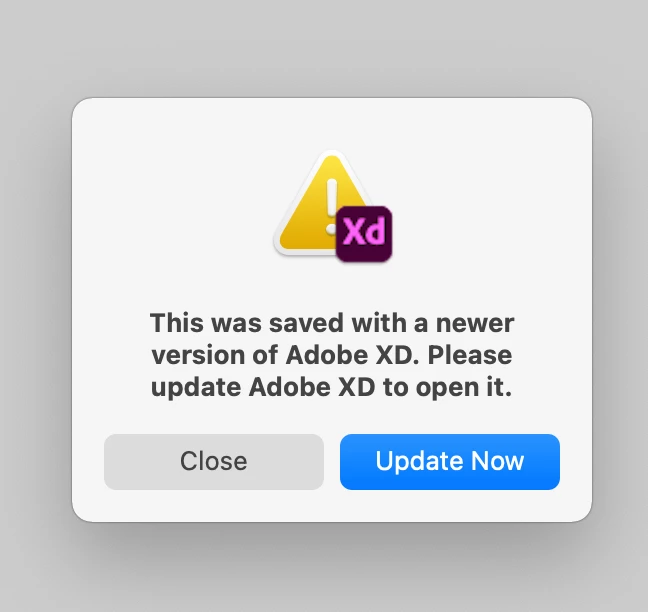
Error: This was saved with a newer version of Adobe XD. Please update Adobe XD to open it in XD 44

  • September 21, 2021
  • 2 replies
  • 3592 views

Dear community, 

my colleague udated to the lastest version this morning. So did I. Unfortunately the cloud file is no longer accessible. There is a promt to update but the version I use is already updated. Any ideas? Thanks in advance. Phil
 

<Title renamed by moderator>

This topic has been closed for replies.

2 replies

Participant
September 23, 2021

After uninstalling the whole Creative Suite, running Adobe cleaner tool and after a fresh install, XD V44 finally was installable. Took me one day.

italosan
Community Expert
Community Expert
September 21, 2021

Hi, are there any other colleagues working on the file who haven't updated Adobe XD yet?

Participant
September 21, 2021

Hi ,

yes me too i have a problem to the file have along time loading after last updating today 
Thanks


Participant
September 21, 2021

Hi All,


We are sorry for the frustration. This generally happens due to version mismatch and always gets resolved with XD update. Please try signing out of Creative Cloud desktop and XD and then try to update again.


If you've already updated, please try reinstalling XD and let us know if that helps.


Thanks,

Harshika


Hi Harshika, thanks for your help.


I signed out and signed in. I reinstalled XD.

Still Creative Cloud app indicates no new updates.

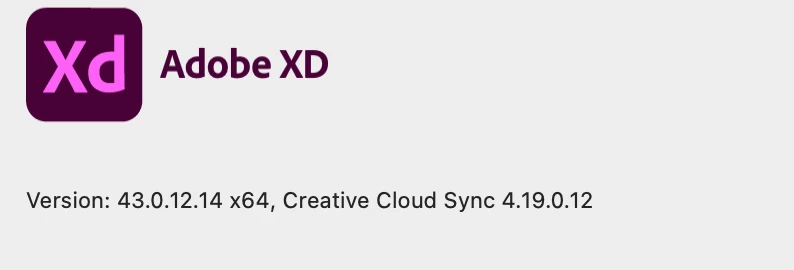
I am running the version 43 as shown in the screenshot above.

Is there a direct download for a mac XD installer?