
Participant
June 19, 2019
Answered

'Fix position when scrolling' only accessible if using multiple artboards (v20.0.12.10)

  • June 19, 2019
  • 1 reply
  • 3113 views

Hi,

I have noticed that the new update has moved the 'Fix position when scrolling' checkbox to the Prototype Tab.

The problem with this is that users can only access the Prototype tab if they have more than one artboard.

The design I am working on only requires one page, but it has fixed components. Therefore, I am forced to make an empty unneeded artboard in order the access the 'Fix position when scrolling' checkbox!

Is this issue an oversight from Adobe XD or am i missing something?!!

thanks
This topic has been closed for replies.
Correct answer Harshika Verma

Hi Riom,

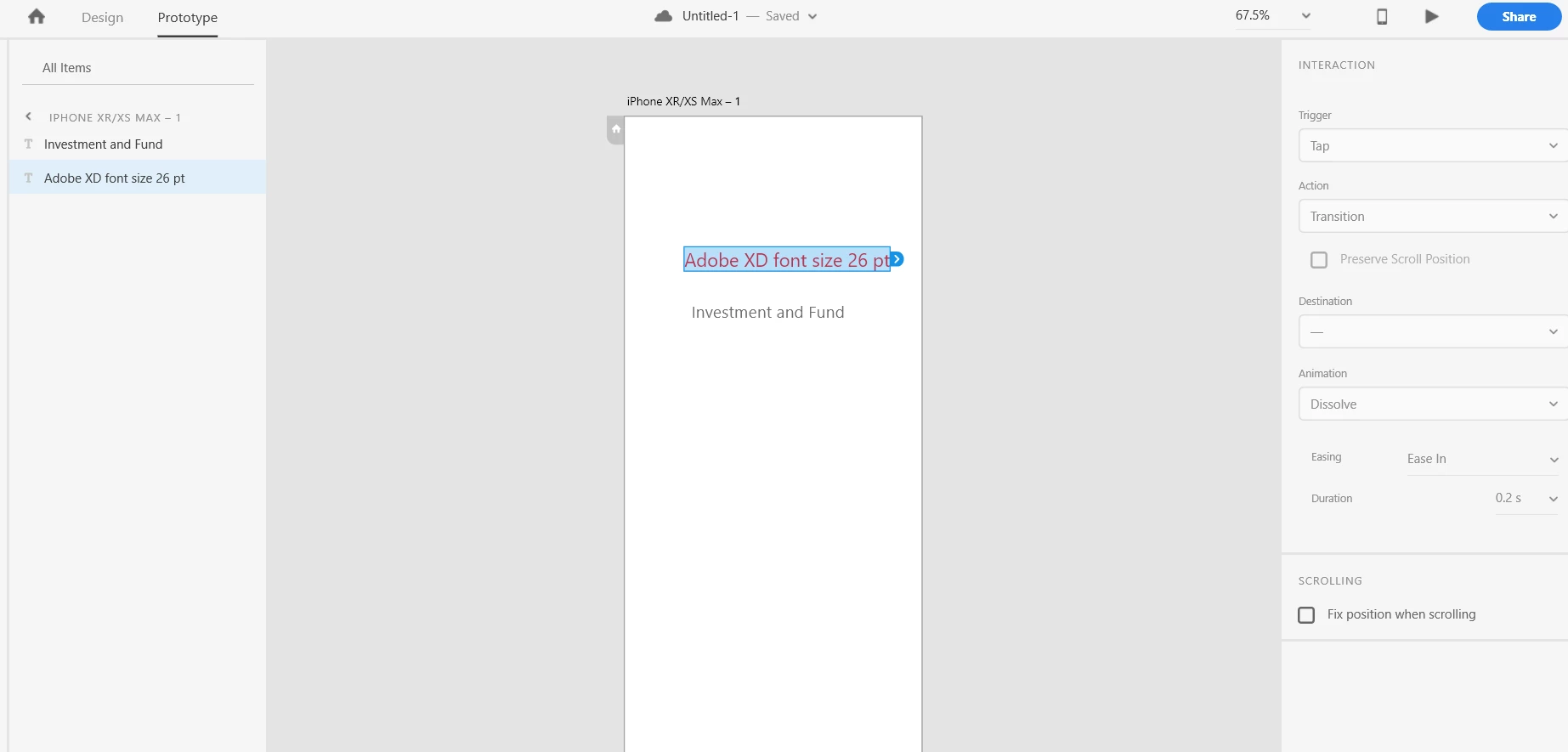
Thank you for reaching out. Based on what you said, it looks like you are trying to fix the position of the components by using the "Fix position when scrolling" option in Prototype mode. I tried to reproduce the same at my end and I have found that we need to select the component of the artboard to make the fix position option visible. Please see the screenshot below: -

Please let us know if you need more assistance on this one. We'd be happy to help.

Thanks,

Harshika

1 reply

Harshika Verma
Community Manager
Harshika VermaCommunity ManagerCorrect answer
Community Manager
June 19, 2019

Hi Riom,

Thank you for reaching out. Based on what you said, it looks like you are trying to fix the position of the components by using the "Fix position when scrolling" option in Prototype mode. I tried to reproduce the same at my end and I have found that we need to select the component of the artboard to make the fix position option visible. Please see the screenshot below: -

Please let us know if you need more assistance on this one. We'd be happy to help.

Thanks,

Harshika

Participant
June 20, 2019

Hi Harshika,

I also had the same issue as Riom mentioned but I found your reply helpful. But the question is if I have just one artboard to work with how can I select the prototype option as to open protype we need to create atleast 2 artboards. I think this is what actually Riom was trying to ask you. The 'fix position' checkbox was better like in the older version.

Thanks

Alwin

Participating Frequently
June 20, 2019

Hi,

You can access the fix position checkbox even if you have a single artboard. When you switch to Prototype mode with a single artboard, you probably see an onboarding message which say - "Create Multiple artboards ... "

Simply dismiss that by click on the close icon in the top left corner. After that you should be able to access the Property Inspector in Prototype Mode.

Thanks,

Jonathan