
Inspiring
September 21, 2018
Question

Fonts missing tragedy still occurs

  • September 21, 2018
  • 1 reply
  • 580 views

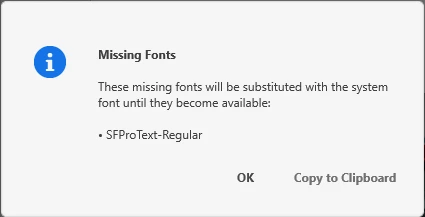
This is still hopeless. Dear Adobe, if your out there could you pleease do something to fix missing font error?! It's been with us from the start. NO, I do NOT miss the fonts! They are installed and working fine with Photoshop, Indesign, Illustrator, Word, PP etc. But XD keeps messing things up telling me that the fonts are missing. I created these project with that same font!! Every single time I open a document I'm forced to remove that blue error bar and click OK on the dialogue that pops up afterwards. It is hopeless. It applies to all documents no matter what font I'm using in the project. W10. It's a headache.

This topic has been closed for replies.

1 reply

Atul_Saini
Community Manager
Community Manager
September 26, 2018

Hi Perrybrus,

Could you please check if this request here: - Missing fonts (XD can't locate installed system fonts due to name mismatch) – Adobe XD Feedback : Feature Requests & Bug matches your situation?

As per the comments, please check the name of the font in other application is different or not. If it's different then upvote this bug and share your comments.

Please update the discussion with the results.

Thanks,

Atul_Saini

Known Participant
October 25, 2018

This keeps happening to me too and the fonts ARE available in WordPad.

perrybrusAuthor
Inspiring
January 16, 2019

I have the most recent version. If I open Font Base, and go

activate/deactivate and activate a font on Adobe Type, and THEN open

Adobe XD, it usually works fine.


I don't use any fonts from Adobe type. I Like my fonts locally installed. I don't have any peripheral font software. W10. This XD font issue is old and has been with XD for W10 since launch.