
Participant
March 20, 2018
Question

Grid Layout for using Semantic UI and Adobe XD

  • March 20, 2018
  • 1 reply
  • 1801 views

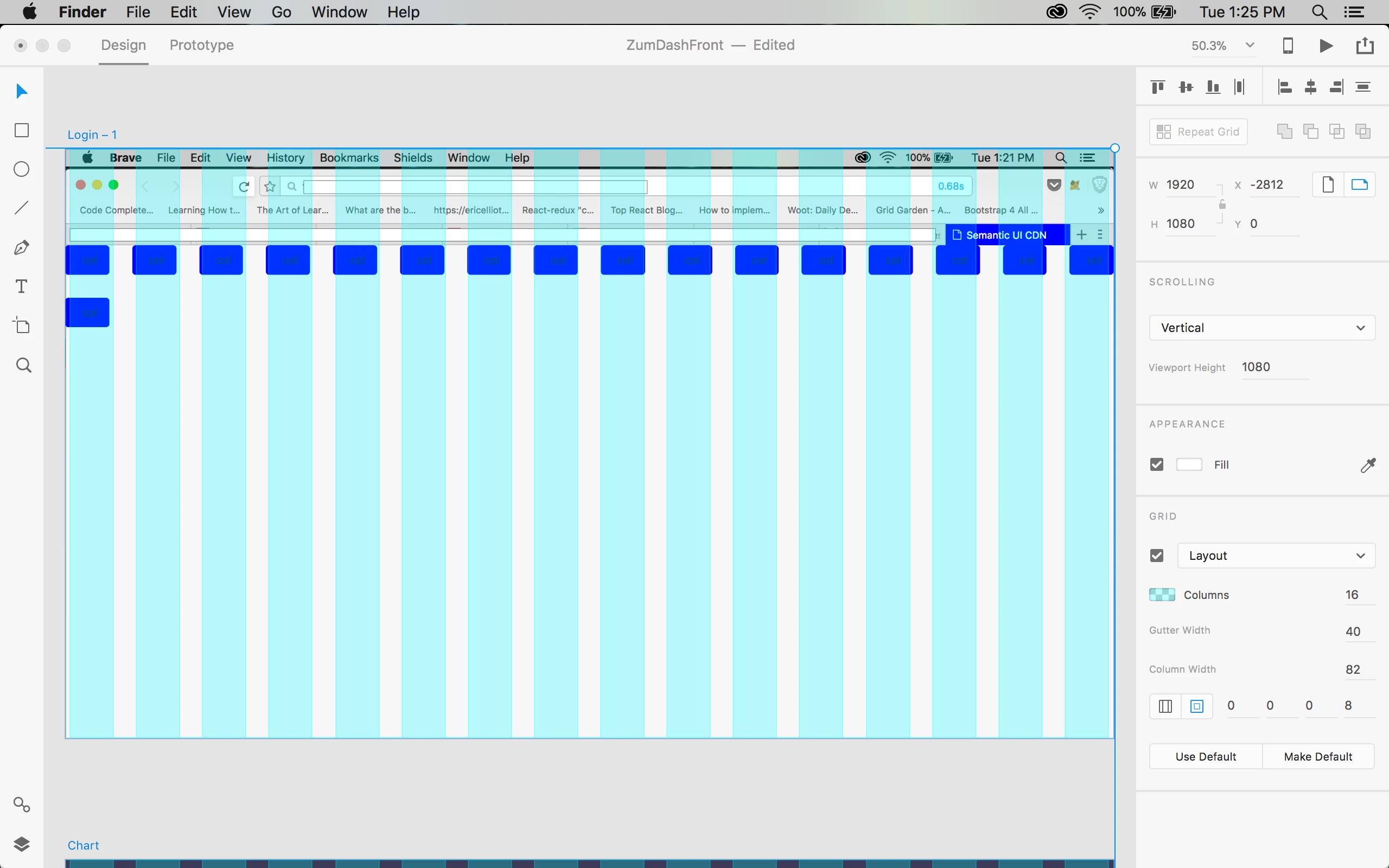
I searched all over to find a description of how to make a grid layout in XD that would match up to the grid system in Semantic UI. I couldn't find anything so I made a simple webpage using default columns from the Semantic library.

Then I imported a picture of that webpage and put it on a 1200 x 1080 art board and tried to match an XD grid to it. This is the closest I was able to get, I figure if I post it up here maybe it'll help someone else. Here are the settings:
This topic has been closed for replies.

1 reply

Randy Edmunds
Adobe Employee
Adobe Employee
March 21, 2018

What version of XD are you using? We introduced a bug in v6.0 where columns are drawn in wrong position when zoom is not 100%.

You say that's a "1200" width artboard, but you seem to be using a "1920" width artboard.

Hope this helps,

Randy

iggirexAuthor
Participant
March 21, 2018

Hi Randy,

Thanks for getting back to me on that, I was mistaken and had thought the default size was 2000 but it's 1920 like you're saying. (I don't see where I can go back and edit my post to correct this)

I'm using version 6.0.12.6, and now that you mention it, I do have a bug where the grid looks different at different zoom levels. If I zoom out enough, the right-most grid column doesn't show up at all and it looks a bit strange.