Participant
September 27, 2020
Answered

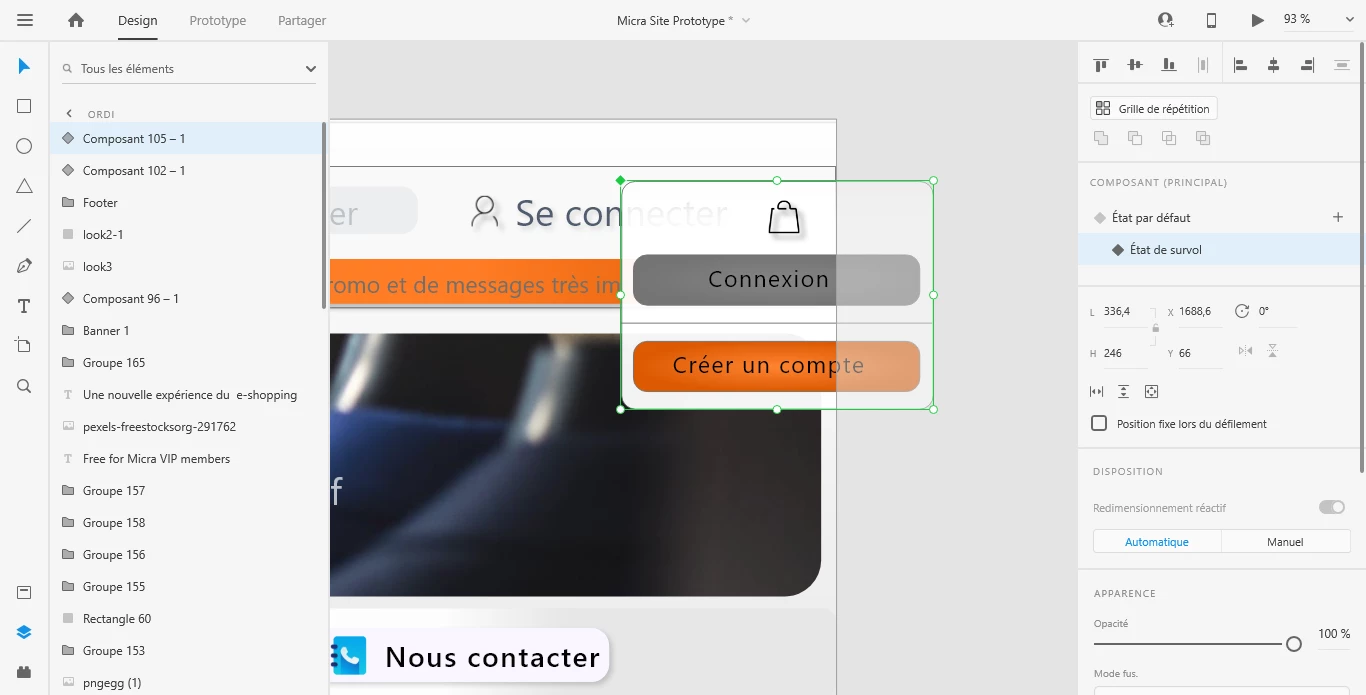
How to create this kind of menu?

  • September 27, 2020
  • 1 reply
  • 554 views

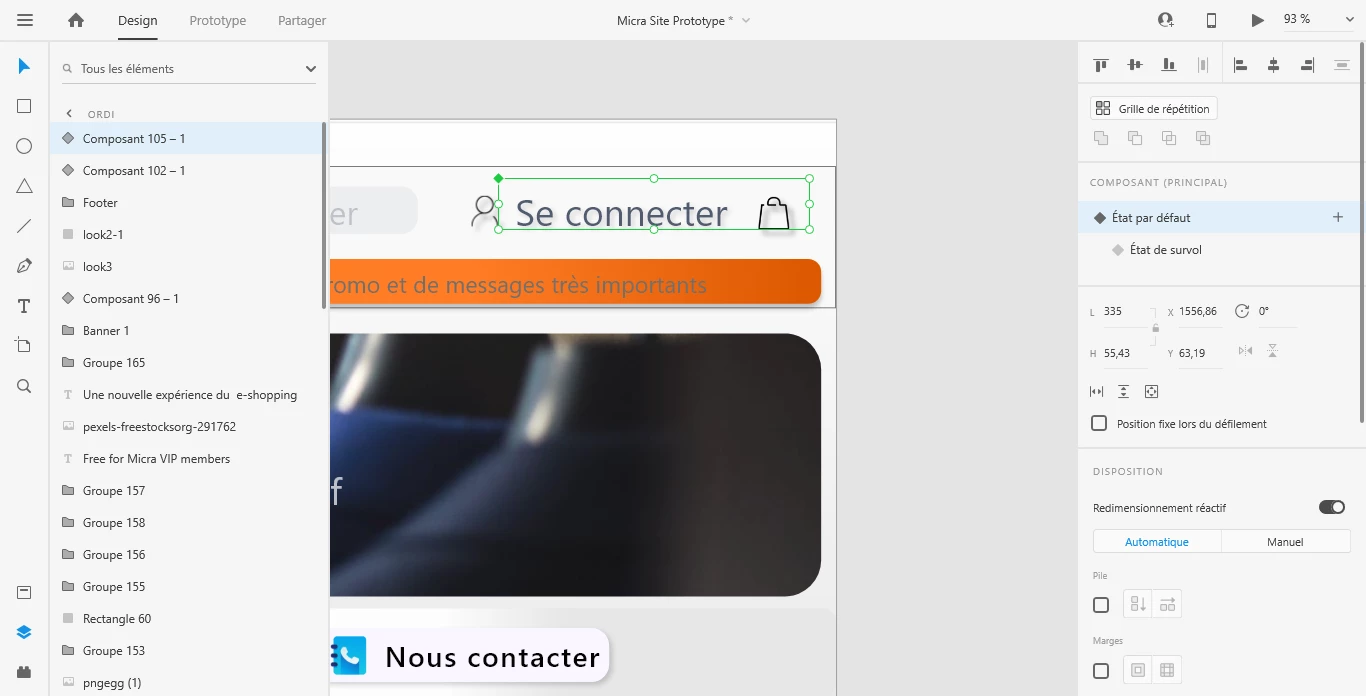
Hi everyone, I have been trying to create this menu for many hours. But I can't do it right

I need your help

I actually want to have a menu that pops up when the mouse hovers over the bag icon but not when the mouse is over the "connect" button which is near the bag button.

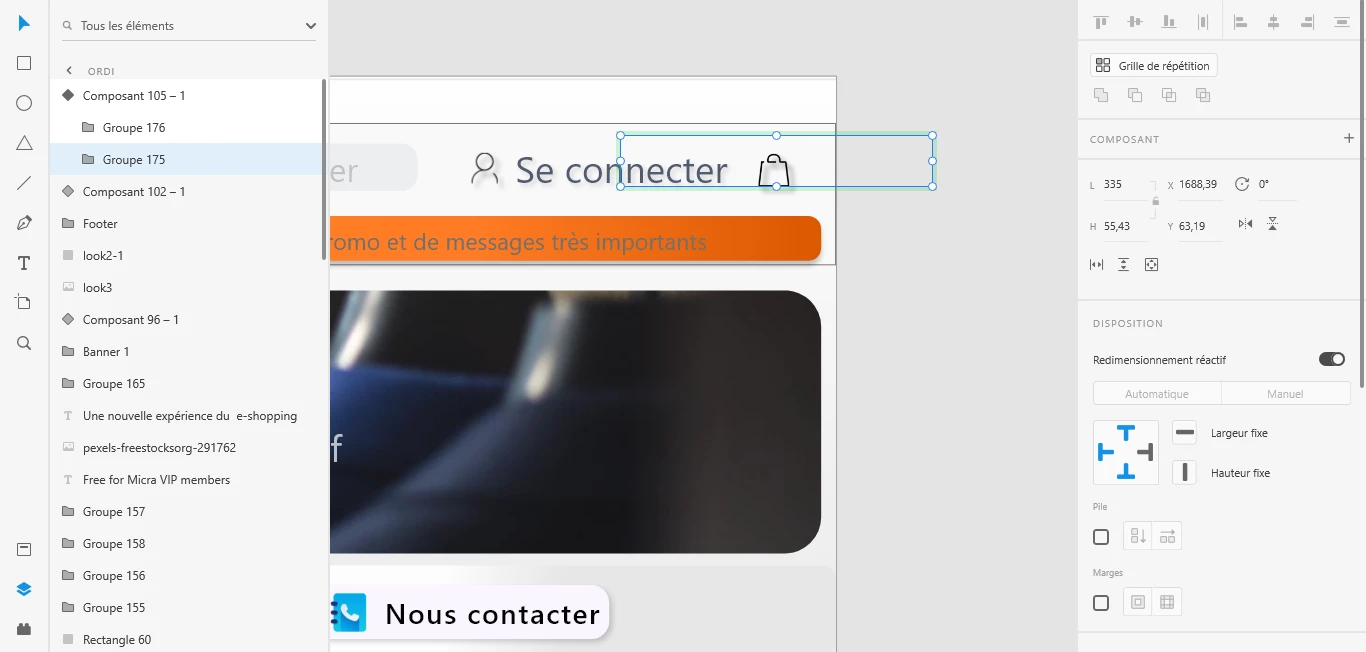
I tried to make the menu and the bag button in the same component; the result is that when I try to reduce the size of the component in its default statistic, it moves and doesn't change its size; even when I only select things in the component (I mean when I don't select directly the component but things in it)

I hope you understood my explanations

This topic has been closed for replies.
Correct answer Spas K.

It's not the app. Components get buggy sometimes. They are quite fragile with their current implementation, unfortunately. Worst case you can try to recreate the component. Make sure you resize everything beforehand, and only then make the component. If you edit layers within the component itself, it is prone to break.


If you upload the file somewhere and send it to me (google drive or dropbox link here), I can check it out and try to set it up for you.


1 reply

Spas K.
Community Expert
Community Expert
September 27, 2020

Hi Babacar. You should be able to make the component smaller in the default state if you resize whatever is in these groups. 

If you still can't figure it out, you can upload a file with the artboard somewhere (you can just leave this particular component), and link it here, so we can see what's happening.

Participant
September 28, 2020

I've tried to make it smaller by resizing elements in the group but as I explained the whole component deplaced itself. If it's not normal maybe I should delete and download the app again.

However you gave me a different solution but thank you!  But what I tried to do should work I don't know why it don't!😟😟

Spas K.
Community Expert
Spas K.Community ExpertCorrect answer
Community Expert
September 28, 2020

It's not the app. Components get buggy sometimes. They are quite fragile with their current implementation, unfortunately. Worst case you can try to recreate the component. Make sure you resize everything beforehand, and only then make the component. If you edit layers within the component itself, it is prone to break.


If you upload the file somewhere and send it to me (google drive or dropbox link here), I can check it out and try to set it up for you.