
Participating Frequently
March 19, 2020
Answered

Is there a vertical type tool in the works? Is there a good workaround?

  • March 19, 2020
  • 2 replies
  • 11277 views

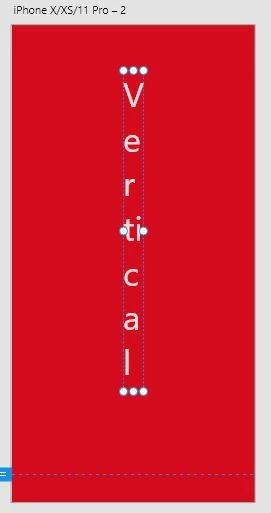
Hello! I am creating a side navigation on a webpage and would like to have some of my text displayed vertically. In illustrator I would use the vertical type tool, but I can't seem to find an equivalent option in XD. Is something like this in the works? If not, is there an easy workaround besides just pressing return after every letter?

Thank you for your time!

This topic has been closed for replies.
Correct answer Ares Hovhannesyan

Also if you want to create normal up=down vertical text, you must create horizontal text with text area and change text area width https://www.xdguru.com/adobe-xd-guide/text/
 

2 replies

Ares Hovhannesyan
Community Expert
Ares HovhannesyanCommunity ExpertCorrect answer
Community Expert
March 19, 2020

Also if you want to create normal up=down vertical text, you must create horizontal text with text area and change text area width https://www.xdguru.com/adobe-xd-guide/text/


Community Expert
March 19, 2020

Your example is not vertical text but rotated text - you can simply rotate your text 90 degrees in XD 😄