
gurs2die4
Inspiring
May 13, 2021
Resuelto

Missing SF Pro Fonts in Adobe XD file

  • May 13, 2021
  • 2 respuestas
  • 7560 visualizaciones

I have an XD file that tells me I have missing fonts, but there are no objects that I can find that are associated with any of those fonts.  XD tells me that I have 3 missing fonts (SF Pro Text Regular, SF Pro Text Medium and SFProText Semibold).  When I right-click on one of those and select "Highlight on canvans", I am shown a bunch of blue rectanges with nothing in them, like this:
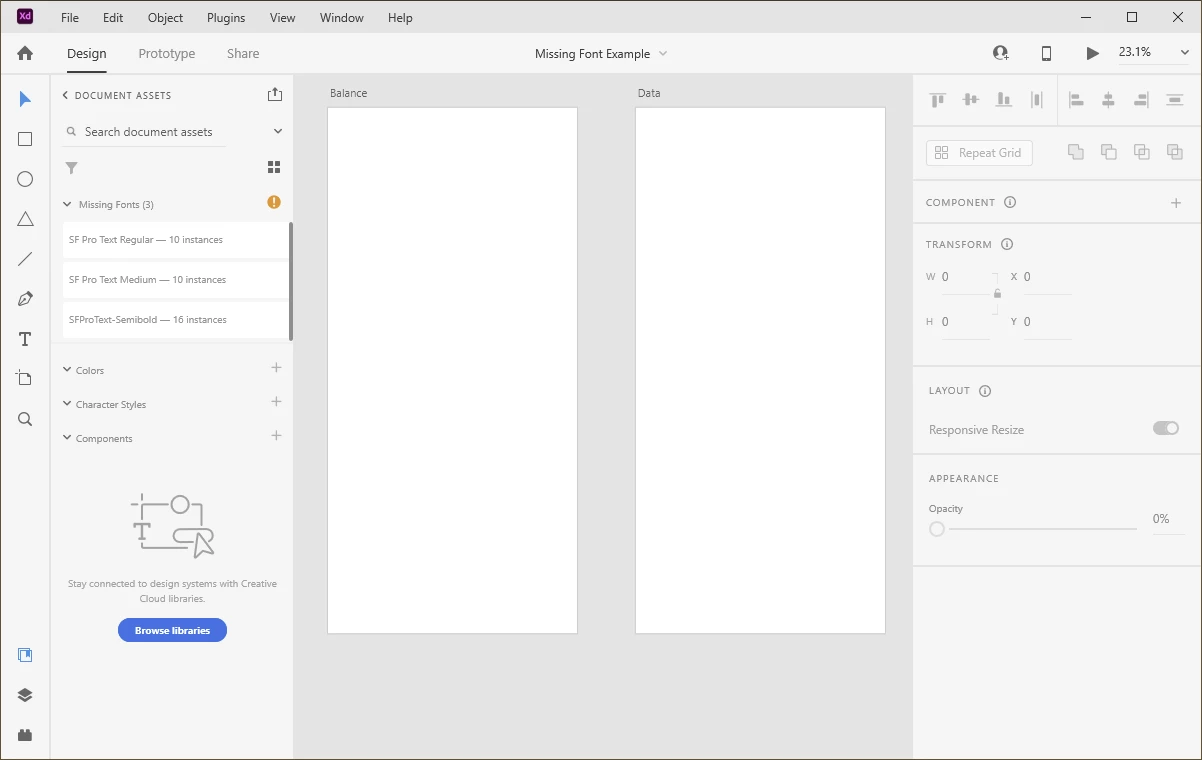
 

But when I try to select any of those rectangles or click anywhere on the screen, they all just disappear.  If I drag accross the entire artboard area, nothing is selected.  How am I supposed to figure out what text is in these text boxes, select them, change their attributes, or delete them?  Any help appreciated. 


I created a demonstration file by starting with the problematic XD prototype and deleting all objects/assets and deleting all artboards except for the two with the mystery missing fonts.  Of course, if you have these fonts on your system the issue may not present for you, but I'm not sure how else to showcase the problem.  In any case, when I try to attach the XD file directly to this post, I get the following error from the site: "The attachment's missingfontexample.xd content type (application/octet-stream) does not match its file extension and has been removed."  If someone can tell me how to share the file, I will do so.


Thanks for your help!


{Renamed BY MOD}

Este tema ha sido cerrado para respuestas.
Mejor respuesta de gurs2die4

I think I just figured it out.  If I view the layers panel, it showed me that there were 2 objects on each artboard that must have contained the fonts.  Those objects were hidden, so there was no way to select them from the artboard.  Live & learn!

2 respuestas

gurs2die4
gurs2die4AutorRespuesta
Inspiring
May 13, 2021

I think I just figured it out.  If I view the layers panel, it showed me that there were 2 objects on each artboard that must have contained the fonts.  Those objects were hidden, so there was no way to select them from the artboard.  Live & learn!

Rishabh_Tiwari
Legend
May 18, 2021

Glad to hear that! Feel free to reach out if you need any further assistance. 

Rishabh_Tiwari
Legend
May 13, 2021

Hi there,


Sorry to hear about the trouble. We'll need to test this on our end so please share the file by adding it to a shared location like Google Drive or DropBox and then sharing the link through DM by clicking on my name. Please also share the version of XD, we'll try our best to help you with it.


Note: While sending the DM, please add this discussion link in the subject.


Regards

Rishabh

gurs2die4
Inspiring
May 13, 2021

Hi Rishabh.  I will just post the link here since the file is not confidential:

https://web.tresorit.com/l/EampM#oFZDQvm8L27Hur8GPKsTGw