

Missing XD Fonts but installed via Cloud Fonts - Please Help fix
OK, this is pretty confusing so this screen shot might help:
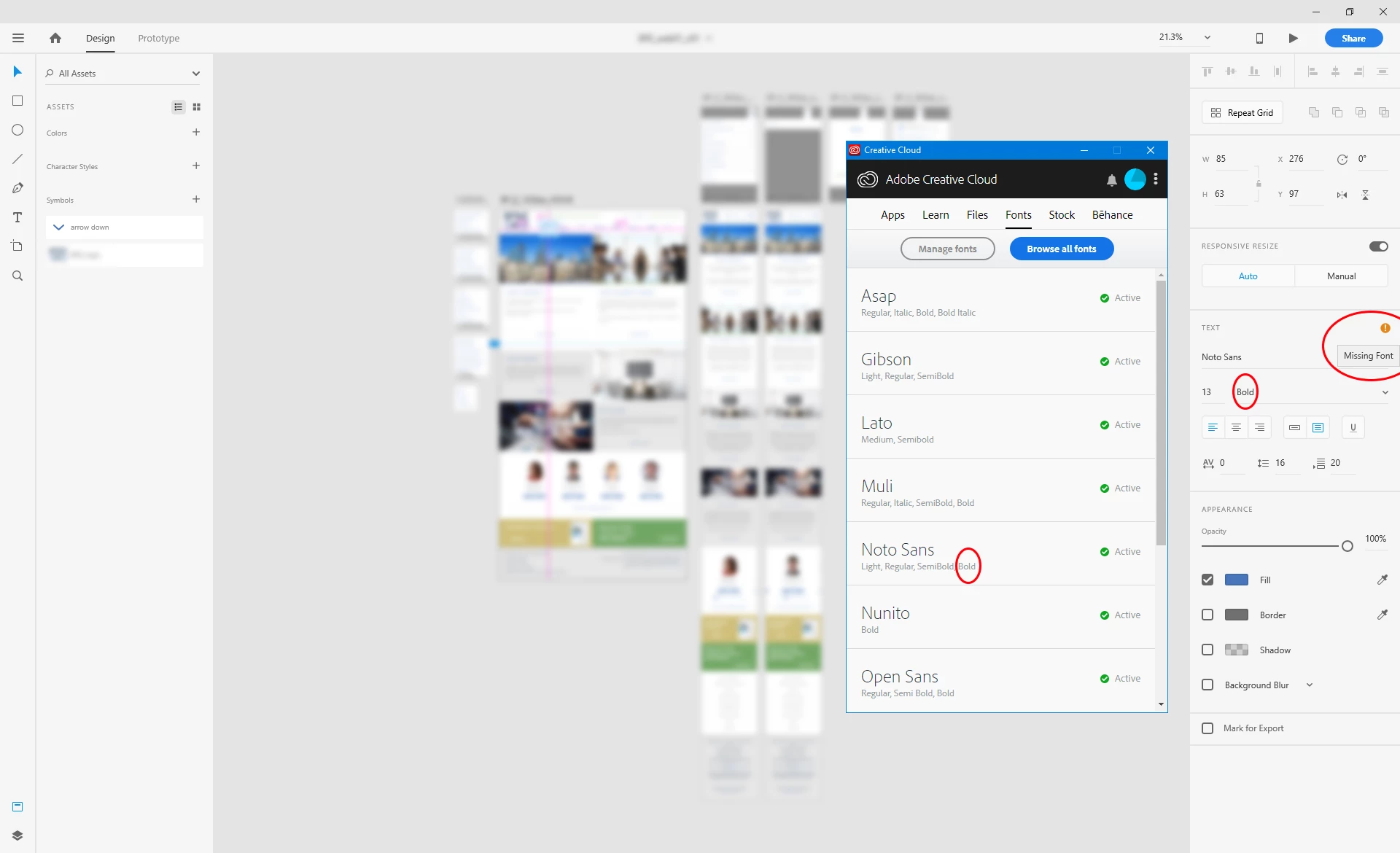
Basically, I've installed fonts via Creative Cloud fonts manager over the years, and this has slowly been getting worse in XD only.
The problem:
XD is showing some Adobe fonts; -
(a) Some installed fonts and variations are showing in the drop down list but giving a warning that fonts are missing when I try and select them,
(b) Some installed fonts and/ or variations missing from the list.
(c) Some showing in the font family list but I've not even installed those variations.
I'm only talking about the Adobe installed fonts via The Creative Cloud App. I've not checked system ones for now.
See below for the all the fonts I've installed via Creative Cloud fonts app only, and the problems each font family and variation has:
All show correctly and are installed:
- Gibson - Light, Regular, Semibold
- Nunito - Bold
Some show, but some show as installed but not showing:
Lato -
- Showing font: Medium,
- I don't have these installed but are in the drop down list and show: - Light, Light Italic, Regular, Italic.
- NOT Showing font: (I don't have these installed but are in the drop down list:) - bold, bold Italic, black, black italic.
- NOT showing in the list but are installed: - Semi Bold
Noto Sans -
- Showing font: Light, Regular.
- NOT Showing font: Bold.
- NOT showing in the list but are installed: - Semi Bold
Open Sans-
- Showing font: Regular,
- I don't have these installed but are in the drop down list and show: - Light, Light Italic
- NOT Showing font: (I don't have these installed but are in the drop down list:) - Italic, Semi Bold italic, Bold Italic, Extra Bold, Extra Bold Italic.
- NOT showing in the list but are installed: - Semi Bold, Bold
None show in XD dropdown but installed in Creative cloud/ Fonts manager:
- ASAP - Regular, Italic, Bold, Bold Italic
- Muli - Regular, Italic, Semi bold, Bold
- Pacifico - Light, Regular, Bold
- Roboto Condensed - Bold (Shows Extra Bold Italic - but is greyed out and says missing font)
- Source Sans Pro - Semi bold
- Titillium Web -Regular, Semi Bold, Bold
OK, so can anyone advise as to why I'm having the above fonts issues and how to solve it so installed fonts actually show without missing font errors and ones I've not installed, don't?
Thanks.
Dave.
 AdChoices