monterxz
Inspiring
January 7, 2021
Answered

Roboto font from Google has different heights on Mac vs PC

  • January 7, 2021
  • 13 replies
  • 17951 views

Yesterday me and my colleague were collaborating on a same part of our project's UI and I noticed that she was changing correct paddings between text elements to incorrect one. When I asked why is she doing it, she answered that they were incorrect in the first place and she changed them to correct.

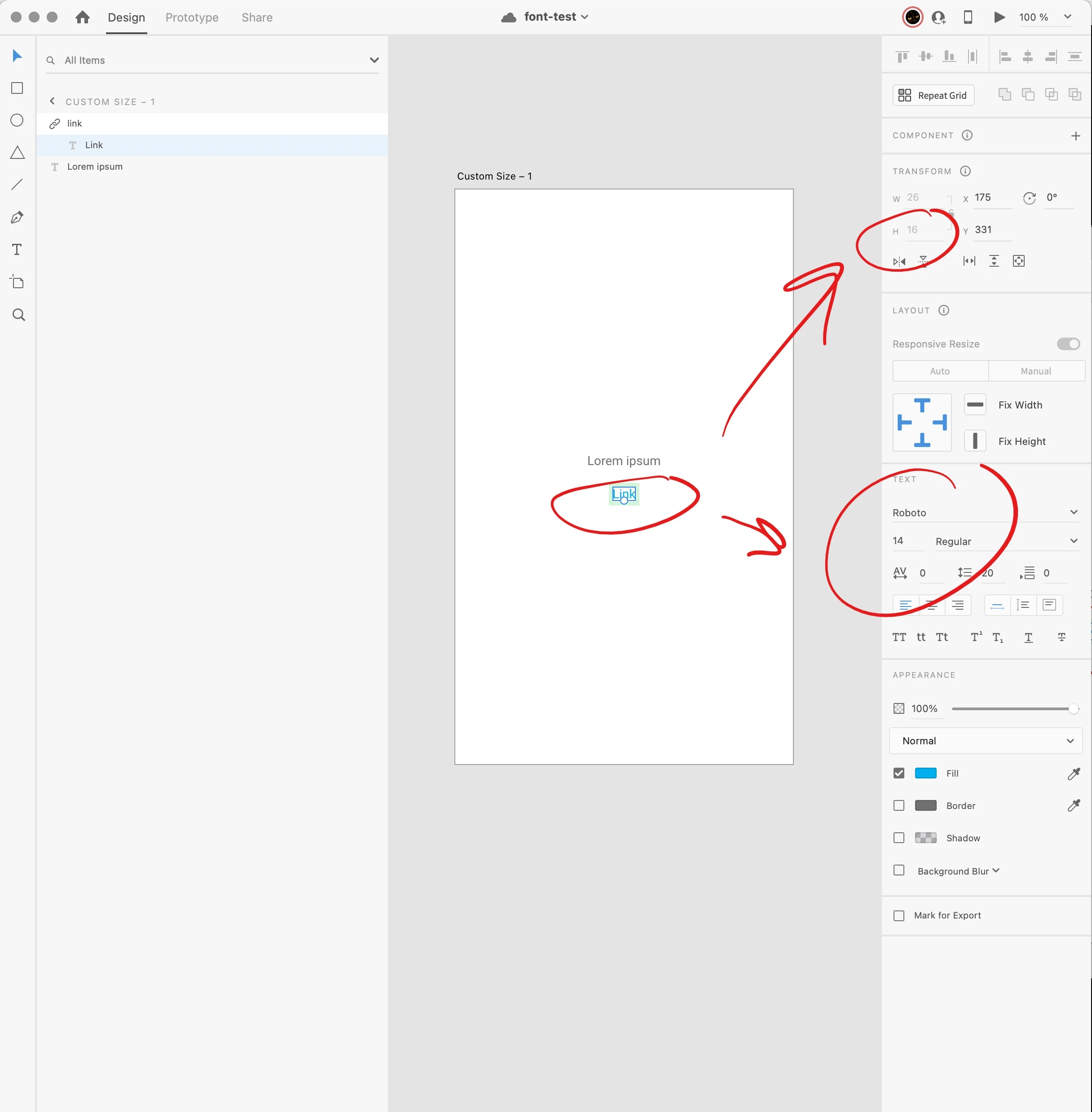
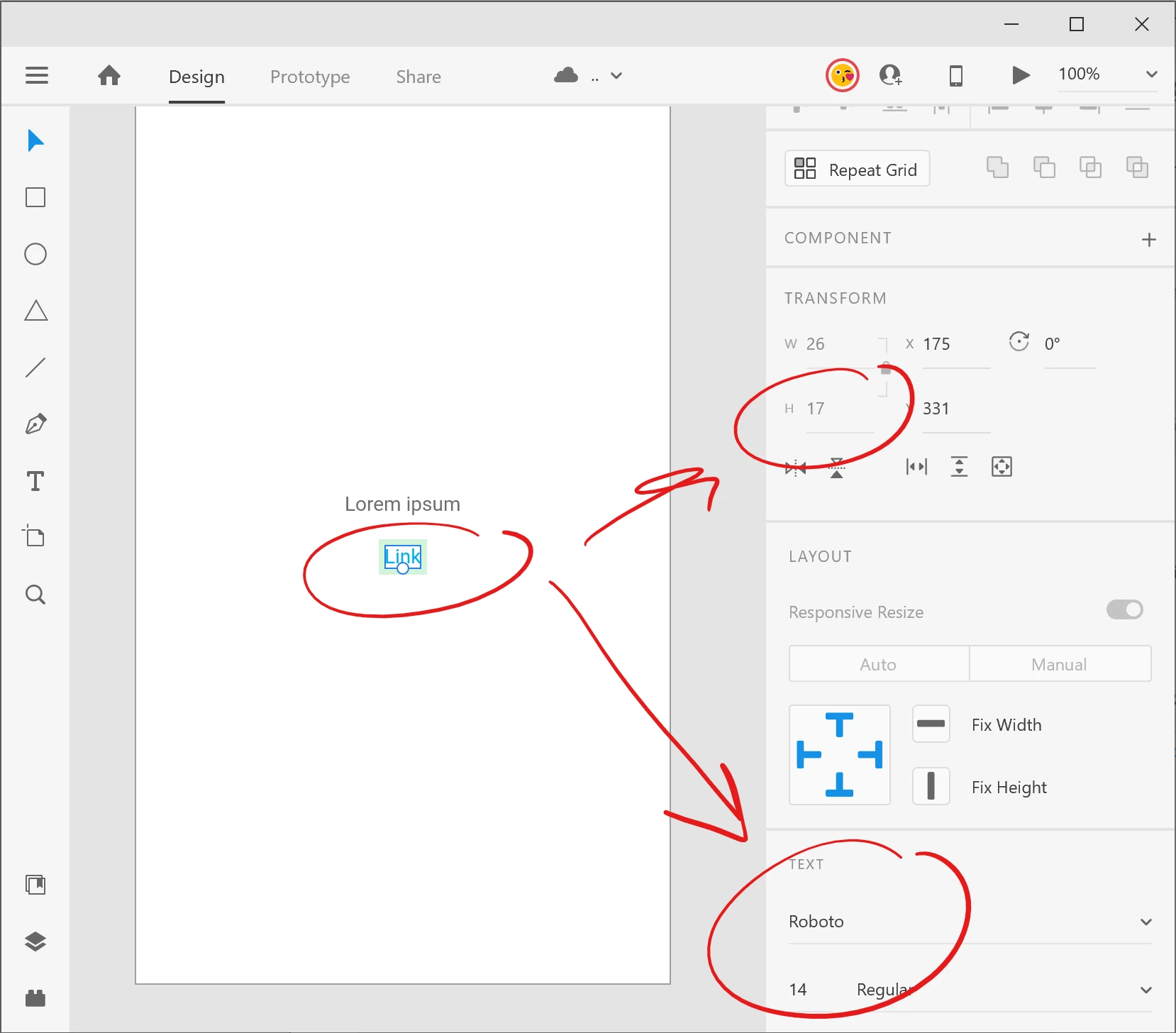
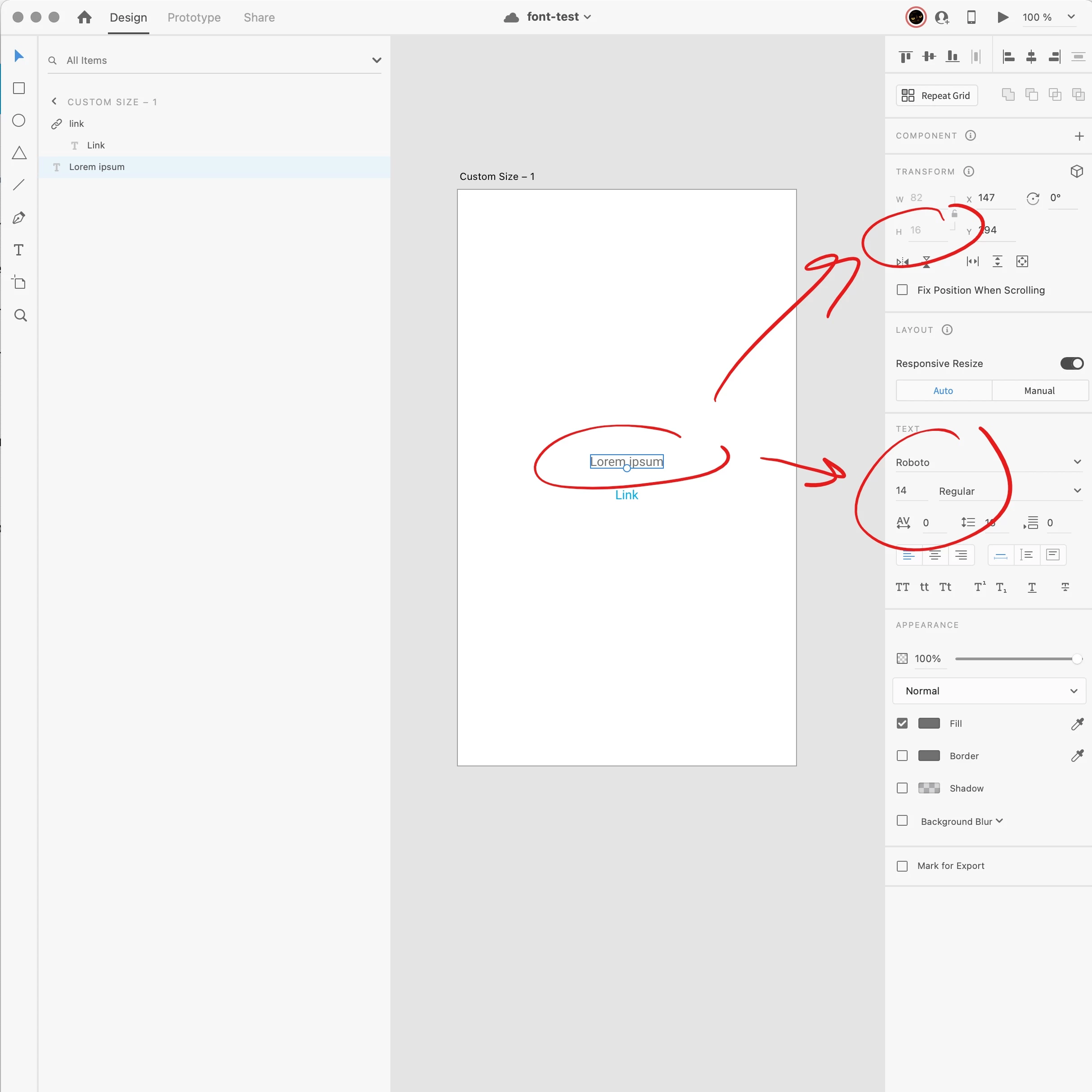
We've made a through-out testing and found out, that Roboto font has different heights on PC vs Mac. We've taken these screenshots while both co-editing this same file.
On a PC it looks like this:
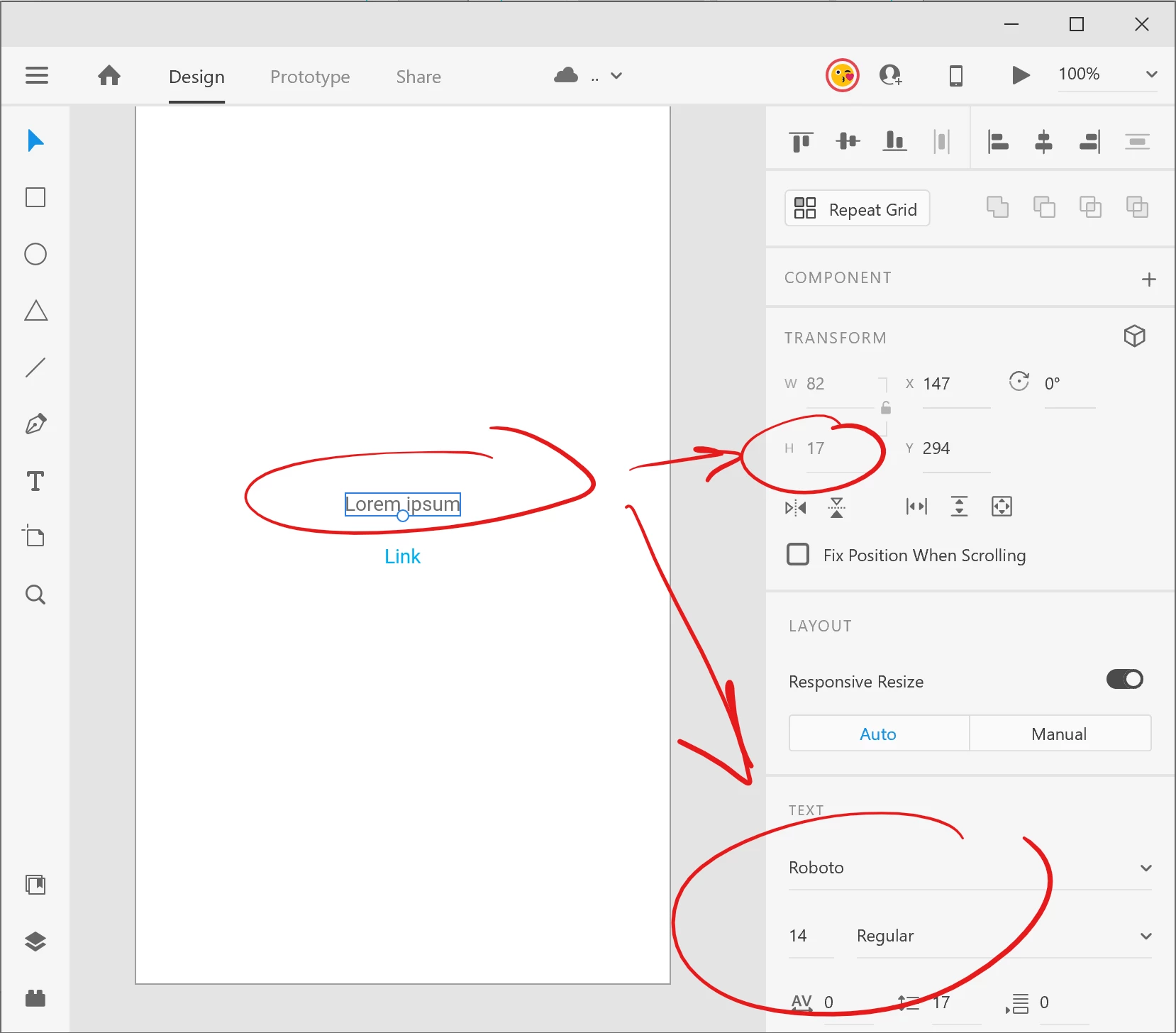
 

At the same time (i co-editing) it looks like this on a Mac:
 

We are using the same Roboto font downloaded from Google: https://fonts.google.com/specimen/Roboto


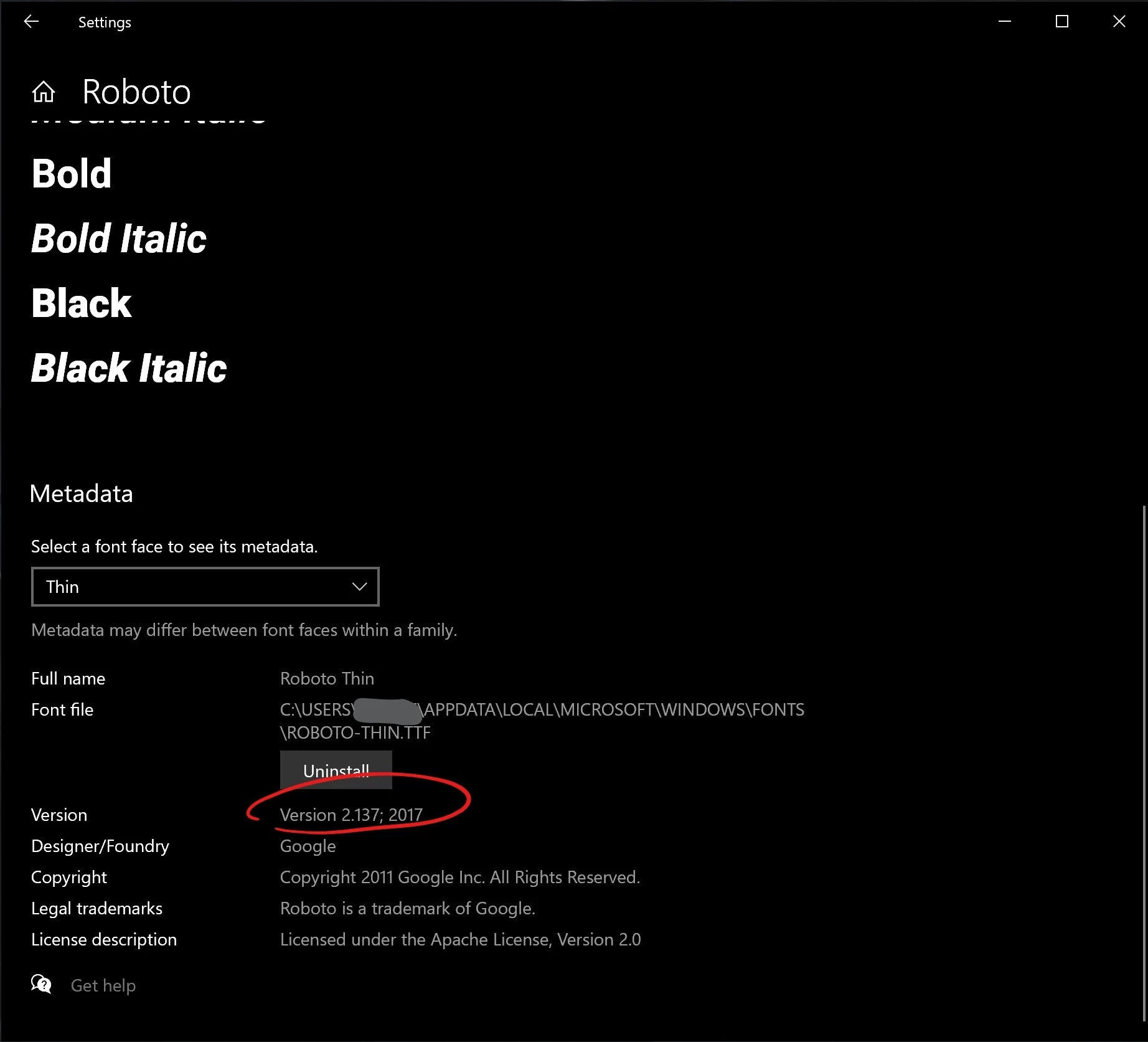
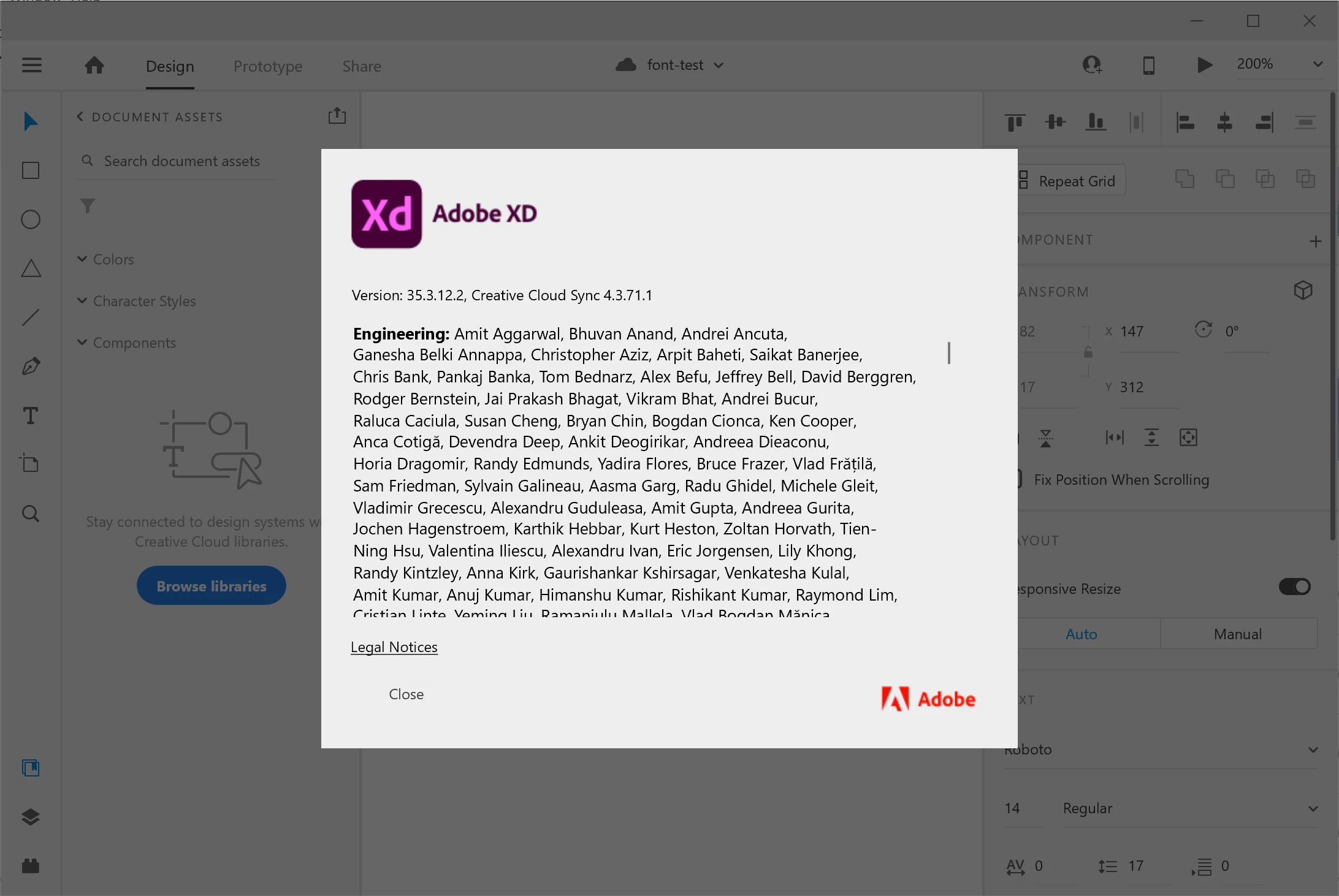
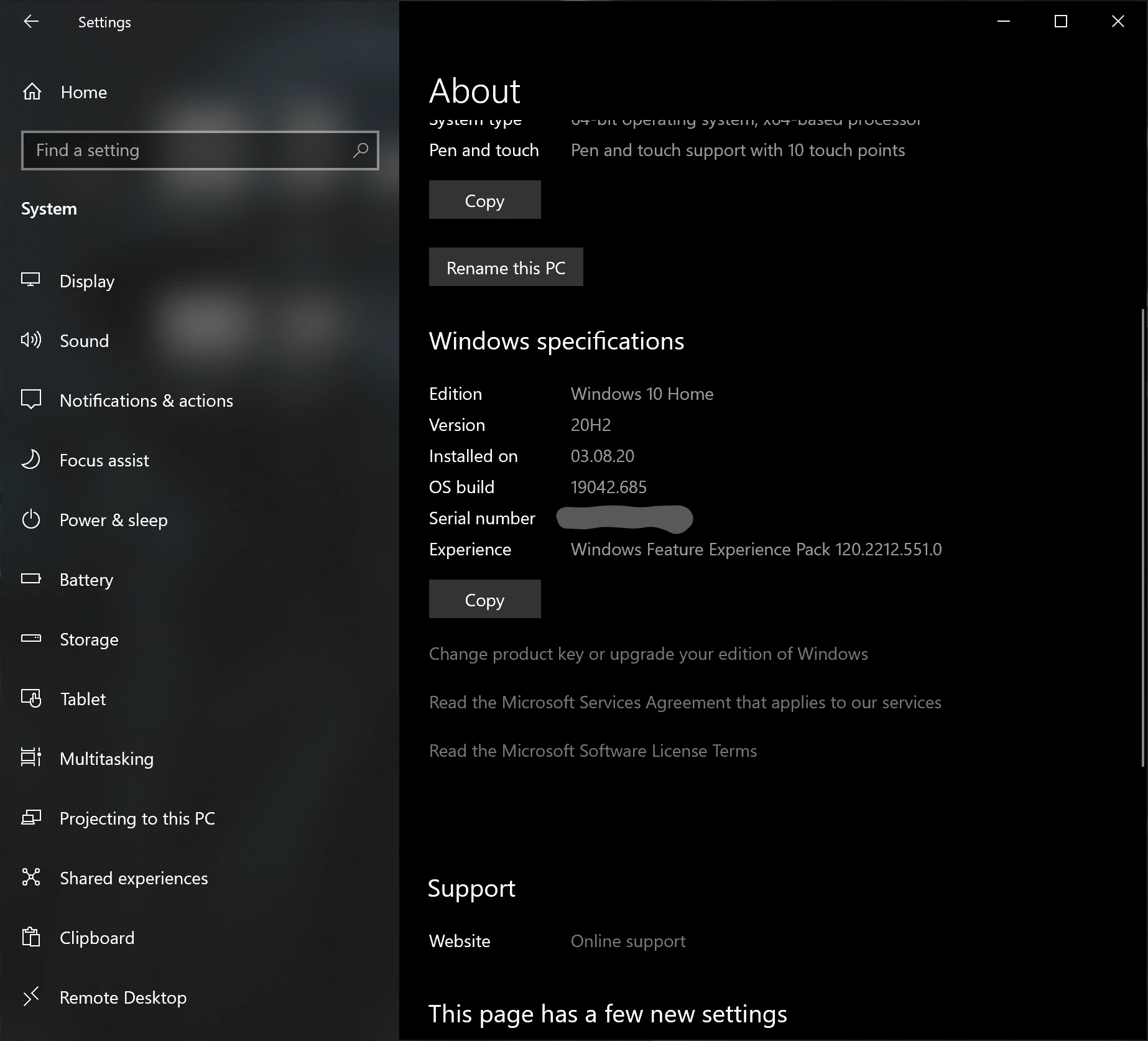
Here is a PC system and font info:
 

Here is a Mac system and font info:
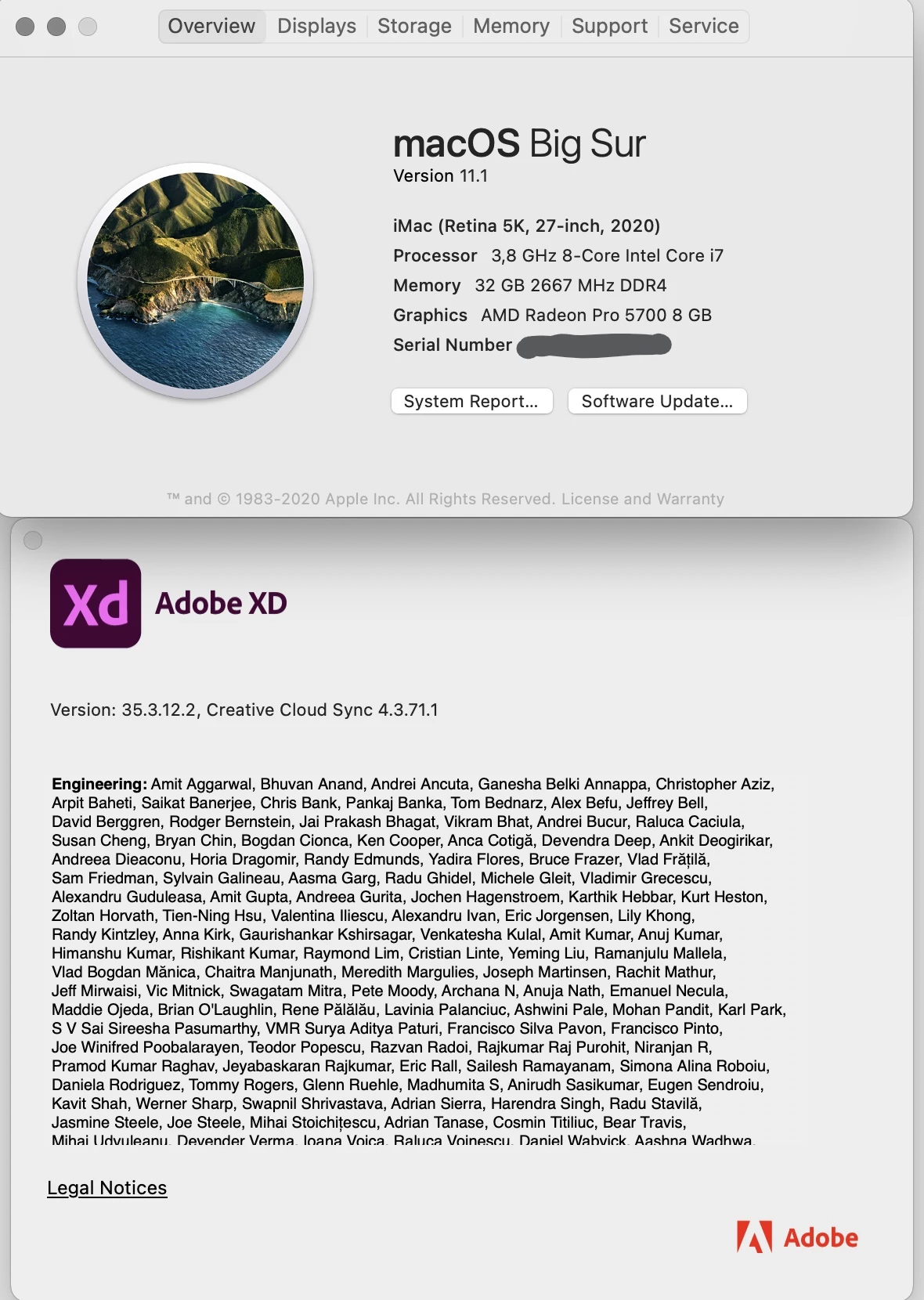
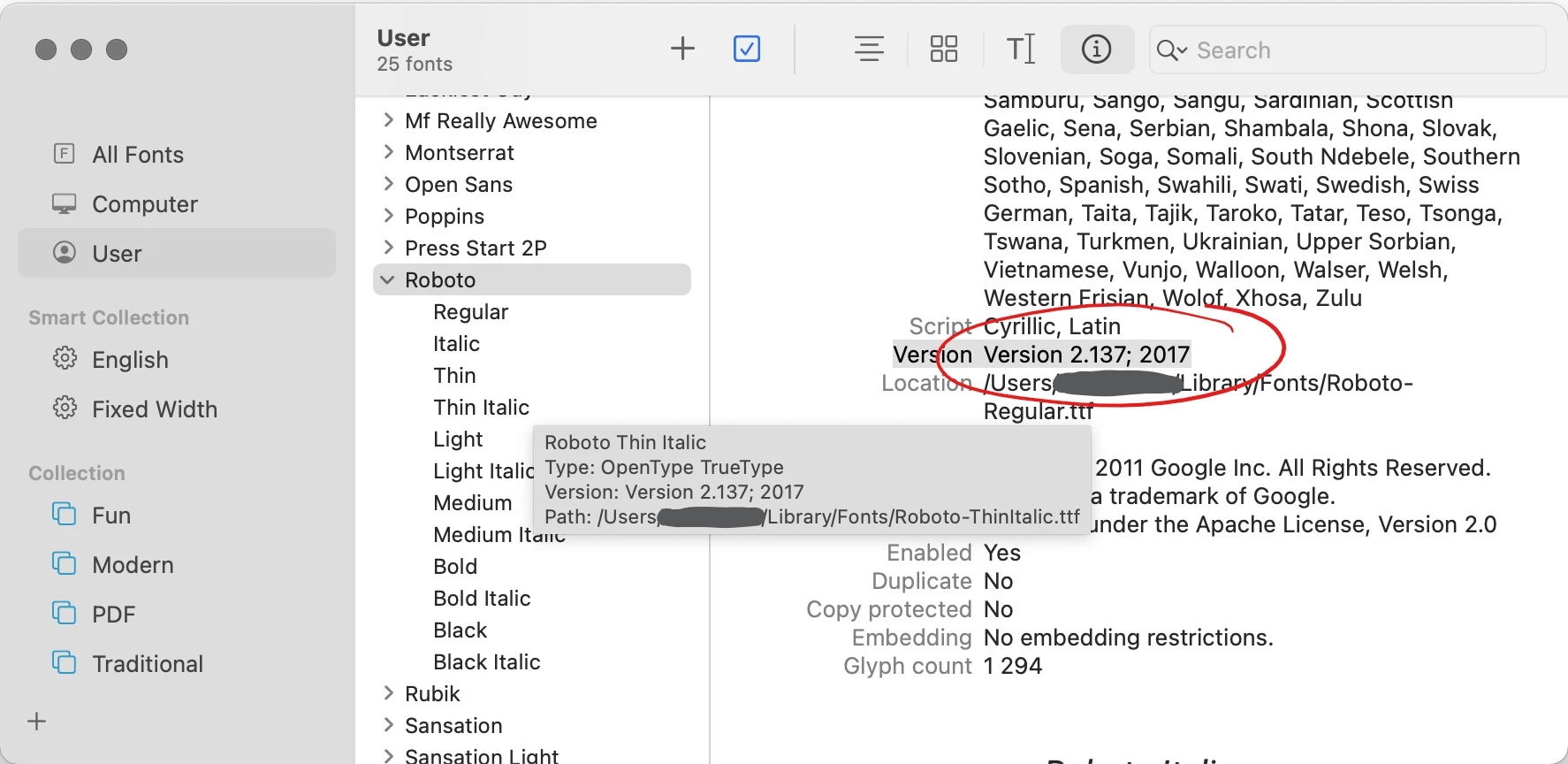
 

This is not a problem with one particular file, but with the font itself.

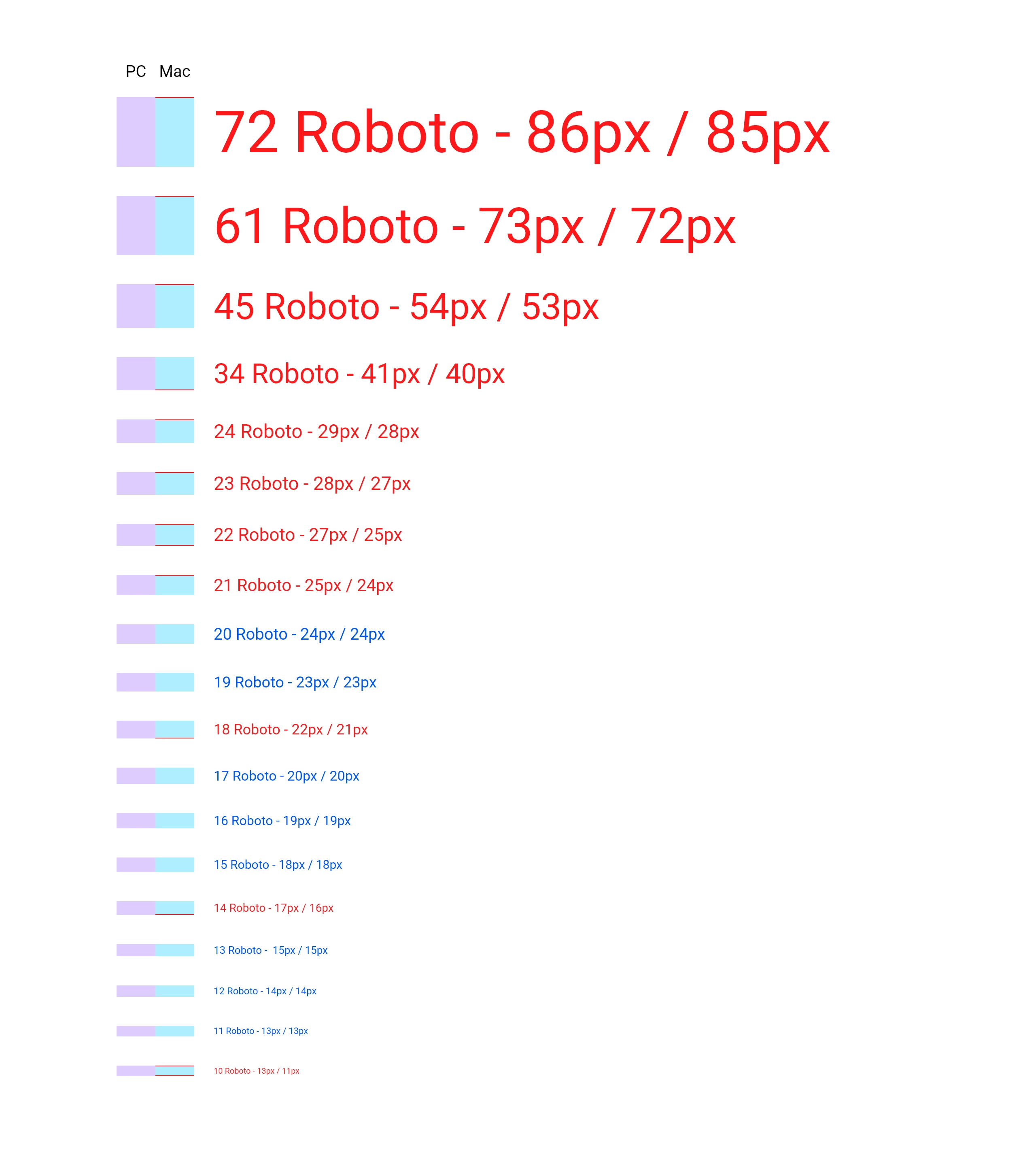
After a long testing we found out that this difference was not consistent along different sizes of Roboto font. We made this comparison in a cloud file, both saved it as local file and created links with Design Specs.


I've marked font sizes that don't match with red color and on the left I marked the height difference with red. Here you can clearly see that the difference may differ from 0 to 2 pixels and it can be at the top, or at the bottom, or both.
 

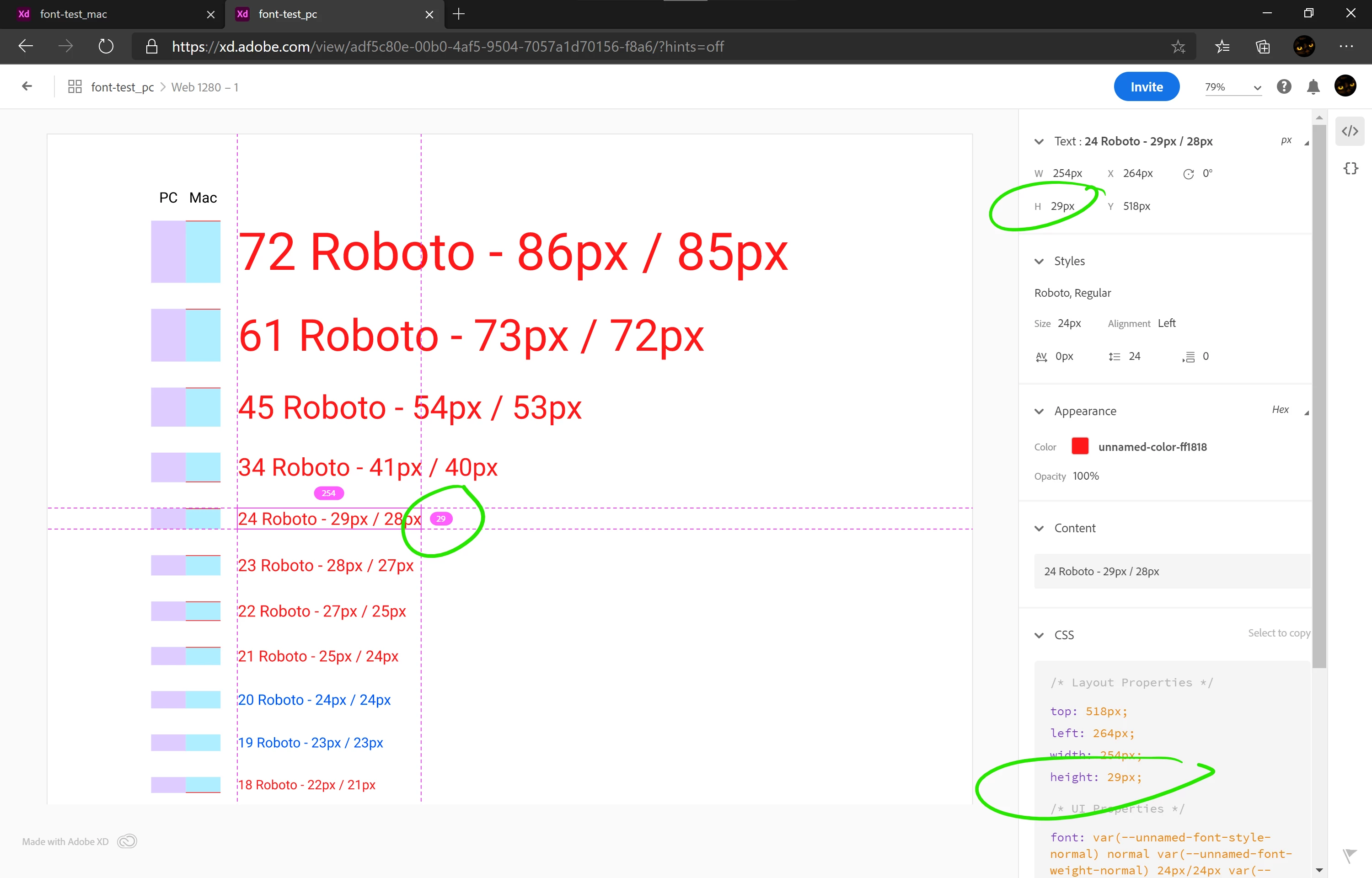
Link generated on a PC:
https://xd.adobe.com/view/adf5c80e-00b0-4af5-9504-7057a1d70156-f8a6/
 

Link generated on a Mac:
https://xd.adobe.com/view/2d51b57d-8586-454b-8e90-a347d7e6ab61-7802/
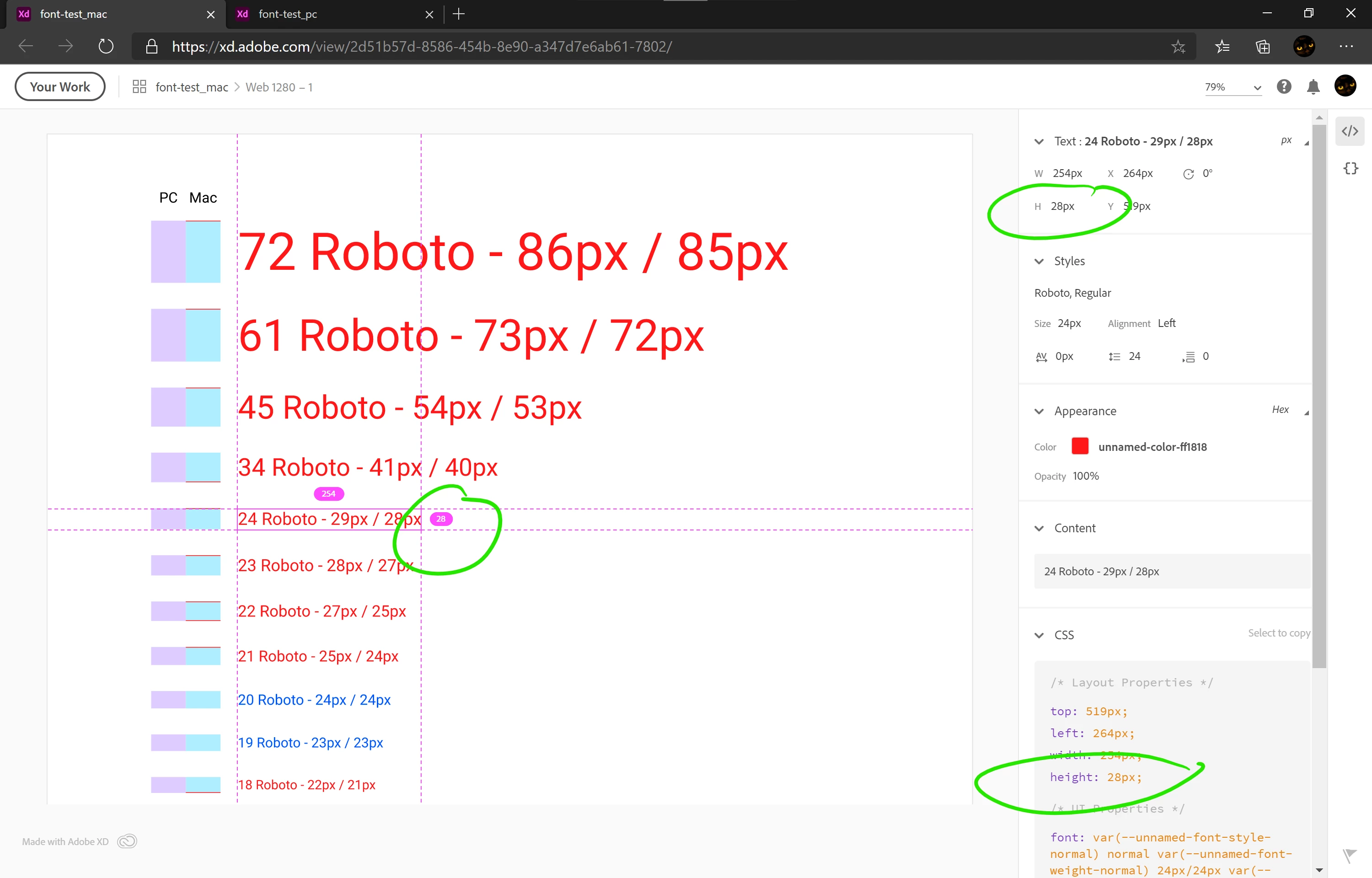
 

As you can see even in Design Specs the same text has different height depending on what platform it was generated on.


Here are both files:
https://1drv.ms/f/s!Atd7YEzqP5IVloJ6InkDpM9TpUtoDg


They both look exactly the same when are opened on the same platform.

This is a huge problem because I can't find any plausible workaround to make our Design Specs to be the same. It's very confusing both for designers and for developers. And after discussing this issue with our developers today, it appears that they already had a problem of different buttons being different heights that they had to fix. They thought I was just making small mistakes - it really hurts my reputation.


Roboto from Adobe Typekit is not an option, because it's way outdated and our developers use Google's version:
- Roboto from Google is v2.137 from 2017
- Roboto from Adobe is v2.001047 from 2015.


This is not the first report of the problem (it was reported year and a half ago) and there is no solution yet:
https://community.adobe.com/t5/adobe-xd/font-height-issues-moving-from-mac-pc/m-p/10553699?page=1


Adobe posts a lot of articles, videos and tutorials about design systems and enhanced collaboration. But we can't use neither of them because the same file opened in co-editing displays differently on PC vs Mac and the same components from our Libraries have different heights. This is not what I expect from a professional-grade software from such a huge developer as Adobe.


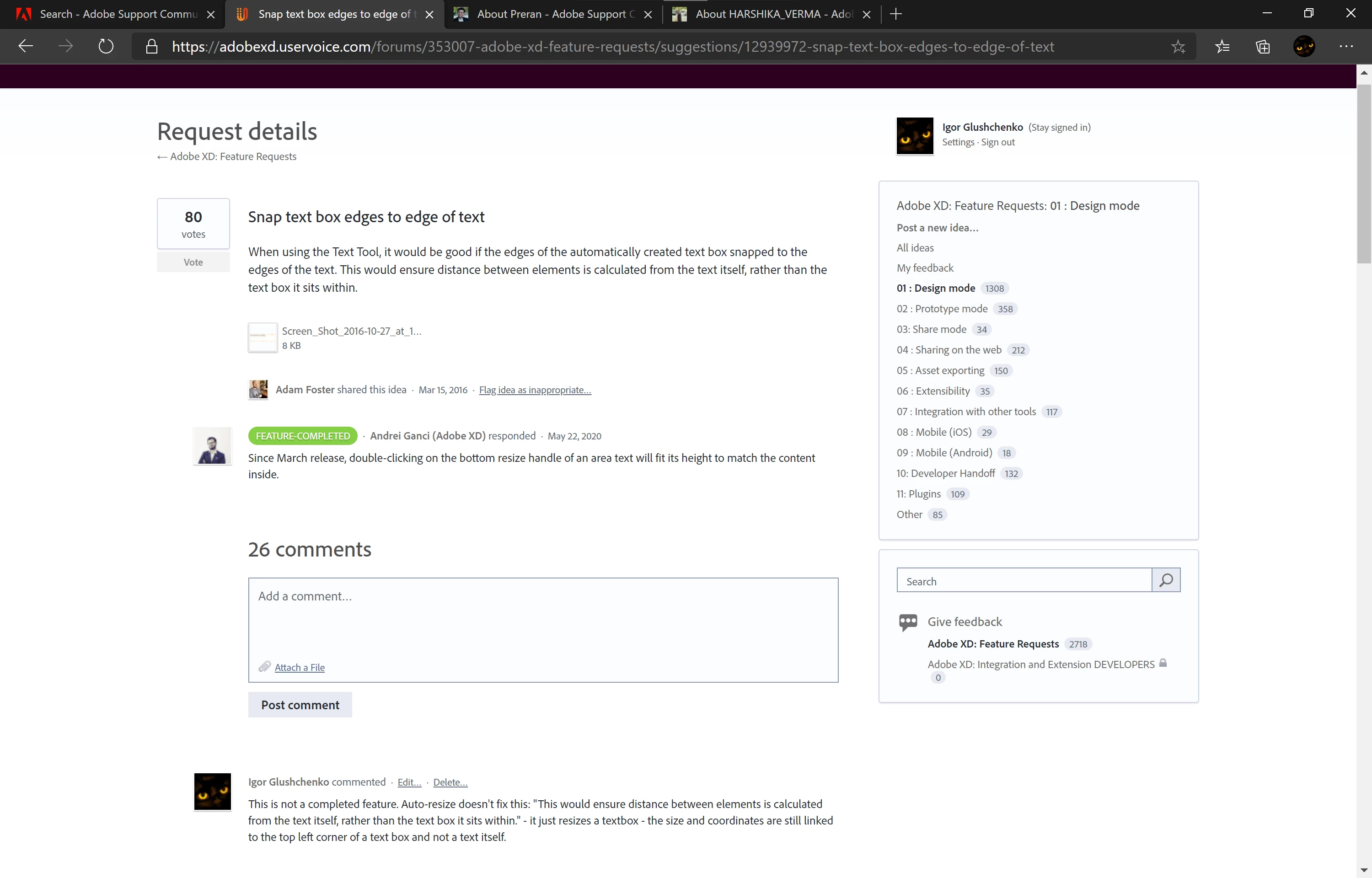
This is one example of a feature request that would eliminate this problem and was marked as FEATURE-COMPLETED:

Snap text box edges to edge of text – Adobe XD Feedback : Feature Requests & Bugs (uservoice.com)

But this "completed" feature is not what we were asking for - it's a totally different feature:
 

I've spent several months building our design system and now it's useless, and our developers and other coworkers think that I'm always making mistakes. This is not acceptable.


I hope this issue will be fixed soon because we can't work this way on a project where only a small part occupies 590 artboards and Library consists of 300+ elements.

This topic has been closed for replies.
Correct answer HARSHIKA_VERMA

Hi Harshika,


Are there any news when we can expect a fix for this issue with fonts being rendered differently on Mac vs PC?


Hi All,


Thank you so much for waiting on the issue. After a long investigation into this issue and trying all the aspects to fix it. The team identified that the font engines on the 2 platforms return different values for this font, and it won't be fixed until we use the same engine on both platforms.


We will make sure to pass on your feedback to the team.


We are sorry for the inconvenience.


Thanks,

Harshika


<Marking as correct only to highlight>

13 replies

New Participant
October 27, 2023

Hello,

We had the same issue with Mac and Windows. We deleted the Google file from C: file. Later I downloaded Adobe Roboto from Adobe Cloud. And turned back to the Adobe Xd file then replaced all the family. And it worked. But the key thing is the delete font family from your computer first.

I hope it helps you too.


Best 🙂

New Participant
June 27, 2023

@HARSHIKA_VERMA do you know whats up with this issue?


[rant] Every year, every update it's the same: you come up with new features, while ignoring many bugs that are so critical that people need to ditch the software. The different cross OS font rendering is impossible to work with for creative teams. 

AI is fun and all, but I think Adobe sometimes forgets, that people use their tools to get (paid) work done. And are reliant on the stability of these tools. I wish you would treat their/our interests with more respect.

Known Participant
April 13, 2023

After reading this and other posts last week, it's clear that this issue, which is critical to my team and seemingly others for collaborative design, is not a priority to adobe. This week we have chosen to part ways with Xd in order to create a consistent design system. While other adobe products have been helpful, Xd has been our only necessary tool - with the others beneiftting from shared libraries etc. Since this benefit isn't worth the cost without common assets across all applications, it will result in removing all adobe accounts within our company. 

Charlie Bickett
Inspiring
March 22, 2023

Hello! Here to give my own suggestion, as I found a fix for a similar issue for editing textfields in .FLA (Animate) files across Windows & Mac.

Modern fonts include unique values for Accent/Decent on both Windows & Unix. These properties cause weird rendering differences if they don't match. Any easy way to fix this issue is editing the font file with the opensource font editor, fontForge!


Upon opening your font, navigage to Element/Font Info...


Next click on OS/2, and the Metrics tab. These values cause the differences in rendering.


From here, We'll want to change the Win values to match the HHead values, aswell as disabling all offsets.

Win Ascent = HHead Ascent
Win Descent = Absolute Value of HHead Descent

Then confirm the edit with "OK".


Finally, go to File/Generate Fonts... and export your fixed font!

Install this same font on both computers, and see if the issue is gone!


The artists at my work had to deal with this issue for years, and as far as I can tell it fully fixed the problem (atleast for Animate)

Below is a .FLA made first on Mac, moved to Windows with a before and after of the same font. Works for me!


Davidsmi
New Participant
February 14, 2023

+1 ! Same issue here and between a Macbook and an iMac, so same OS (but different screen resolution). This is now in Feb 2023 and I can't understand that there is no released fix yet, it's a collaboration tool that is not able to provide a solid cross platform experience it's a non-sense! 🤨

emanuelm91849361
Participating Frequently
March 21, 2023

Adobe is radio silent on the issue.

New Participant
August 25, 2022

My team is having the exact same issues. When will this be fixed?

babypopdipstick
Inspiring
August 25, 2022

Unfortunately I haven't heard anything. Been waiting for a while.

emanuelm91849361
Participating Frequently
August 12, 2022

My team just stumbled into this problem since we recently onboarded a Mac user, and WOW. I was beggining to think the designer wasn't paying attention to any of the spacing rules we established until they shared their screen and we realized that my file and hers (which were exactly the same file) were displaying different sizes. Absolutely mind boggling, that in 3 years this still hasn't been fixed. Starting to understand why people prefer Figma for collaboration.

WolleSchmolle
Inspiring
January 28, 2022

Obviously there is still no solution to the problem. A popular font like Roboto should not be displayed differently on both systems if you want to work with it seriously. I now have the same problem with Roboto. The identical and latest Roboto True Type version is displayed differently. 


Serious question: Is there a realistic time frame when this will be solved? I see new features in XD every month but such an elementary problem remains. Why?

New Participant
December 29, 2021

I just hit this problem too, using InDesign and transferring files back and forth with my localization vendor. Wow, this is maddening. I have wasted countless hours trying to fix a problem this is not fixable. The only solution I have now is to force everyone to use Macs.

New Participant
November 26, 2021

Hi...balancing the qualities of a textual style that entire destinations are planned around so it appears to be unique for a tremendous % of the userbase and leaving it as sufficient is peculiar and flippant.

You've broken site formats with this slip-up (and it IS a mix-up now, not a "highlight"). Is it the clients shortcoming for believing you to keep a textual style stacking reliably I assume?