
New Participant
February 19, 2020
Answered

[Text]- Cursor doesn't appear while editing text in XD.

  • February 19, 2020
  • 10 replies
  • 6091 views

Hi there,


I am working on a pretty large prototype in XD.  I have recently been running into an issue where when I try to edit the text in a text box, no cursor will appear to show me where I am at in the box.  I can use the delete key and backspace key to erase the text, but when I try to type something new, nothing happens.  Then XD often freezes for an extended period (in the ballpark of 30 seconds to 5 minutes) whenever I try to exit the text box.  A restart of the program usually remedies the issue; but only for a few minutes.  It never actually causes XD to crash so I have no error code to report.  


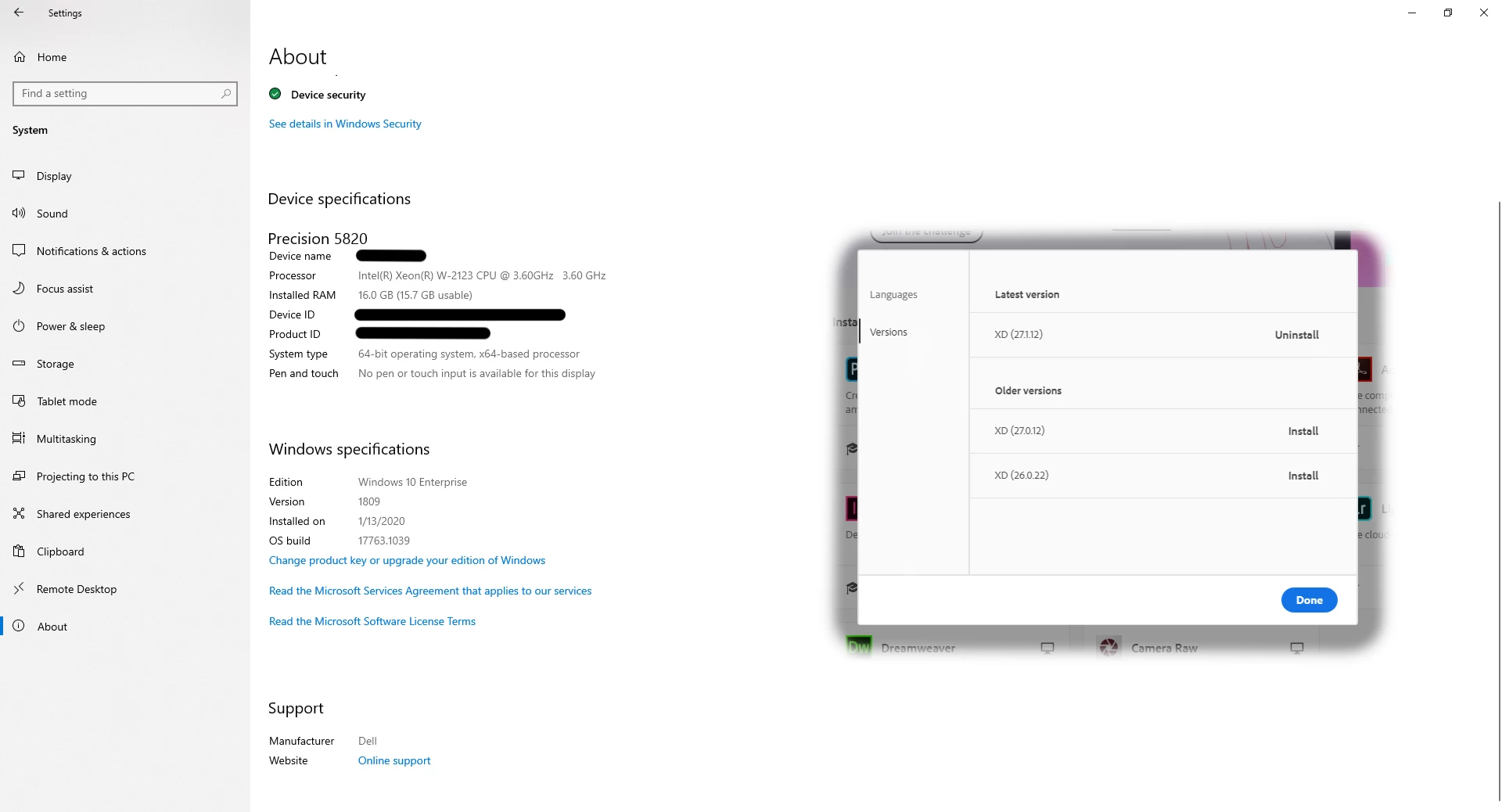
I had hoped that updating to the most recent version of XD yesterday would have fixed the issue.  However, since installing version 27.1.12 the issue has been significantly worse.


I have attached a screenshot with info on the relevant version of XD and OS of my system.


EDIT:  Since posting this bug earlier this morning, I have needed to restart XD four times.  Please, help me before I break a keyboard....


<The Title was renamed by moderator>

This topic has been closed for replies.
Correct answer HARSHIKA_VERMA

Hi there,


We understand it could be frustrating for you. Would you mind confirming if you have tried signing out of XD and Creative Cloud and sign back and share results with us? If that doesn't help, could you please share a short video of the issue for better understanding? Is it happening with all the files or with this specific file?


We will try our best to help.


Thanks,

Harshika

10 replies

Inspiring
February 4, 2022

Add me to the list.  It's not you!  It's XD.

JPRM
Known Participant
December 9, 2021

December 2021, the bug is still here. What a great product this is!

Inspiring
November 18, 2021

Just an advice. Any relative large project, use Figma, save tons of problems.

New Participant
November 9, 2021

I still have this bug and it bothers a lot. When will there be a defnitive fix for this?

New Participant
November 18, 2021

I have this problem quite often as well. I have found that if I toggle between the arrow cursor in the toolbox menu and then back again on the Text cursor in the toolbox menu, it then lets me select the text.


The same happens for selecting objects. I have to click on another toolbox menu item and then click again back on the arrow to perform the selection. It's such a pain to have to do this for every selection.

I've also found that moving it from the cloud docs folder to a local drive, and the reloading up to cloud helps alleviate the problem, but then when reloading back up to the cloud, there is no upload new version to the existing document, so I have to create a new link. Not possible when the link is being shared out with dozens of stakeholders. So there have been times I've had to copy and paste the local xd file into the existing cloud file. You'd think XD would be able to do these types of things for mockups.

I'd switch to Sketch or Figma to create wireframes and mockups, but I'm on a corporate PC and have Adobe subscription, so I'm stuck with using XD on the PC.

New Participant
October 28, 2020

I noticed that the bug seems to be related to Desktop Preview: if I have it open, the bug happens occasionally. If the preview window is closed, I do not remember seeing the bug.


Br, perza_

Participating Frequently
October 28, 2020

Hi guys! 

I have the same problem with my Mac OS Catalina 10.15.17.

When I'm taping the text, I can't see the cursor and it's a little bit uncomfortable to work with. 

But when I stop taping, the cursor appears. 

Does anybody know how to fix it? 


Thanks in advance! 

New Participant
September 5, 2020

I have this issue for a long time. At first I closed the app and restarted it (as many others did) but I found an easier solution of it: once I have this issue with invisible cursor I open File Explorer (I work from Windows) and click on any file (just to select it) or even at free space, then I go back to XD and this bug dissapears - I continue my work. Hope this method will be usefull.

New Participant
June 1, 2021

Thank you ! It worked for me. This is more of a time saver than logging out/in at leats until the bug gets resolved  🙌

New Participant
August 18, 2020

I am using Adobe XD on window 10 for a while, Its really a great tool and I simply love it!


Problem I am facing is that only sometime when I double click on text to edit it

1. it will not mark the text

2. it will not edit the text

3. it will not delete the text

4. it won't allow me to escape

5. zoom in or out will not work


Only way to escape is press CTRL+S (save it) then try again, App will not crash, just nothing will happen, try couple of times or more then it will allow to edit.


Is this a bug? Or I am doing something wrong?

Spas K.
Community Expert
August 18, 2020

Hi Sheikh. This issue has been discussed multiple times on the forums. Unfortunately, it's one of the issues that keeps popping up and hasn't yet been fixed. I've been dealing with it same as you, by saving and restarting the app, so I feel your pain. I think sometimes clicking on something in the layers panel fixed it as well.


It probably happens rarely enough so that it's either hard to reproduce, or isn't a "priority" for the dev team. I believe it's something to do with the whole UWP thing Adobe decided to develop Xd on. We can just hope it will get addressed in some future build.

New Participant
August 18, 2020

I searched it in forum before posting here and found nothing exactly matching my problem so I thought maybe my issue is different then these topics.


In my case I never restarted the app, just zooming in and out, saving again and again, or sometime doing something else will resolve this issue, but definitely this is problem.

New Participant
May 27, 2020


Exactly same thing happens to me all the time. I just edit normally, then suddenly when trying to double click an existing text box for changing the text, the cursor does not show up, and the whole program seems to freeze for tens of seconds. After that you can kind of edit the text, but without cursor, and all the selection changes to other elements take forever. Restarting program helps until this happens again. And it happens many times a day! This is a bug, and circumventing that by re-login is not a real fix.

New Participant
May 28, 2020

As I suspected, the same bug happens again after temporarily disappearing after re-login.

HARSHIKA_VERMA
Community Manager
HARSHIKA_VERMACommunity ManagerCorrect answer
Community Manager
February 19, 2020

Hi there,


We understand it could be frustrating for you. Would you mind confirming if you have tried signing out of XD and Creative Cloud and sign back and share results with us? If that doesn't help, could you please share a short video of the issue for better understanding? Is it happening with all the files or with this specific file?


We will try our best to help.


Thanks,

Harshika

New Participant
April 6, 2020

hello, 

This also had been happening to me, where the cursor was not appearing for many seconds up to near a minute + or sometimes not at all, so editing names was difficult. Occassionally, restarting the XD app helped, but was not always successful.

But as Verma suggested, closing XD, and signing out and signing back into the Adobe Cloud, has brought back the cursor to edit the instantly. Great fix. Thanks for the fix!

HARSHIKA_VERMA
Community Manager
Community Manager
April 7, 2020

Thanks Tommy for confirming that the issue has been resolved for you after performing the steps suggested. Glad to hear you are back on track.


Please feel free to reach out to us in the future for any query related to XD.


We'd be happy to help.


Thanks,

Harshika