

Preran
Legend
May 19, 2020
Question

The Adobe XD 29.2 update is now live!

  • May 19, 2020
  • 10 replies
  • 2683 views

Hi everyone,


Offline Coediting and Zoom Controls in shared links, two of the most requested features, have now made their way into this update.
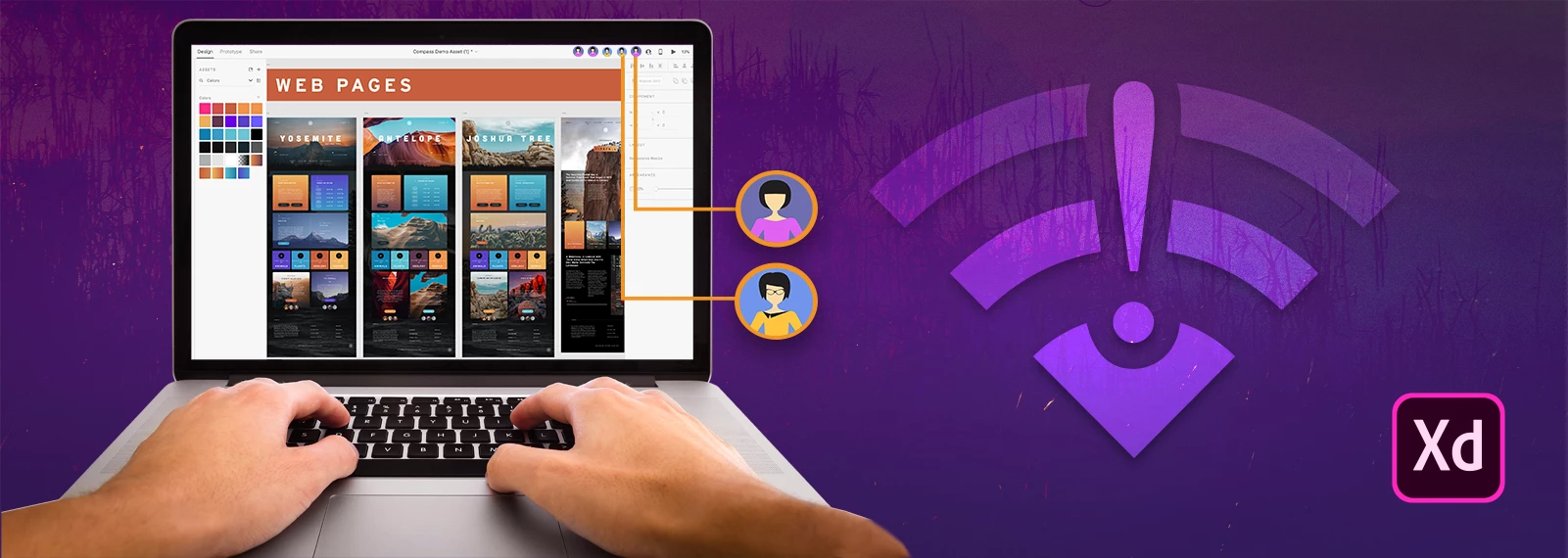


Offline support for Coediting

  • Work on shared documents even when you’re not connected to the internet. Any changes made to the document offline are pushed to all collaborators once a connection is re-established.
    If there are conflicting changes when a connection is re-established, you can discard your local changes or save a copy of the document with your new changes to avoid merging issues.


Zoom controls in shared links

  • Now you can zoom in and out on designs when viewing them via shared links. Zoom controls are available in both desktop and mobile browsers. For more info, see Zoom controls for shared prototype links


We would love to hear your observations about this update. Share your feedback by replying to this post. 


Thanks,

Preran

This topic has been closed for replies.

10 replies

Dennis van Lith
Participant
May 26, 2020

I'm very unpleased with the way I have to save my work right now. I've never seen the Adobe cloud as a solid cloud, since it has many issues. But now I'm slightly forced to save to cloud. A big no-no from me. I like it way better how they fixed this in Adobe Illustrator, by giving the user the control om how he/she want's to save the projects.

vincents87723647
Participant
May 27, 2020

You can still save your work locally, however the cmd+S/shift+cmd+S shortcuts now automatically save to the cloud. In order to save locally, you need to select that option from the file dropdown. 

This is extremely unintuitive and – for an app used by UX designers who know all these strategies – manipulative. You won't get me to save my work in the cloud rather than on my own server/machine by making the latter inconvenient. All you'll end up doing is frustrate and inconvenience me.

Participating Frequently
May 25, 2020

Is there a way to change the "default" zoom control to 100%? Currently the default setting is "fit-to-screen". When I share a prototype that should be 800x850px it fills my screen and the zoom is 144.1%. I've already had complaints from clients that everything looks too big and needs to be reduced – I can hardly expect them to know they have to zoom out to see it at "actual" size.


I can't seem to find a way to change the default setting


According to this article the default should be 100%:

You can select from the pre-defined zoom increments: 25%, 50%, 75%, 100% (default), 150%, 200%, as needed.


This is not my experience — see here for an example.

Participant
May 23, 2020

How to Add Social Media Links and other external links onto the buttons and other elements in Adobe XD

Participating Frequently
May 21, 2020

Thank you for your continuous work in improving Adobe XD. However, since I updated my XD to this version I can't launch the app both in offline and online mode. Could it be because on the free plan? I have  stopped my system clock from syncing with the internet time severally and have even uninstalled and reinstalled Adobe XD. I use Windows 10. 


Preran
PreranAuthor
Legend
May 21, 2020

Can you try the solutiosn in this this post https://community.adobe.com/t5/adobe-xd/install-solved-can-t-verify-my-subscription-status-windows/td-p/10618585?page=1? For further assistance, get in touch with us http://adobe.ly/1PASjLX


Thanks,

Preran

Participating Frequently
May 21, 2020

Thanks for your assistance Preran but links are not working too. I am attaching screenshots of the error message I got by click each link.

Participant
May 20, 2020

This update has a bug....

Opening my previously stored Cloud Document is putting the files in this limbo state since the update “Saving”- so far it has been over 30 min.


On my laptop I hadn’t updated to  29.0.32.13, so I tried to open a couple of the Cloud Document files and I got an error that said something like File Not Found.


Where should I go to see if this bug has been previously reported? Can I recover my files prior 29.0.32.13?  Also what do I do to the open files in XD that I have in this Saving state, if I force close XD will the prototype links get broken?   


It is very important the prototype links do not get broken or I have to create new links because developers outside my company are using them to build the  project.


Please Advise

Preran
PreranAuthor
Legend
May 21, 2020

I am guessing that this issue was because of the outage to services. Can you try again and let us know if you are still facing this issue?

Participant
May 20, 2020

Please fix the 44:63 error that everyone is experience right now, there are numerous complaints in the XD support thread. Nobody is able to create, share, or update new design review or prototype development links. This is a massive issue since we will not be able to send any work to our clients.

hsukaanqi
Participating Frequently
May 20, 2020

Hi,
I am experiencing unresponsiveness (unable to select other elements or tool option) in XD for past couple of week, it especially happens when I am working with Text or when XD is saving to the Cloud in the Background. I thought it would be fixed in this update, but seems like the issue is still there. Is it just me who is experiencing that issue or there has been others who have reported the same also?
Thanks in advance,
Robert

Known Participant
May 20, 2020

The bug exists from about...6 months. Sometimes, user is unable to edit any text (also in inputs). In my case (windows 10) alt+tab to switch to other app, then alt+tab to switch it back helps. Try it next time 🙂

hsukaanqi
Participating Frequently
May 20, 2020

I think that explains why it's been happening to me for this past couple of weeks. I had switched from Mac to Windows Machine since I started to Work-From-Home due to the COVID Pandemic. I guess I will have to live with it then. Thanks, for your tip 🙂

Regards,

Robert

Known Participant
May 20, 2020

Thx for update, good job, but...
There are so many unfinished functions that awaits for an update and you decided to focus on the offline collab?


Ability to change component text in all states at one go, turn off or control auto-save, glyphs!, mulitple sets of artboards (like in figma), live preview in Android devices!, fixed rolling back old versions - to override not creating new one (shared links says: "Am I joke to you"). C'mon people - I think that whole community would be appreciated for any of these 🙂

Participant
May 19, 2020

This update messed up our work, it keeps saying "Connecting" and it only gives me a cancel button. This way we can't move on with our work. Help!


PS. nevermind my friend was just stupid. Keep up the good work!!


FrancoBits
Legend
May 19, 2020

Any idea of when we'll be able to zoom in/out working in "share" tab?

HARSHIKA_VERMA
Community Manager
Community Manager
May 19, 2020

Hi Franco,


Thank you for reaching out. If I heard you right, it looks like you are looking for this functionality: https://adobexd.uservoice.com/forums/353007-adobe-xd-feature-requests/suggestions/39370306-add-zoom-in-out-shortcuts-in-share-mode If so the status of the request has been changed to feature started. Please submit your feedback and upvote the request to add your voice.


Hope it helps.


Thanks,

Harshika