

There was a problem uploading your design (error 44)
I used to be able to upload design files. Now I cannot. Everytime I try to upload a file I get the following message: "There was a problem uploading your design (error 44).
I am now getting this error message when trying to create a sharing link for files that I used to be able to create sharing links for.
I'm on Windows 10.
- Yes, I've rebooted my computer.
- Yes, I've followed the links with Trouble shooting advice for link sharing problems. No, those links weren't helpful.
- Yes, I'm logged into my Creative Cloud account. I even logged out and logged back in. No luck.
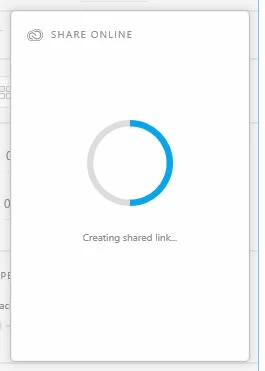
- Everytime I attempt to create a shared link, the process stalls out in exactly the same place, halfway done. It doesn't matter if I try this with a file that used to work. Previously working files stall out in exactly the same place.
- The .xd file size is approximately 6 MB. However, the process fails with smaller files that it used to work with before.
I'd be happy to upload my PDApp.log file, if this message form had an attachement feature. I'm not seeing one.
I'd also be happy to talk to a live person to resolve this issue.
It's a shame. We are quite far along with a very elaborate clickable demo being used to illustrate/promote the next version of a mobile medical device. I still have some hope that this might be a temporary glitch that Adobe will fix. However, I guess that I shouldn't hold my breath.
 AdChoices