

Harmograf
Participant
July 9, 2020
Answered

Troubleshooting on adobe xd (free version on Windows)

  • July 9, 2020
  • 2 replies
  • 495 views

Hello,
I have a problem for sharing my design (concerning the creation of a link), all my workplans are not selected (cf capture in attachment). It seems that it is only the workplans that contain jpeg (all the other workplans of my design that do not contain jpeg are selected for export). So if I export the design in pdf, everything is fine and I find all my workplans successfully.
Thank you for your help
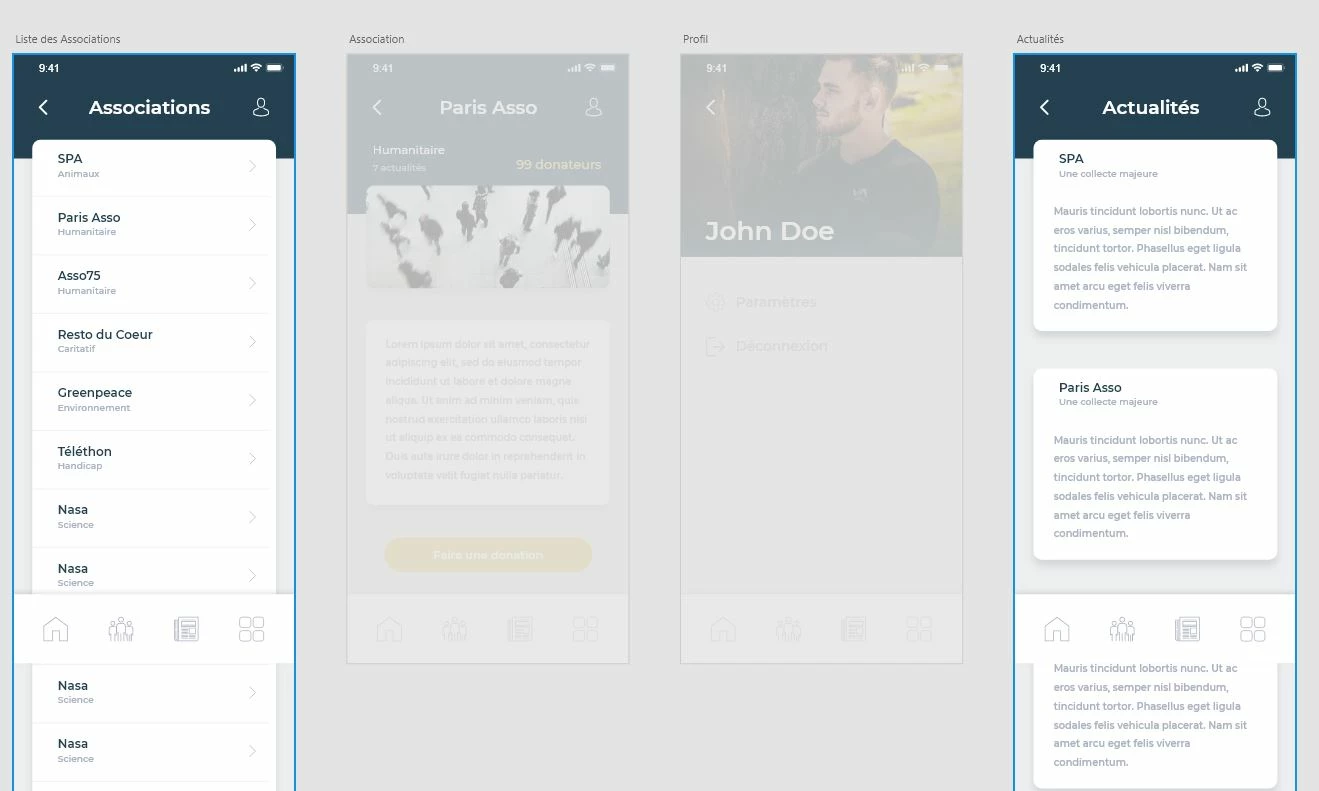
    This topic has been closed for replies.
    Correct answer Rishabh_Tiwari

    Hi there,


    Thanks for reaching out. In addition to what Arpitha suggested, you can also try unsetting the home artboard as well. Let us know if this helps or if you need any further assistance.


    Regards

    Rishabh

    2 replies

    Rishabh_Tiwari
    Rishabh_TiwariCorrect answer
    Legend
    July 9, 2020

    Hi there,


    Thanks for reaching out. In addition to what Arpitha suggested, you can also try unsetting the home artboard as well. Let us know if this helps or if you need any further assistance.


    Regards

    Rishabh

    Harmograf
    HarmografAuthor
    Participant
    July 9, 2020

    Hello Rishabh,

    I had that problem you mentioned and also some missing links after the fact. Thank you for your feedback, which helped me a lot.


    Regards,

    Emmanuel

    Adobe Employee
    July 9, 2020

    Hello Harmograf,


    Thanks for posting the query. 

    All artboards (Screens) must be connected to the home artboard before you share. Please check the following link for more information. - https://helpx.adobe.com/ca/xd/help/share-designs-prototypes.html.


    Regards,

    Arpitha

    Harmograf
    HarmografAuthor
    Participant
    July 9, 2020

    Hello Arpitha,

    I had that problem you mentioned and also some missing links after the fact. Thank you for your feedback, which helped me a lot.


    Regards,

    Emmanuel