- Home
- Adobe XD
- Discussions
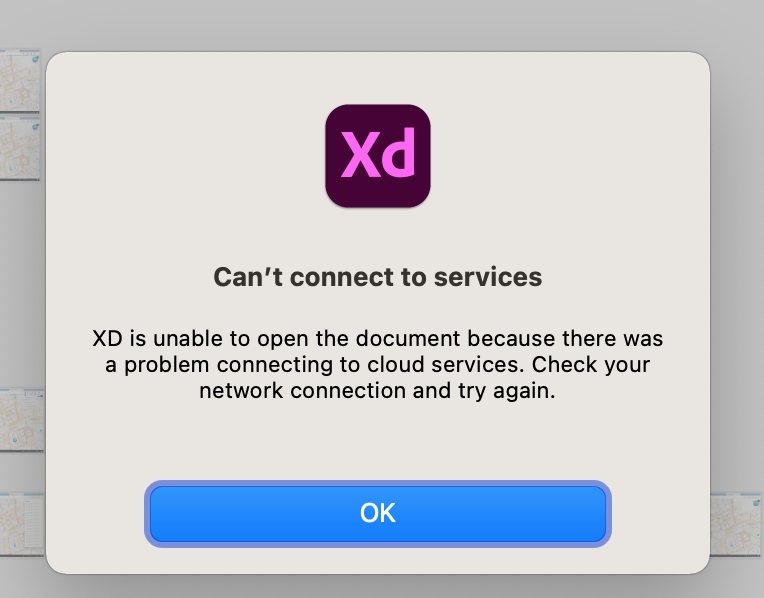
- Unable to open cloud documents in XD.
- Unable to open cloud documents in XD.

Copy link to clipboard
Copied
Please I need help i cant my recent working on cloud file doesn't load and source file on cloud web is an old version
<The Title was renamed by moderator>


 1 Correct answer


Hi there,
We are sorry to hear you are unable to open cloud files in XD. We would like to know a few more details like-
- Please share the screenshot of your about XD info page.
- Is it happening with all cloud documents or with specific file?
- Are you able to open the file from here: https://assets.adobe.com/cloud-documents?
- Please try the steps suggested in this article: https://helpx.adobe.com/xd/kb/issue-saving-xd-file-creative-cloud.html
Let us know if that helps. We'll try our best to h
...
 4
Replies
4
4
Replies
4

Copy link to clipboard
Copied
Hi there,
We are sorry to hear you are unable to open cloud files in XD. We would like to know a few more details like-
- Please share the screenshot of your about XD info page.
- Is it happening with all cloud documents or with specific file?
- Are you able to open the file from here: https://assets.adobe.com/cloud-documents?
- Please try the steps suggested in this article: https://helpx.adobe.com/xd/kb/issue-saving-xd-file-creative-cloud.html
Let us know if that helps. We'll try our best to help.
Thanks,
Harshika

Copy link to clipboard
Copied

Copy link to clipboard
Copied
Hi!
I've got the same issue.
"Please share the screenshot of your about XD info page."
-Done
"Is it happening with all cloud documents or with specific file?"
-A specific file which is shared with other team members. Cloud files which are not shared work fine.
"Are you able to open the file from here: https://assets.adobe.com/cloud-documents?"
-I can download an offline copy of it. But if I click 'open in XD' button on this web page, I get the same error about connection.
"Please try the steps suggested in this article: https://helpx.adobe.com/xd/kb/issue-saving-xd-file-creative-cloud.html"
-I've tried restarting XD but it did not help. All of my team members experience the same issue.
Copy link to clipboard
Copied


Get ready! An upgraded Adobe Community experience is coming in January.
Learn more
 AdChoices