Inspiring
November 26, 2017
Answered

Unable to run XD CC outside of Creative Cloud app

  • November 26, 2017
  • 1 reply
  • 1336 views

I'm in the process of installing all the CC apps on my Windows 10 machine.  After each installation I run the app to make sure everything's fine.  I hadn't had a problem until I got to XD CC.  It installed fine, and runs fine when I run it from the Creative Cloud app that lists all the CC apps.  When I double-click on the XD CC.exe in File Explorer, however, I get a Windows dialog saying, "Windows cannot access the specified device, path, or file.  You may not have the appropriate permissions to access the item."  Same thing if I try to create a shortcut to it.  I'm the only user on this machine, and the admin for it.

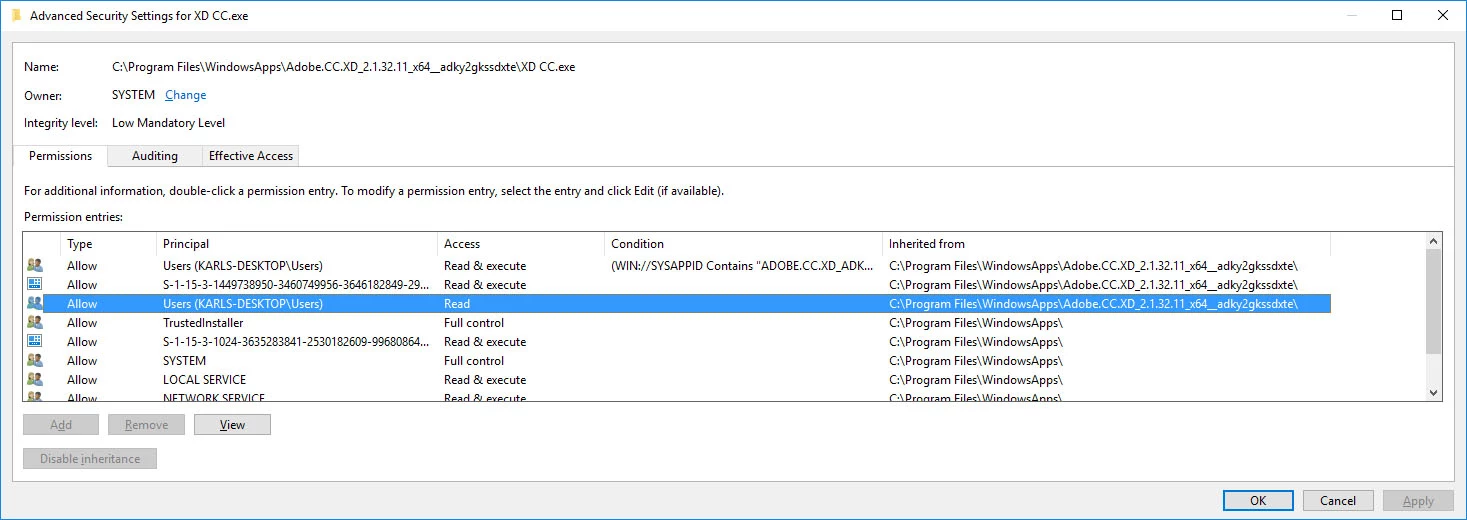
I inspected the permissions for the .exe and it looks like there are two different sets for me as the user, one that allows reading and executing, and one that only allows reading.  This should be visible in the screenshot below, but the forum really fuzzed it up for some reason (it's only a 200KB file).  Windows won't let me change the permissions for, or remove, the extra user.  Has anyone encountered this?  Any tips?  Thanks.
    This topic has been closed for replies.
    Correct answer fratila_vlad

    Hi,

    Adobe XD is an UWP app. This means that it runs in a special security sandbox managed by Windows and you cannot run it by simply double clicking on the actual .exe.

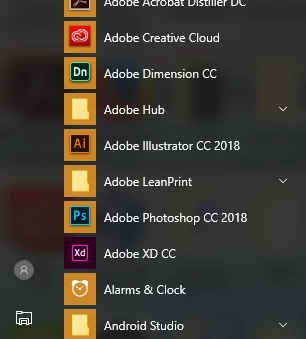
    In order to launch any UWP app, and therefore, XD, you should start it from the Start Menu AppList:

    If you want to make shortcuts to the app, you have 2 options:

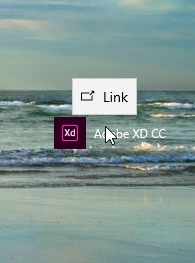
    • Create a shortcut by dragging the AppList entry to desktop

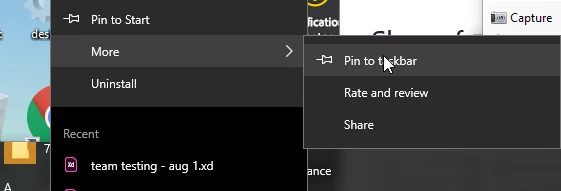
    • Pin to taskbar by rightclicking on the AppList entry

    1 reply

    fratila_vlad
    fratila_vladCorrect answer
    Participating Frequently
    November 27, 2017

    Hi,

    Adobe XD is an UWP app. This means that it runs in a special security sandbox managed by Windows and you cannot run it by simply double clicking on the actual .exe.

    In order to launch any UWP app, and therefore, XD, you should start it from the Start Menu AppList:

    If you want to make shortcuts to the app, you have 2 options:

    • Create a shortcut by dragging the AppList entry to desktop

    • Pin to taskbar by rightclicking on the AppList entry

    Inspiring
    November 27, 2017

    Thanks loads, vlad.  Any idea why XD is treated differently than all the other CC apps?

    Inspiring
    November 29, 2017

    We're the only fully UWP application in the CC app suite right now, so we're a little bit unique in this way.


    Why was XD made a UWP application?