

hendelgohary
Participating Frequently
June 1, 2021
Answered

Unable to select and drag items across artboards in Adobe XD.

  • June 1, 2021
  • 1 reply
  • 2672 views

Hello,


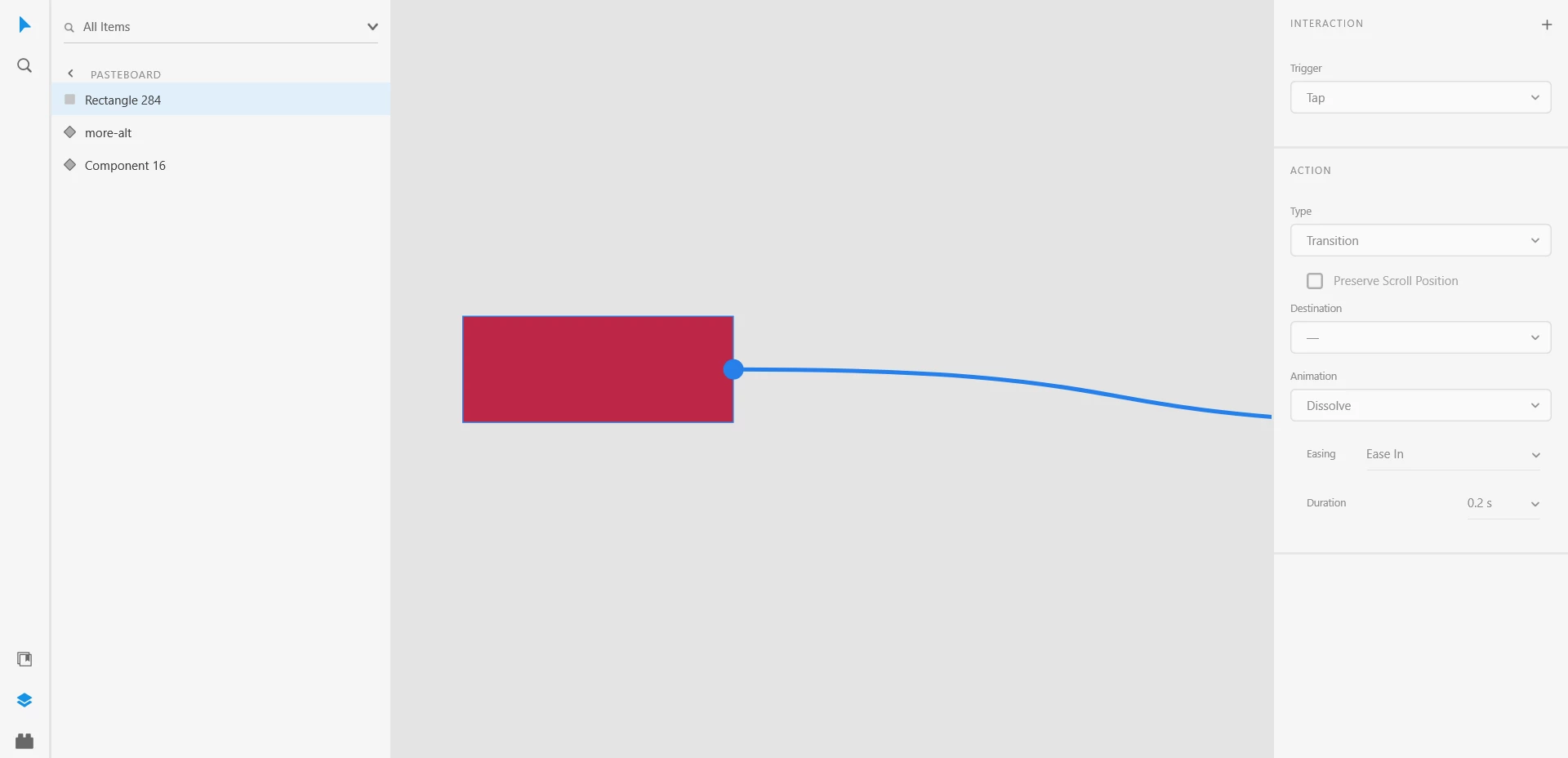
On the latest version of XD, when I select an item and want to move it to an artboard that is not within the active view, the view doesn't move to view the artboard in the direction i'm moving my mouse. Same happens when I try to make an interaction and link it to an artboard that is not in the current view (see screenshot). Any help?
 

<Title was renamed by moderator>

This topic has been closed for replies.
Correct answer HARSHIKA_VERMA

Its not me that asked the question


Oh sorry for the confusion and thanks for sharing your suggestion to this post. 


Hey hendelgohary ,


We would like to follow up on your issue. Are you able to resolve the issue? Please feel free to update the discussion if you need further assistance from us.


We'd be happy to help.


Thanks,

Harshika


1 reply

HARSHIKA_VERMA
Community Manager
Community Manager
June 1, 2021

Hi there,


Thanks for reaching out and sorry to hear you are unable to drag assets across artboards. I am unable to reproduce the issue at my end on my windows machine. I have attached the gif below. 


Could you please share the version of XD and the OS you're using? I would request you to please try signing out of XD, the Creative Cloud desktop app, and then sign back in.


Let us know if that helps.


Thanks,

Harshika

hendelgohary
Participating Frequently
June 2, 2021

Thanks, Harshika.


The interaction in the gif is exactly what I am not able to do. I'm glad you got what I was talking about. When I drag anything, the screen doesn't move the same way it does in your gif.


My Xd version is 40.1.22.3 and I'm on windows 10. I signed out and in again and the issue is not fixed.

Spas K.
Community Expert
Community Expert
June 8, 2021

No it doesn't matter whether the window is minimized or maximized, and this screenshot shows my GPU info. It's a Nvidia RTX 2070


Can you also post a screenshot for the nVidia GPU?


Did you verify whether you are running on the latest studio drivers for the 2070? You can find the latest studio driver here


Also, please make sure you are running Xd with the nvidia gpu and not the intel integrated graphics, which seems to be used by default according to the screenshot you sent.


To do this, open Settings. On the left, select Display, then at the very bottom click on "Graphics Settings".


Once there, under the section Graphics Performance Preference, at the dropdown select Microsoft Store App, and then Adobe Xd, and click on "Add":


After that, Adobe Xd will appear in the list below. Click on it, then click Properties, and make sure you select the option with the NVIDIA GPU:


I know Xd and other Adobe programs have issues with certain Driver versions and GPUs. It might not like your integrated GPU, or its driver. Try updating the drivers and setting it up to run with the nvidia, and see if it fixes it 🙂