
Inspiring
October 17, 2018
Answered

XD doesn't close

  • October 17, 2018
  • 1 reply
  • 1281 views

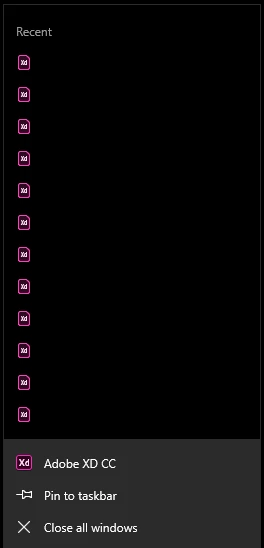
When I click Close all windows nothing happens (filenames removed). This function has never worked with XD and I've tried it on different machines. I'm on W10. When I click it this windows just closes and goes back to the system tray. XD doesn't close a single file - nothing. So how do I actually close all windows in XD at the same time? This works fine in PS and other Adobe apps, but not XD. I'm tired of going inside XD to close single documents to be allowed and able to close the whole program.
    This topic has been closed for replies.
    Correct answer Vlad G.

    Hi Perrybrus,

    The different behavior stems from Adobe XD being an UWP app and other Adobe products being classical win32 ones. This means that they are not allowed, when minimized, to 'pop up' in front to show a dialog to the user.

    For example, Paint 3D or other UWP apps may behave similarly.

    The limitation is technically described in SystemNavigationManagerPreview.CloseRequested Event (Windows.UI.Core.Preview) - UWP app developer | Microsoft Docs in the Remarks section.

    I think one of the differences is that Paint 3D may still close non-dirty documents at close all.

    1 reply

    Atul_Saini
    Community Manager
    Community Manager
    October 17, 2018

    Hi Perrybrus,

    Hope you are doing fine and thanks for sharing the screenshot regarding this situation. As per the screenshot when you try to close multiple documents it is important that you save all the documents. If you try to click on Close all windows without saving the documents, it would show you a prompt to save the file.

    Please try it once again after saving all the files and it should work. Please update this discussion in case you need further assistance.

    Thanks,

    Atul_Saini

    perrybrusAuthor
    Inspiring
    October 17, 2018

    It happens although all documents are saved. It's been like that since the very first time XD was released for Windows. I've had three different W10 machines during this period and this XD issue has followed me all the time. I've asked around at the office and they share the same experience with XD on Windows.

    Vlad G.
    Community Manager
    Vlad G.Community ManagerCorrect answer
    Community Manager
    October 19, 2018

    Hi Perrybrus,

    The different behavior stems from Adobe XD being an UWP app and other Adobe products being classical win32 ones. This means that they are not allowed, when minimized, to 'pop up' in front to show a dialog to the user.

    For example, Paint 3D or other UWP apps may behave similarly.

    The limitation is technically described in SystemNavigationManagerPreview.CloseRequested Event (Windows.UI.Core.Preview) - UWP app developer | Microsoft Docs in the Remarks section.

    I think one of the differences is that Paint 3D may still close non-dirty documents at close all.