JoeNerd
Participating Frequently
May 5, 2017
Answered

XD wouldn't start?

  • May 5, 2017
  • 2 replies
  • 1446 views

I have download the XD App via creative cloud.
And when I click open, it XD wouldn't start.

Is there anything I can do about it?
I need help

This topic has been closed for replies.
Correct answer mihai.udvuleanu

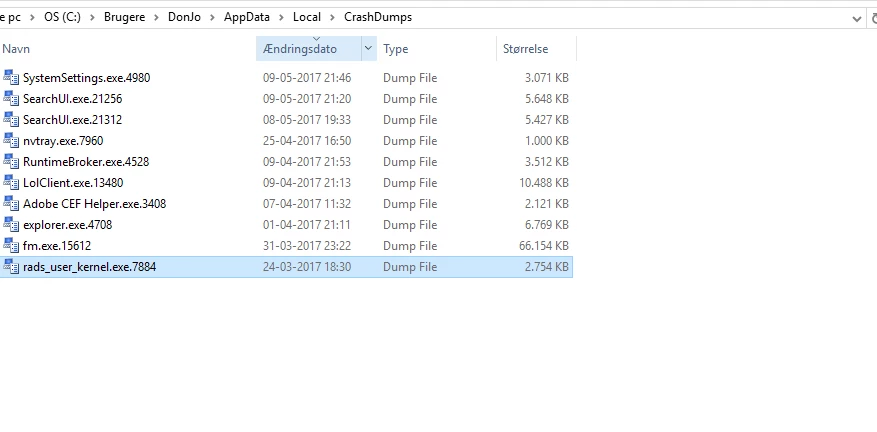
A crash dump file is not generated in C:\Users\<your_user>\AppData\Local\CrashDumps.


This is because there is a limit of maximum 10 dump files in OS. Could you delete some files from that folder (C:\Users\<your_user>\AppData\Local\CrashDumps) and try again to launch XD?

Activating dumps will not solve the problem with XD not starting, but most likely the dump file will allow us to find out why it happens.

Thanks,

Mihai

2 replies

JoeNerd
JoeNerdAuthor
Participating Frequently
May 8, 2017


I can't find
DumpFolder, DumpCount , DumpType in local dumps

Participating Frequently
May 9, 2017

You have to add them with right click then New value (Expandable String for DumpFolder and DWORD for numeric values):

Thanks,

Mihai

JoeNerd
JoeNerdAuthor
Participating Frequently
May 12, 2017

I have done it like this

JoeNerd
JoeNerdAuthor
Participating Frequently
May 5, 2017

I have tried to uninstaller and install the app, but nothing happes

Participating Frequently
May 5, 2017

Do you see anything on the screen when you launch XD? E.g. like an empty application frame that disappears after a few seconds?

Does XD exist in Windows applications list? (click Windows button and search for Adobe Experience Design CC)

What happens if you launch it directly from here?

Thanks,

Mihai

JoeNerd
JoeNerdAuthor
Participating Frequently
May 5, 2017

- Yes anan empty application frame that disappears after a few seconds

- it is on my in Windows applications list

- How do you launch from browser?

Thanks for the replay