Participant
November 6, 2020
解決済み

Adobe XD iframe embeds on Adobe portfolio are not opening on google chrome

  • November 6, 2020
  • 返信数 2.
  • 5821 ビュー

I have embedded a few XD prototypes on my adobe portfolio website. They open in Safari but they are not opening in google chrome (It shows blank white space).


I have attached the screenshots for safari and google chrome with this post. I have tried all the usual troubleshooting steps including opening it in an incognito window. I have to start applying for a job soon and this is extremely time-sensitive and critical for me. Please let me know if this problem can be solved. 


Website: https://kushdave.com/respire 

Password for the project on my website: 12345

このトピックへの返信は締め切られました。
解決に役立った回答 Nancy OShea

Hi Nancy,

Thank you for your advice.


#1 I agree. I have no problem with the cookies, I just have a problem with the nature of them. Adobe is an eco-system and artifacts made under it using different platforms should be communicated as first-party cookies rather than third-party cookies.


#2 Probably but I have no other choice. I have minimal HTML and js knowledge and it's definitely not enough to change the interactive prototype I made on XD to code. 


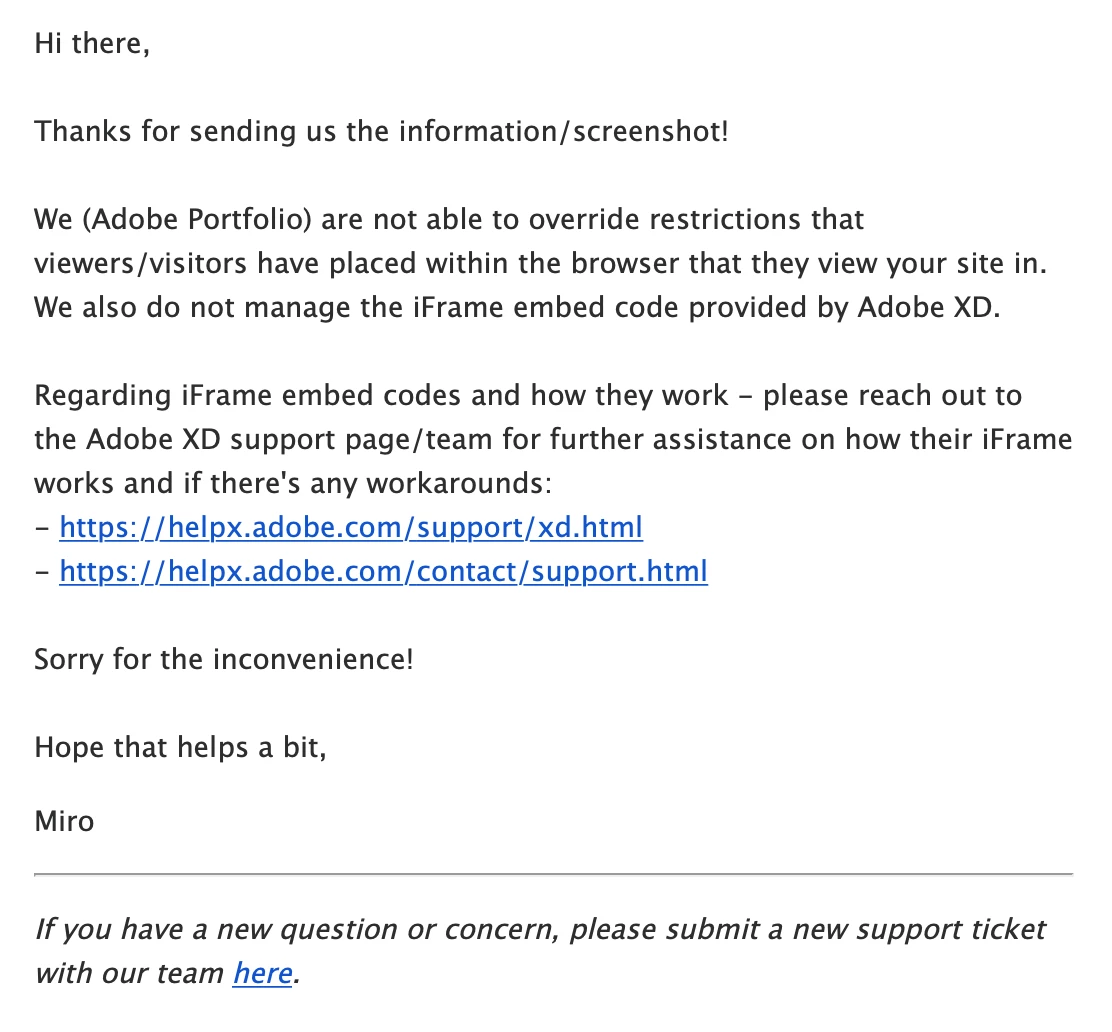
#3 I did reach out to them and this is what they said:


Reaching out to XD support is turning out to be an admin nightmare which involves going through the technical support of my college since I am using an adobe education account. It would be great if someone from XD and portfolio could collaborate and let me know if this is even possible.


XD is 3rd party code hosted on a different domain from your Portfolio. So technically, those are 3rd party cookies.  That's one of the challenges in using <iframes> from other domains.

https://developer.mozilla.org/en-US/docs/Web/HTML/Element/iframe


返信数 2

OutWest Creatives
Participant
November 9, 2020

Hi KushDave, 

I use chrome and its loding fine, a slight delay, but nothing major. Looks good!

Kush5ED6作成者
Participant
November 10, 2020

Hey OutWest Creatives,


Yes, it works fine. I am just trying to solve for a browser setting which some people might have. Thanks for responding.

Rishabh_Tiwari
Community Manager
Community Manager
November 6, 2020

Hi there,


Sorry to hear about the trouble. I tested this on my end and it seems to be working on Google Chrome on my end. Could you please try resetting the browser and check again, and in case if it still doesn't work, could you please test it in incognito mode.


Regards

Rishabh

Kush5ED6作成者
Participant
November 6, 2020

Hi Rishabh,


So it works on google chrome now, I figured that the problem was with the user blocking third-party cookies on their chrome browser. So my next question is their a way to make iframe embeds in adobe portfolio run even when third-party cookies are blocked by the user? Many people will have their modern browsers set to "block third party cookies" like shown in the image below and won't be able to view the prototype.


 According to what I have read online, a small change in how xd prototypes are embedded can fix the problem. For example, Can the embedded iframe be communicated as a first-party cookie on my website? Please let me know if I can do something on my end to make this work for this specific case. Thanks.

Nancy OShea
Community Expert
Community Expert
November 9, 2020

#1 Without cookies and scripts, very few sites work as expected. 


#2 Personally, I think embedded PDFs on the web are more trouble than they are worth. Too many things can go wrong.  HTML is more reliable and can be viewed in any device or browser without special viewers or APIs.

https://help.myportfolio.com/hc/en-us/articles/360036483773-Embed-module


#3 Please submit your PF technical issues directly to the Adobe Portfolio Team.


Nancy O'Shea— Product User & Community Expert