lorenah3653586
Participant
October 22, 2020
解決済み

Error - Maxium number of invitations reached while sharing file in XD.

  • October 22, 2020
  • 返信数 14.
  • 28180 ビュー

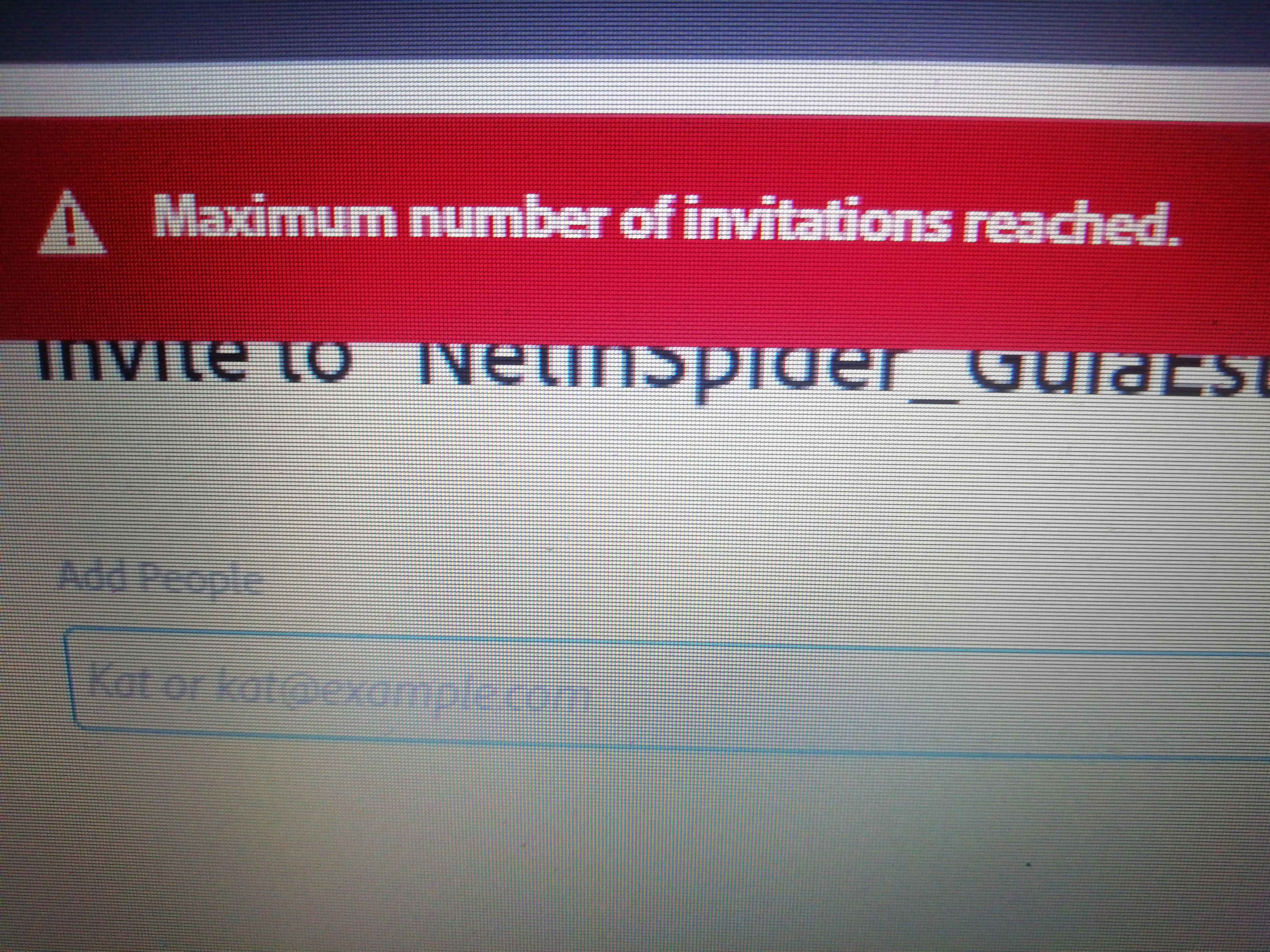
 I'm trying to share a file, and I get the error "maximum number of invitations reached".


How many invitations are available? I have deleted invitations from other files an it won't let me share the new file.


Can you help me?


Thanlks

このトピックへの返信は締め切られました。
解決に役立った回答 Rishabh_Tiwari

I am experiencing a problem in Adobe XD, when I try to share a document with my partner it appears: "maximum number of invitations reached". My account is for educational payment as well as that of my collaborator as well. We are trying to share the project between just the two of us.


Hi @Damitaaa ,


Sorry to hear about the trouble. Please ensure you have the latest version of XD which is 51.0.12 and in case if it's already up to date, please try the steps shared below:


  • Sign out from XD and CC Desktop app.
  • Close CoreSync and all Adobe-related services from the Task Manager/Activity Monitor.
  • Rebooted the machine.
  • Sign back in on the CC Desktop app and launch XD from there and test again.


Let us know if this helps or if you need any further assistance.


Regards

Rishabh

返信数 14

Kelsey Todd
Known Participant
December 28, 2022

I am having the same issue. And this is for a user who used to have access and suddenly was dropped. She's part of our corporate/enterprise subscription. 

HARSHIKA_VERMA
Community Manager
Community Manager
December 28, 2022

Hi @Kelsey Todd,


Thank you for reaching out. Does your colleague still has the enterprise subscription? If yes, we 

request you to please create a case, or initiate a chat from the Admin Console's support tab if you're a System or Support administrator using this link: https://helpx.adobe.com/contact/enterprise-support.cc.html 

If not, then contact your admin and ask them to create a case or start chat through the admin console.


There might be a reason that your organization has put some sharing restrictions.


Thanks,

Harshika

Participant
October 17, 2022

Hello!

I am experiencing this same error, but in a different context. I teach a UI/UX class at a college and my students are supposed to create wireframes in Figma and then move projects to a Photoshop/ Adobe XD combo for final mockup/prototype. 


The students are working in a computer lab, where the college pays for the Adobe Suite. I would think a bunch of students working in a computer lab where they all have access to XD should be able to work together? They are all getting the "Maxium number of invitations reached" error because their personal accounts don't have XD. 


Participant
July 14, 2022

2022 and I'm still having this issue. Tried:
- Re-login
- Re-install
Paid company account btw

Participant
July 14, 2022

Using latest Adobe XD version
{Personal Information removed}

Rishabh_Tiwari
Community Manager
Community Manager
July 14, 2022

Hi @Nguyen5D64 ,


We're so sorry to hear about the trouble. I checked your account and found a business license that is active so if you have already tried the troubleshooting step shared in the correct answer in this post, please contact us directly or log a ticket by following the steps shared here https://helpx.adobe.com/enterprise/using/support-and-expert-services.html 


Regards

Rishabh

lamc58563972
Participating Frequently
July 13, 2021

Why i couldn't save anything to cloud ??? It shows a message like an image I attach to this post. And the second thing is why I have license Full App but I can't invite my team to edit file ??? 


italosan
Community Expert
Community Expert
July 13, 2021

Hi, we're sorry you're having trouble with Adobe XD. However, in order to help you, we need more information, such as the version of Adobe XD you are using and whether these problems also occur with other files.

lamc58563972
Participating Frequently
July 14, 2021

- My version of adobe XD is 41.11.12.9. 

1. Please help me to fix about invite more members to edit file. I just can invite 1 member and it shows the notification "Maximum invite", although I have to buy Full App License.

2. The second thing is I think I have problems with my old file, so I moved all my data to the new file and it's back to sync to Creative Cloud (I think it causes by my old file).


PLEASE HELP ME!!! fix Problem 1

daviddjay8
Participating Frequently
June 4, 2021

Hi there, 


About 10 months later and I still have this issue... Would someone be able to help me with this please? 


I have all apps paid, XD version 40.1.22


I tried uninstalling and reinstalling and that did nothing except remove all my plugins which I had to reinstall.


Please Adobe, prioritise this issue in a bug fix - this is one of two apps I actually use, so I'm wondering why I pay for all apps. Besides this, I have no option to downgrade to one app except if I pay off the rest of my year. Frustrating. 

HARSHIKA_VERMA
Community Manager
Community Manager
June 22, 2021

Hi davidd73973526,


Sorry for the delay in response. We would like to know if you're experiencing the issue with XD 41 version. Please feel free to update the discussion.


We'll try our best to help.


Thanks,

Harshika

daviddjay8
Participating Frequently
June 22, 2021

Hi Harshika, 


Unfortunately, I still have this issue on XD 41. 


Thanks, 


David

Participant
June 2, 2021

Hi Support Team


I have monthly paid plan of all apps , but still its showing that I have reached maximum invitation limit. Not able to add team meanebrs as well clients. please provide the solution as soon as possible

Community Expert
June 2, 2021

Hi praveenkada,

could you tell us which version of Adobe XD are you using it? Have you tried to log out and re-enter your Adobe account? Does this problem occur with all files or just with a specific file?

Participant
January 12, 2021

I also have same issue. Unable to invite my colleague. Is there a way delete existing invitations?


HARSHIKA_VERMA
Community Manager
Community Manager
January 28, 2021

Hi Badrinath,


I am sorry for the delay in response. If you are on an enterprise team license then I would request you to please create a case, or initiate a chat from the Admin Console's support tab if you're a System or Support administrator using this link: https://helpx.adobe.com/contact/enterprise-support.cc.html 

If not, then contact your admin and ask them to create a case or start chat through the admin console.


Hope it helps.


Thanks,

Harshika


Participating Frequently
December 29, 2020

Hello the issue still exist and we need fix for this it has quiet become a lil bit troublesome with our workflow since i can invite anyway to coedit. I don't use the starter plan. My adobe is licensed with a code redeemed from redeem.adobe.com.  Please whatever fixes adobe team is doing, Prioritize this one. Thank You.

Participant
December 7, 2020

When i'm trying to add a co editor to my cloud xd file it is showing this alert "Maximum no. of invitation reached." Kindly please help

I'm using Single App license

Participating Frequently
December 7, 2020

Are you possibly using a student license?

Participating Frequently
November 23, 2020

Hi would like to get an update for fix at this. I'm getting the same issues even at version 35 🙂 thank you.