



Apply states to components to simulate rollovers, click-throughs, and enabled/disabled states
Your wait to create objects that simulate interactive experiences is now over. Applying states to components enables you to create effects that simulate actions such as onMouseHover and onMouseClick for objects like buttons, check boxes, radio-buttons and so on. For more information on applying states to Components, see Add multiple states to components
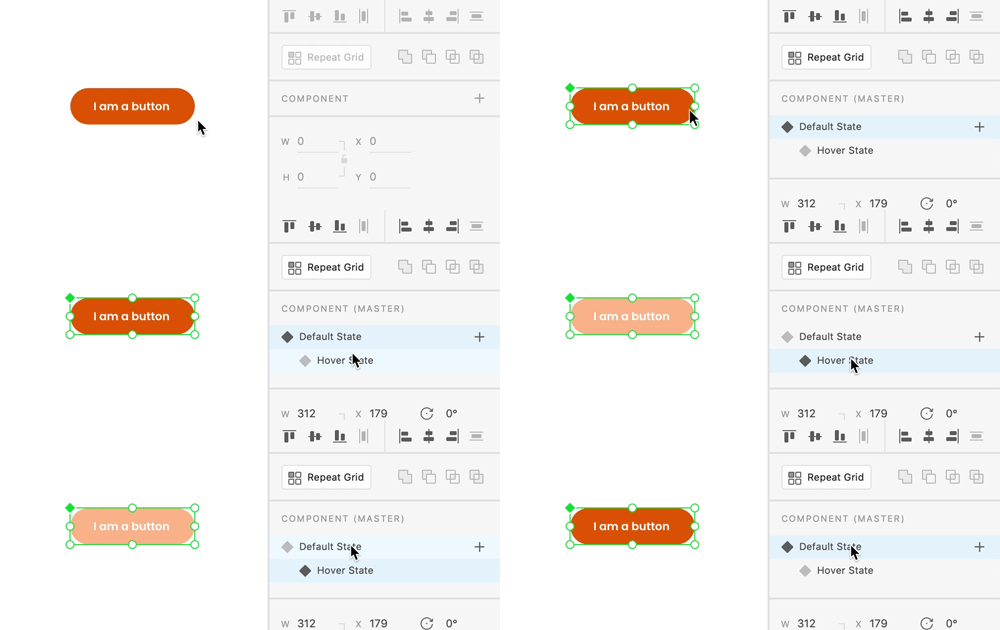
Adding interactions between states is as simple as adding interactions between artboards. The only difference is, you can choose a state as a destination instead of an artboard.
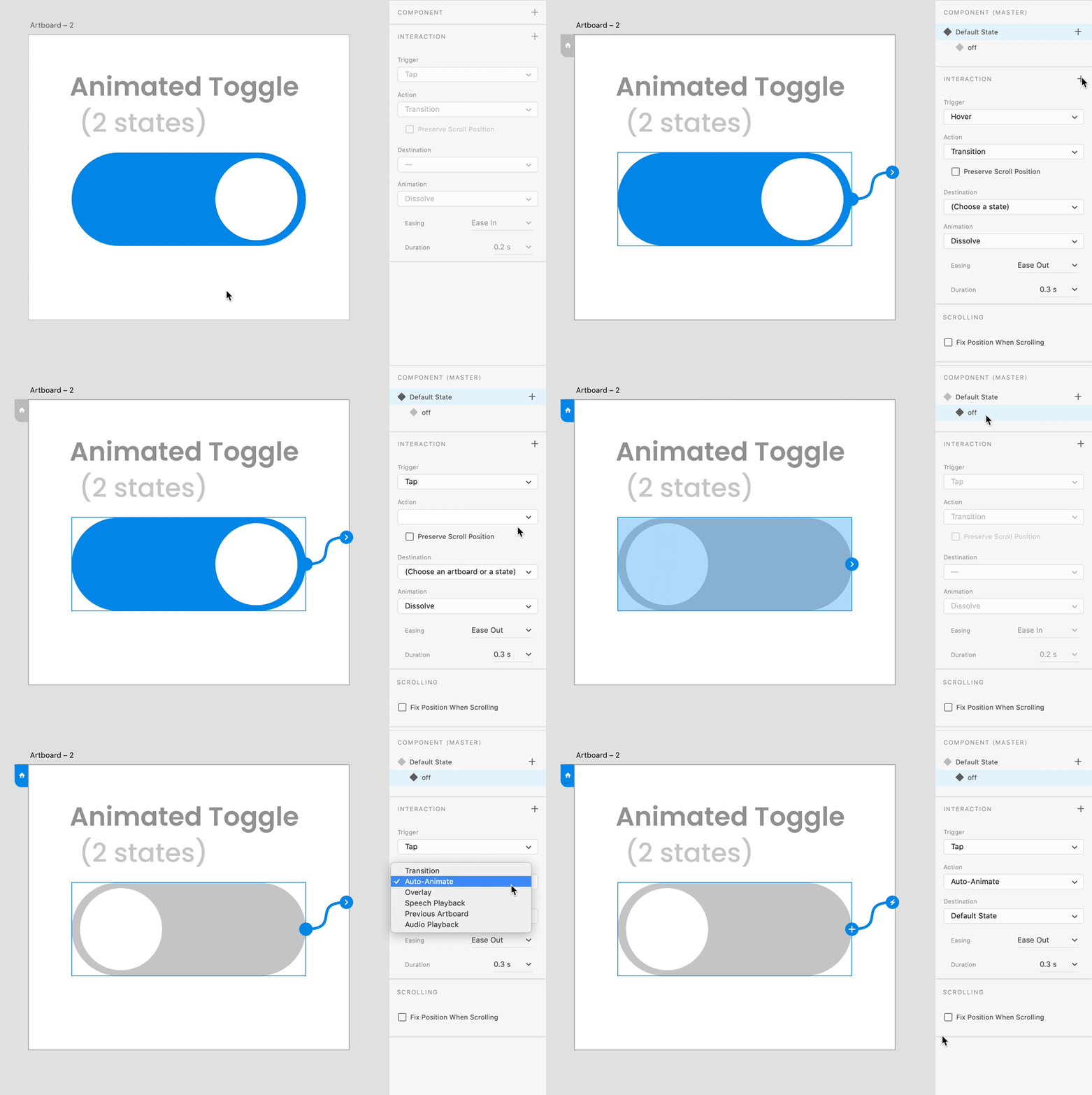
Video Tutorial
Limitations in the current version
- You cannot preview interactions associated with states on a mobile browser or mobile application.
- Handling states in nested components can get complicated. The team is looking for feedback on your experience with nested components.
- There isn’t a way to rename the Default State in this version.
- States are not supported in Design Specs in this version of XD.
Suggest improvements
There will be several enhancements to the experience in the year ahead, and it is just the beginning. To help the team prioritize requests, search for requests on your mind in this link https://adobexd.uservoice.com/ and upvote them. In case you do not find anything that is similar to what you want, feel free to create a request.
Feedback and questions
Reply to this post to share your feedback on this feature, and any questions you have around using it. Our team of experts here will do their best to assist you.
 AdChoices