
karthikramamurthy
Participant
November 18, 2016
Answered

Error 69

  • November 18, 2016
  • 1 reply
  • 2322 views

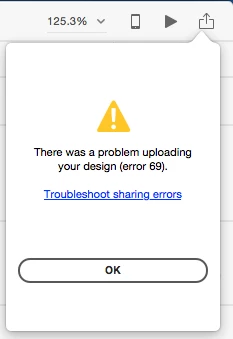
Hi I am using XD version 0.6.2.7 and i have created a prototype using iPhone 7 template. I can't create a link for my prototype. The message displays as "There was a problem uploading your design (error 69).

Anyone can give me a solution for this. i have an urgent meeting to showcase my prototype today.
This topic has been closed for replies.
Correct answer karthikramamurthy

Hi Elaine

Resolved the issue. This was a network issue as my office network didn't allow me to update the design to Adobe's server.

So used my home network and created the link.

Note: I am able upload my XD file to the Assets page, but not my prototype from XD!

Thanks for your reply.

Regards

Karthik

1 reply

elainecc
Participating Frequently
November 18, 2016

Hi, karthikramamurthy-

Did that happen just once, or are you hitting this repeatedly? Can you try again and let us know if you still experience this issue?

Thanks,

-Elaine

karthikramamurthy
karthikramamurthyAuthorCorrect answer
Participant
November 18, 2016

Hi Elaine

Resolved the issue. This was a network issue as my office network didn't allow me to update the design to Adobe's server.

So used my home network and created the link.

Note: I am able upload my XD file to the Assets page, but not my prototype from XD!

Thanks for your reply.

Regards

Karthik

elainecc
Participating Frequently
November 22, 2016

Glad to hear that it was resolved! Please let us know if your admins want information on what you will need to whitelist in order to get sharing working from the office.

Thanks,

-Elaine