Hi Meng-chi,
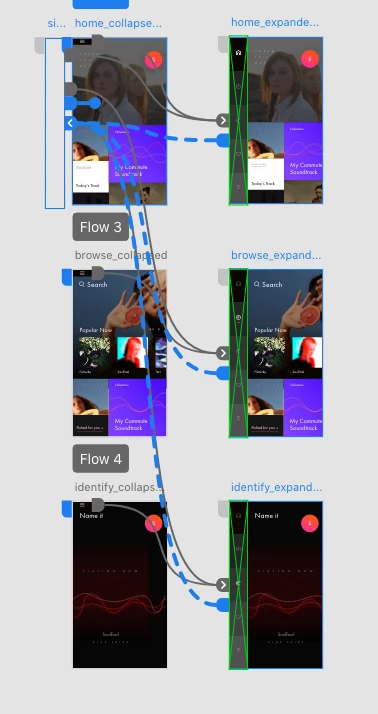
Thanks for using Adobe Xd. Looking at the image you shared I couldn't understand all your links. But I do get what you are trying to achieve and for that am writing here some simple steps:
1. Make the humburger menu bar a component(the one that I can see in your home-collapse artboard)
2. Add a state to the component(make this state look like the menu bar you have in home-expanded artboard i.e bring the rectangle inside)
3. Go to prototype mode, select the hamburger icon and click on the + in PI. select trigger:tap, action:Auto animate, destination: State2
4. Now again select the component and in PI components(Main) select State 2. Click on + and select trigger:Tap, action:Auto animate, destination: Default State.
Following these steps you should be able to achieve your outcome. Or else you can share your file , I would help you with it.
Hope this helps.
Thanks & Regards,
Jagriti Kashyap
2.



 AdChoices