
Known Participant
November 13, 2019
Answered

[Design]-Update All button not updating any linked component in Adobe XD.

  • November 13, 2019
  • 12 replies
  • 9012 views

Windows 10, Xd version 24.2.22.8. Since 1 or 2 updates ago, "Update All" button no longer updates anything. Some assets can be manually upaded from Assets panel but others refuse to update at all. Some of the assets that won't update at all have new "component states" feature enabled, so this is possibly related to further bugginess in this still-half-baked feature.


<The Title was renamed by moderator>
This topic has been closed for replies.
Correct answer Harshika Verma

The problem exists both on Win 10 and Mac OS 10.15.1.


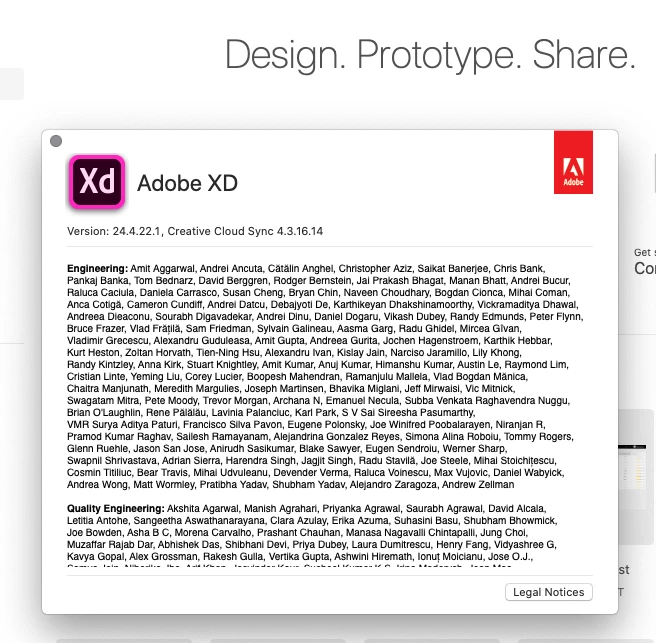
Thank you so much for the information and screenshots. The team has logged a bug for the same and are working on it to fix it. You may see the improvements in the future releases of XD.


We are sorry for the inconvenience.


Thanks,

Harshika

12 replies

sycha
Participant
November 14, 2019

Same problem. Updating via individual update button doesn't work either. So basically, the whole components feature is useless at this point. Very time consuming.

Harshika Verma
Community Manager
Community Manager
November 14, 2019

Hi All,


We are sorry to hear you're having trouble updating linked components in Adobe XD. We would like to know a few more details like-


  • What is the version of the source file on which the file was created?
  • Could you please create two new files and then link components from one to another? & share the results with us.
  • Could you please share the About XD info screenshot or a short video of the workflow? So that we can investigate more about the issue.


We will try our best to help.


Thanks,

Harshika

Participating Frequently
November 19, 2019

In Adobe Xd I have a "master component"-document from which I link components to other documents.


A few days a go I started getting issues with certain child components not updating:

  • The "Update all" button shows in the linked document, but pressing it doesn't do anyting.
  • I can also go into the list with all assets an induvidually update some of them but a few can't be updated.
  • If I go to + assets and re-choose my "master component"-document, the "Update all" button goes away but the child component doesn't reflect the changes that is made to its parent.
  • This is true for my existing document that links to my "master component"-document. However, if I create a new document an link to one of the "problem component" it works fine.


Been speaking to Adobe support for 3h and then got disconnected so posting here instead.

Support number: ADB-10006717-T4X4


meagant11222393
Participating Frequently
November 13, 2019

I am having this problem too. If you click on the individual update button, it still works for most of the components. But it seems like some of the components are stuck and not updating.

Known Participant
November 13, 2019

Perhaps I am naive or stupid, but this seems like an obvious bug that in a properly run software company would disqualify a release from going live. I can name others, When components replaced symbols, existing symbols were so badly correupted that it cost me dozens of hours and my employers tens of thousands of dollars of my time. Component states were released half-baked. To me it poses this question: is there any QA role in the XD team?

Participating Frequently
October 15, 2020

One would think, huh? It's now Oct 2020 and this is still a problem. wtf.