
Participant
April 7, 2020
Answered

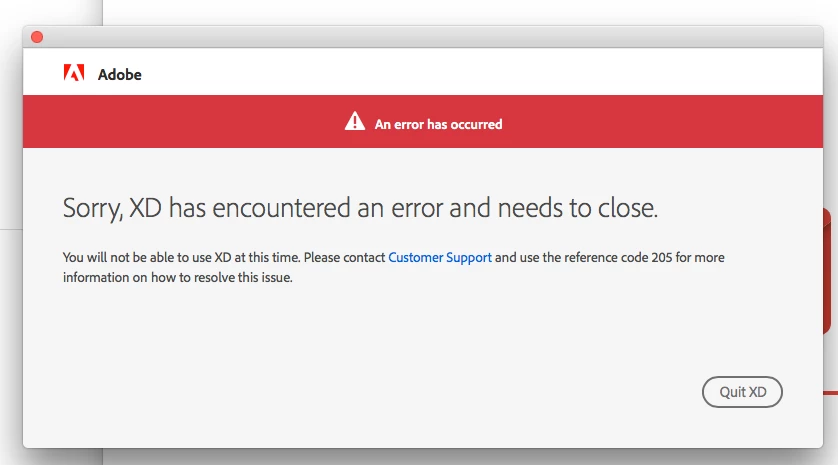
"Sorry, XD has encountered an error and needs to close." error

  • April 7, 2020
  • 1 reply
  • 2267 views

Hello! I suddenly can't access Adobe XD today. This error keeps on showing whenever I open XD.
"Sorry, XD has encountered an error and needs to close."

I have updated xd, uninstall / install XD already, even updated my Mac's OS.
Don't know what else to do now. 😞
Have anyone encountered this? How did you fix it? Please help
This topic has been closed for replies.
Correct answer forhue

After intensive and desperate search. Solved the 'eror' issue by 'removing Adobe User and Adobe App certificates in my Keychain Access.
Below's the link that helped me.
https://helpx.adobe.com/download-install/kb/adobe-license-issues-keychain-credential-mgr.html#getsetinfomac

1 reply

forhueAuthorCorrect answer
Participant
April 7, 2020

After intensive and desperate search. Solved the 'eror' issue by 'removing Adobe User and Adobe App certificates in my Keychain Access.
Below's the link that helped me.
https://helpx.adobe.com/download-install/kb/adobe-license-issues-keychain-credential-mgr.html#getsetinfomac

HARSHIKA_VERMA
Community Manager
Community Manager
April 8, 2020

Thank you for sharing the solution that worked for you. We really appreciate your efforts. This will definitely help our customers resolve the similar issues. Please feel free to reach out to us in the future for any query related to XD.


We'd be happy to help.


Thanks,

Harshika