


Participating Frequently
January 28, 2021
Question

XD Zeplin problem + downgrade problem

  • January 28, 2021
  • 1 reply
  • 768 views

Hi,

nothing happens when i export to zeplin. (XD 36.1.32.5)


I see you guys recommend to downgrade to version 35 but on my Creative cloud, i can't find 3 dots to instal older versions. (please see screenshot attached) 

On other apps, there is 3 dots with option to choose other versions.
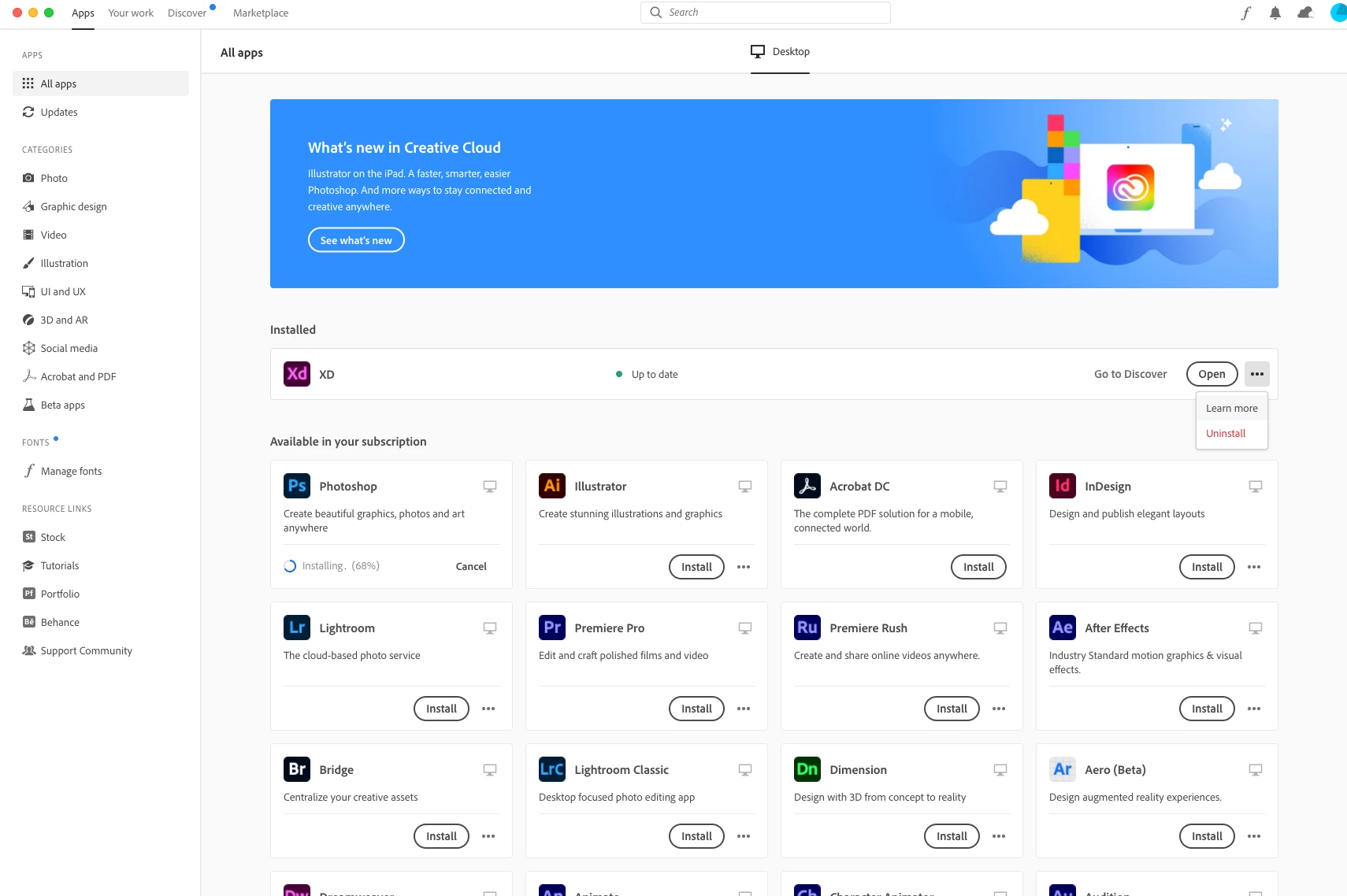


please help!

    This topic has been closed for replies.

    1 reply

    Harshika Verma
    Community Manager
    Community Manager
    January 28, 2021

    Hi Jong,


    Sorry to hear you are unable to see the option for other versions in the Creative Cloud app.  XD current version is 36.2, so I would suggest updating XD as well by going to the "Check for updates" option in CCD. Along with that, I would request you to please try the below steps-


    • Sign out of Creative Cloud.
    • Quit Creative Cloud Desktop app and kill all related processes from Task manager/ Activity monitor.
    • Restart the machine and then Sign back in.


    If that doesn't help, please try reinstalling the Creative Cloud Desktop and let us know if that helps.


    I will try my best to help.


    Thanks,

    Harshika

    Participating Frequently
    January 28, 2021

    Hi Harshika, 


    I followed your step, but on my CC it says my XD is up to date.


    I also tried to reinsalling CC.


    Help please!

    Harshika Verma
    Community Manager
    Community Manager
    January 28, 2021

    Thanks for trying the steps suggested, could you please also try the steps mentioned in this article: https://helpx.adobe.com/creative-cloud/help/creative-cloud-updates.html and share your results with me.


    Thanks,

    Harshika