


Copy link to clipboard
Copied
Hi,
I know this question is asked often but I haven't found a solution for current release.
I've downloaded this version :
http://airdownload.adobe.com/air/win/download/3.5/AdobeAIRInstaller.exe
which is the lastest one.
I can run it and install it on a clean system.
But I can't find a switch to do it silently. I'm always having on the prompt the same result 'too many arguments'
Why can't we update like other programs ?
Thanks,
Vincent


 1 Correct answer


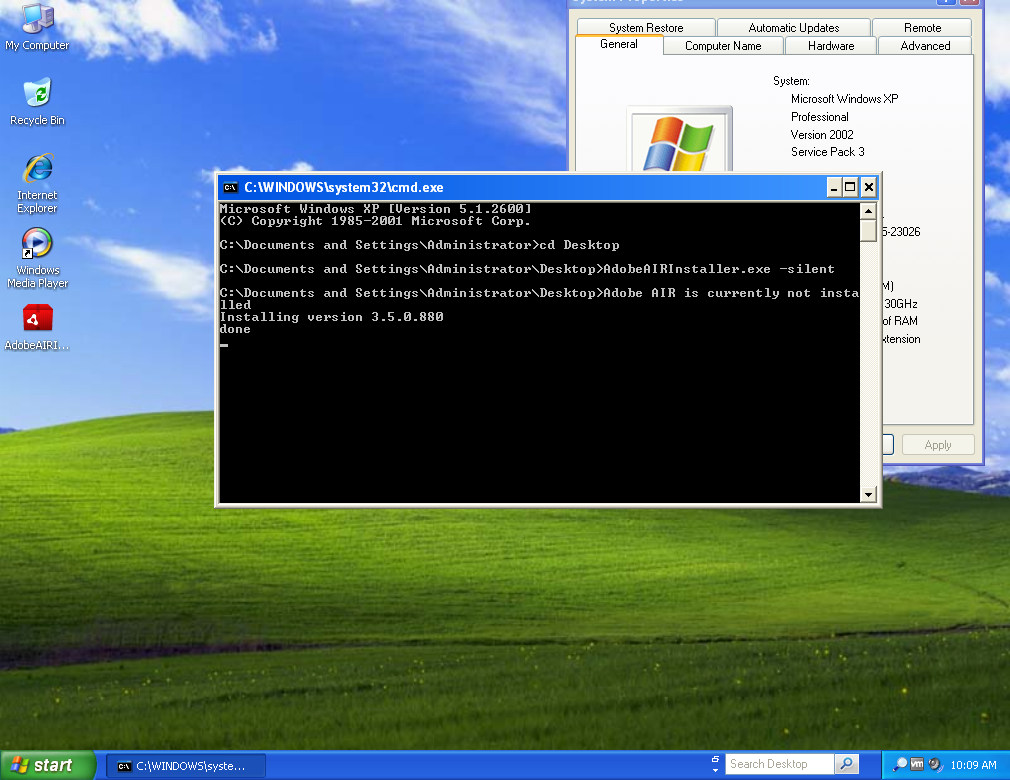
No problems for me when running on XP. Are you passing more than just the -silent argument?

 4
Replies
4
4
Replies
4

Copy link to clipboard
Copied
Hi Vincent,
I was able to install silently using the following steps:
1. Open a command window, elevated as administrator
2. Navigate to the AdobeAIRInstaller.exe file
3. Run the command "AdobeAIRInstaller.exe -silent"

Copy link to clipboard
Copied
Hi,
it doesn't work on Windows XP SP3 Fr x86.
I've got the same result (too many arguments)

Copy link to clipboard
Copied

No problems for me when running on XP. Are you passing more than just the -silent argument?
Copy link to clipboard
Copied
Hi,
that's strange, it works today. ...
Thanks for the help.

Get ready! An upgraded Adobe Community experience is coming in January.
Learn more
 AdChoices