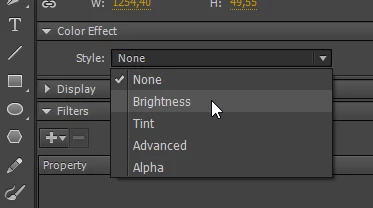
So... you said in your thread title and first post that you wanted a way to change the brightness... but you already knew how to change the brightness, and actually wanted a way to change something else?
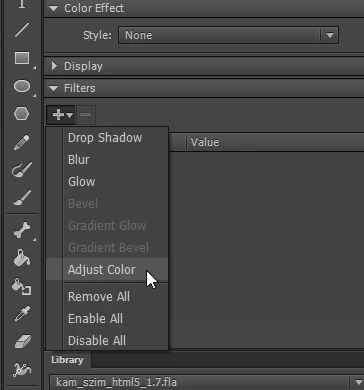
Well anyway, now that we've finally gotten to the actual question, the problem you're having is this-- filter effects in HTML5 Canvas documents are not natively supported by the browser, so they have to be implemented entirely in JavaScript. That means they're slow. The bigger the image being operated on, the slower they are. Because of this, the CreateJS library does not animate filter effects. You should have noticed this warning in the Output window whenever you published:
Filters are very expensive and are not updated once applied. Cache as bitmap is automatically enabled when a filter is applied. This can prevent animations from updating.
So a bitmap will stick with whatever filter it initially has and never update. There are a couple of ways around this (bearing in mind that if your image is too big there will be significant lag).
The simplest approach, using timeline-based animation, is to put each step of the filter animation in a separate layer. This will force the export engine to see each one as a separate movieclip.
The more complicated approach, but that allows mixing filter effects, is code. Here's the basic code for applying a blur filter:
var clip = this.myImageClip;
var clipW = clip.nominalBounds.width * clip.scaleX;
var clipH = clip.nominalBounds.height * clip.scaleY;
clip.filters = [
	new createjs.BlurFilter(5, 5, 10)
];
// assume bitmap is centered in clip
clip.cache(-clipW / 2, -clipH / 2, clipW, clipH);
A movieclip's filters array contains all the filters to be applied, and cache() caches the specified region and applies any filters. To change the filters, rebuild the array from scratch or just add to it. Either way, after this you only have to call updateCache() to re-render the filters.
var clip = this.myImageClip;
clip.filters.push(new createjs.ColorFilter(1, 1, 1, 1, 128, 0, 0));
clip.updateCache();
https://www.createjs.com/docs/easeljs/classes/Container.html#method_cache
https://www.createjs.com/docs/easeljs/classes/Filter.html
But of course, tying this code to a real-time slider would probably be a bad idea due to the filter rendering code bogging down the browser. Some sort of delayed filter update, like only a few times per second, would probably be a good idea.


 AdChoices