
Participant
January 17, 2019
Resuelto

Adobe Animate Publish Settings exports; How to reference parent directories?

  • January 17, 2019
  • 2 respuestas
  • 711 visualizaciones

I'm getting this message in Publish Settings > Basic > Export Image assets:

"Name for images folder cannot contain any of the following characters: &[];=,*:.?<>|#%" and newline."
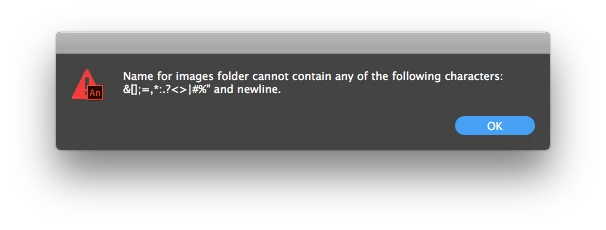
...So for some reason I'm not able to use a dot `.` in a file path... That doesn't make sense.

I NEED to go back out one directory for publishing images and JS. Is there some other syntax that can be used? How can I do this?

Adobe Animate Publish Settings exports; How to reference parent directories? - Graphic Design Stack Exchange

  [1]: https://i.stack.imgur.com/FfCV3.png

Este tema ha sido cerrado para respuestas.
Mejor respuesta de kdmemory

Hi BBaysinger

If you want JS, images and HTML exported to one level up in relation to your FLA file, put in the Publish Settings/Basic under Output name

../yourfilename

(you can also use the folder icon there to set the path)

Then under the tab Image settings by Export image assets you click the folder icon (Toggle off to export image assets in the same folder as the output file).

That's it

Klaus

2 respuestas

Legend
January 18, 2019

Move your FLA up one directory. Now your assets will export where you want them.

kdmemory
kdmemoryRespuesta
Inspiring
January 17, 2019

Hi BBaysinger

If you want JS, images and HTML exported to one level up in relation to your FLA file, put in the Publish Settings/Basic under Output name

../yourfilename

(you can also use the folder icon there to set the path)

Then under the tab Image settings by Export image assets you click the folder icon (Toggle off to export image assets in the same folder as the output file).

That's it

Klaus