
Muvz Nicole
Participant
February 18, 2020
Answered

Animation won't play when play button is pressed, does not play when published

  • February 18, 2020
  • 2 replies
  • 6592 views

Hi,


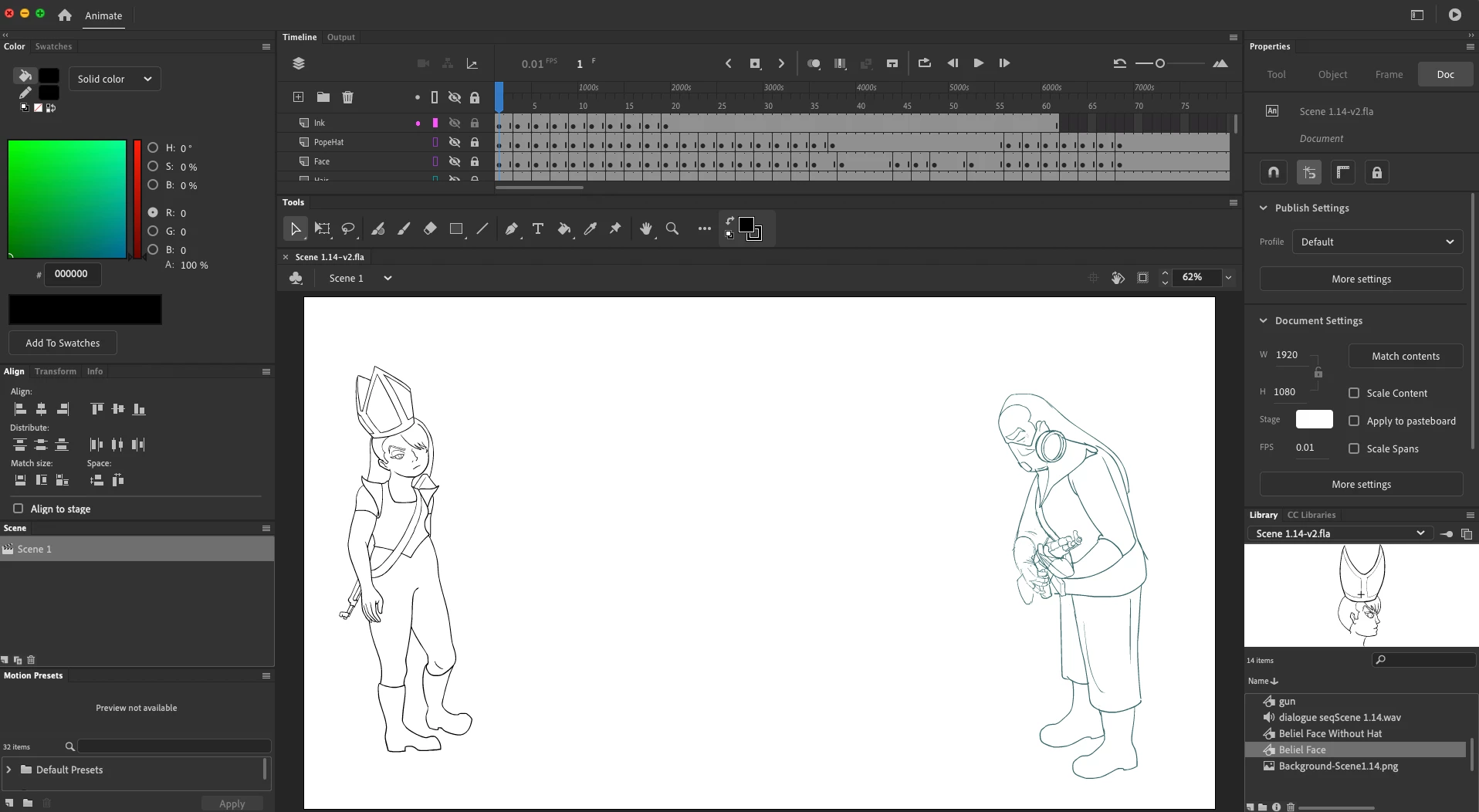
I have the latest version of Animate CC. I am drawing frame by frame animation while using symbols for repeating parts. When I scrub the playhead, the animation works fine. However, when I press the play button or export the video, the animation does not play at all. 


All my symbols are graphic. I've copy and pasted drawings in some symbols to create new ones. I'm not sure that's contributing to the problem.


If anybody can give me any insight, that'd be great. I'd hate to start all over.
This topic has been closed for replies.
Correct answer n. tilcheff

Hi mate,


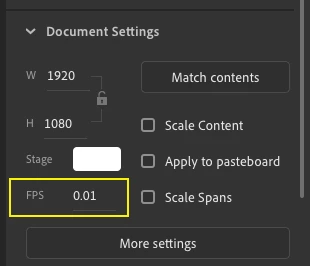
Looking at your screen grab I noticed that the frame rate of your file is 0.01 fps.

This is the reason it appears to not play. In actuality it is playing, just very slowly.


Increase your frame rate and all will be well 🙂


2 replies

n. tilcheff
n. tilcheffCorrect answer
Legend
February 18, 2020

Hi mate,


Looking at your screen grab I noticed that the frame rate of your file is 0.01 fps.

This is the reason it appears to not play. In actuality it is playing, just very slowly.


Increase your frame rate and all will be well 🙂


Nick - Character Designer and Animator, Flash user since 1998 | Member of the Flanimate Power Tools team - extensions for character animation
Muvz Nicole
Participant
February 18, 2020

n__tilcheff Thank you so much! I don't know how it even got there, but it's fixed. I will remember to double check it from now on. 

n. tilcheff
Legend
February 18, 2020

Well done, mate!

🙂


Nick - Character Designer and Animator, Flash user since 1998 | Member of the Flanimate Power Tools team - extensions for character animation
avid_body16B8
Legend
February 18, 2020

Do you have a stop somewhere? Are you telling the timeline to play?