
Answered
Asset Warp Problem.
Hello.
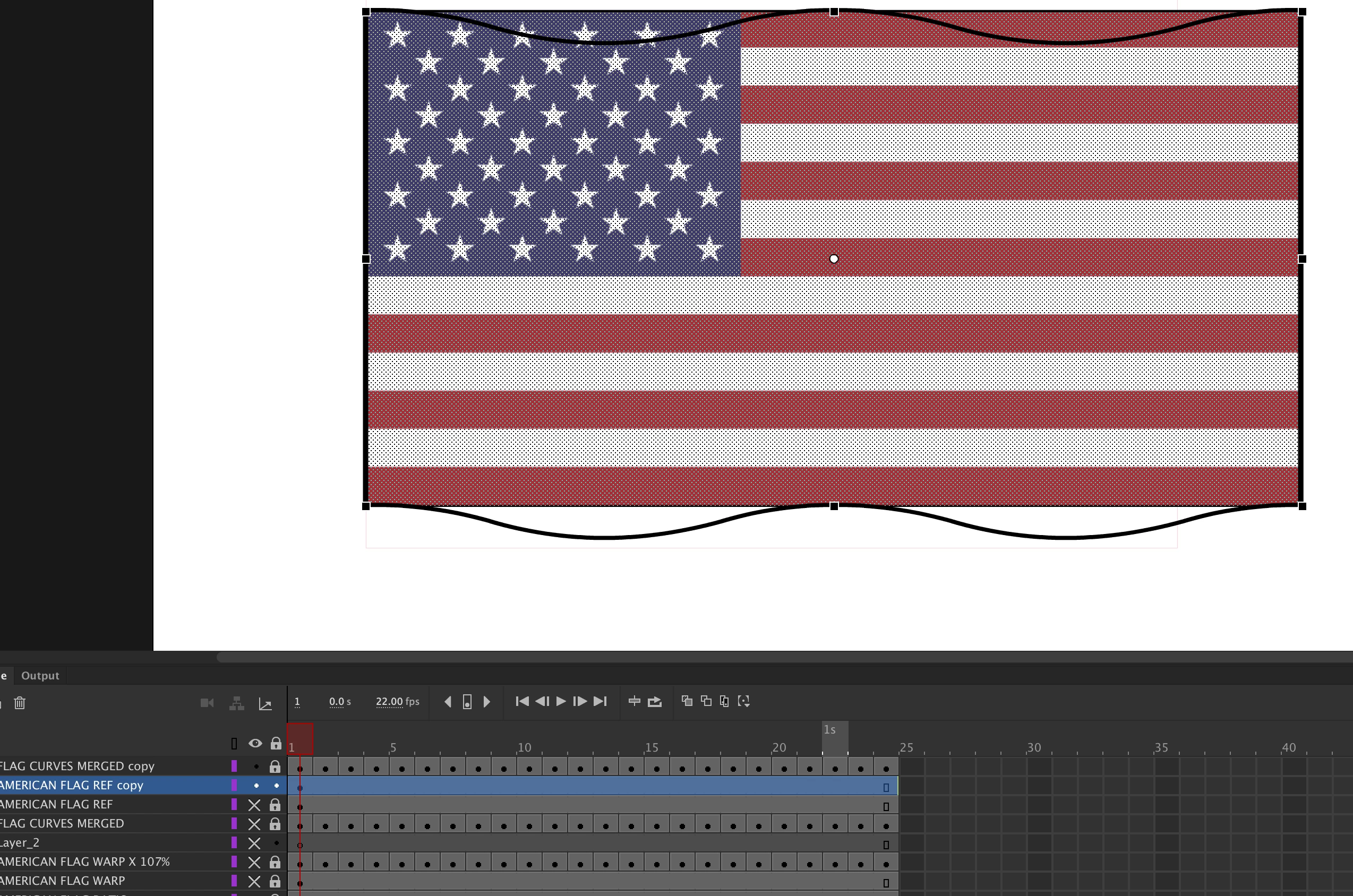
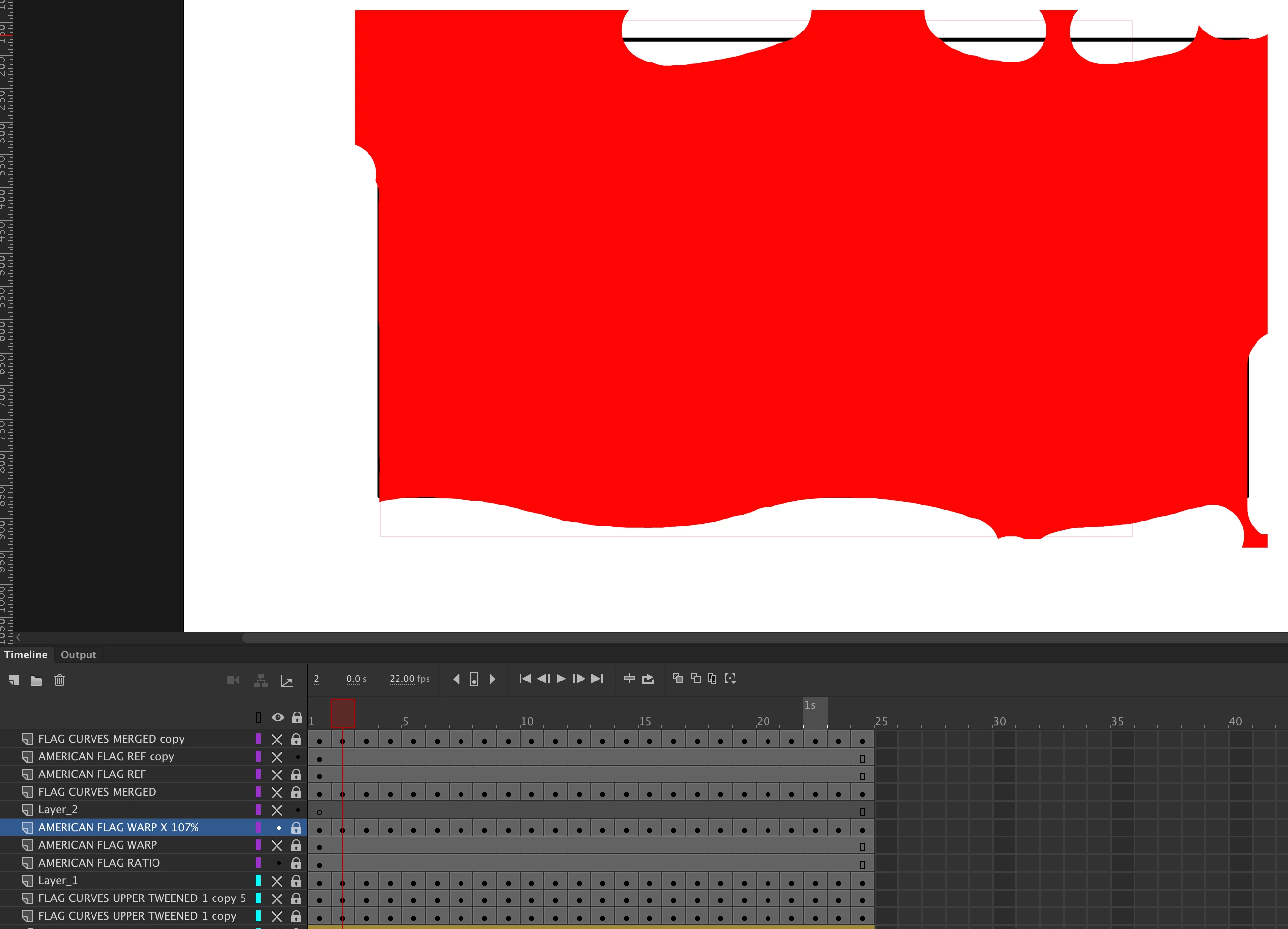
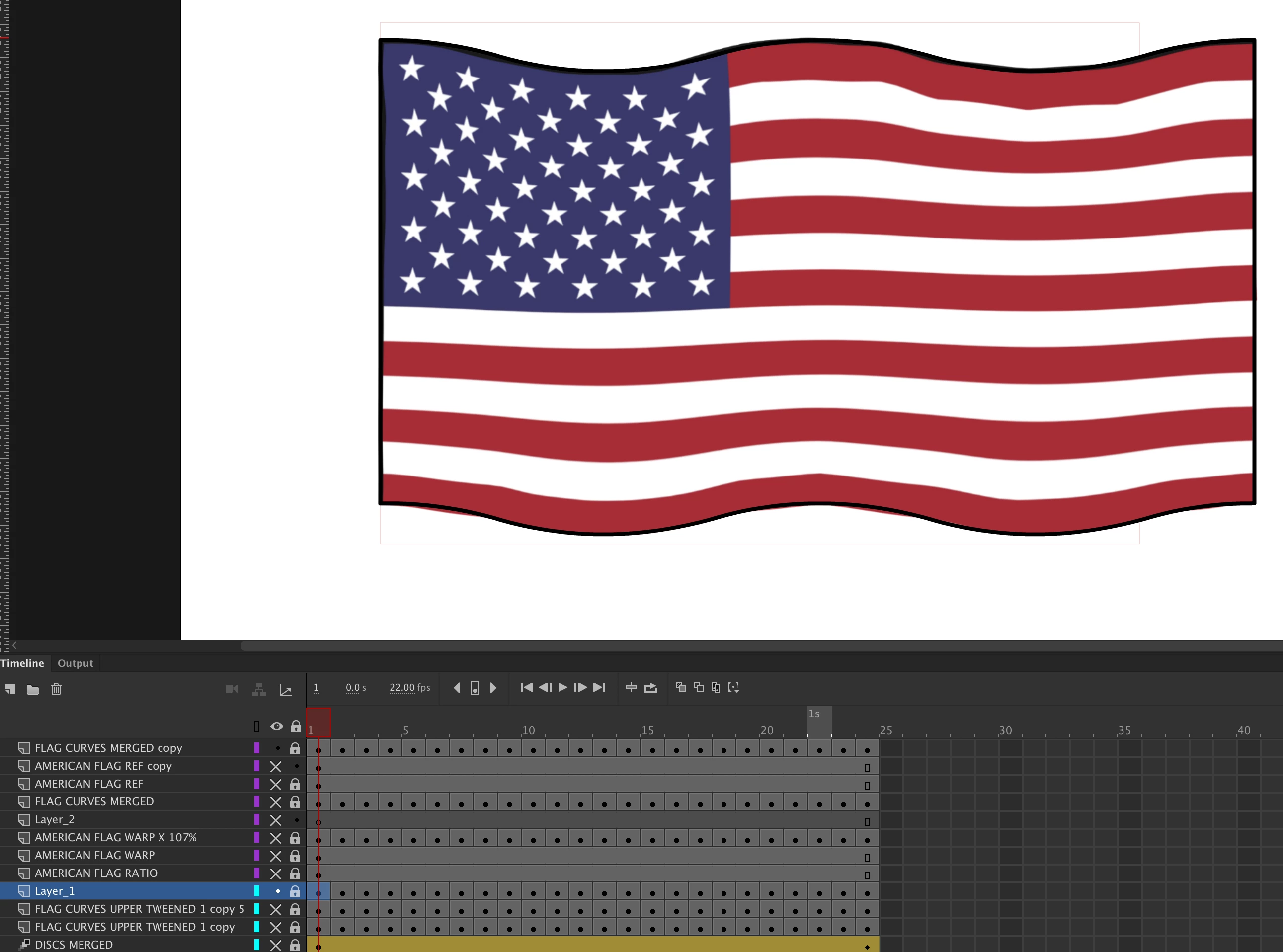
When using the Asset Warp Tool in Animate CC 2019 to re-shape an imported image, the next time I open the program I find that some of the frames have turned red all over. Does anyone have an ezxplanation for this? I am using iMac OSX 10.14.1 with a Wacom Pad. I attach file Asset Warp 1, showing the original imported flag image on one layer, and the new shape outline on a separate layer; and asset warp 2 showing a frame which has turned red after using the asset warp tool, and asset warp 3. showing a frame which did not turn red, and achieved the desired result.
 AdChoices