
KhatriK
Participant
March 8, 2019
Question

Brush tool acting strange

  • March 8, 2019
  • 1 reply
  • 509 views

Hi there

I've recently had this problem where my Brush tool is not making a smooth line but instead it's making these odd corners every time I draw with it. Before that I didn't have this issue because I was already using the Brush tool in the same document but it appeared like normal. Now all of a sudden it's not working right.
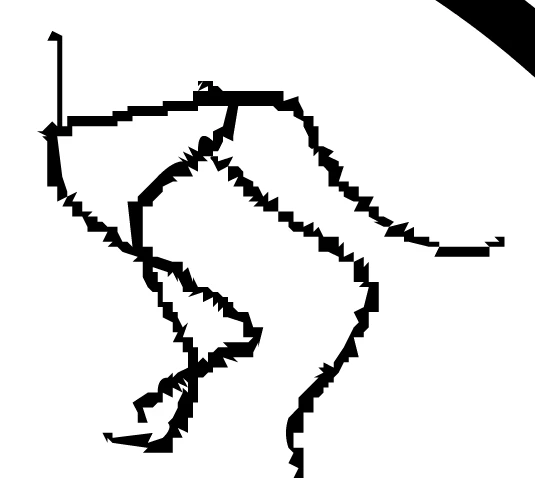
But whenever i open up a new document and use the Brush tool there, it appears like it normally should. I think it's something about my settings that's different but i can't seem to find anything odd in my settings.

Any help is appreciated! Thanks!

This topic has been closed for replies.

1 reply

Community Expert
March 8, 2019

Check your smoothing setting.

KhatriK
KhatriKAuthor
Participant
March 9, 2019

I did check my smoothing but setting it lower doesn't fix it at all. Before I always used it on highest setting but for some reason it's just not doing it right now.

Preran
Community Manager
Community Manager
March 11, 2019

Most issues of this nature are resolved by updating graphic drivers. If you are on a Windows OS, can you try updating your graphic drivers by visiting the manufacturer's site?


Thanks,

Preran