


Copy link to clipboard
Copied
Hi all,
I'm a noob but tried google and manuals but can't find the answer which will probably be simple.
I have 3 movieclips in frame 1 main timeline.
The instance names are mc1, mc2 and mc3.
When mc1 is at the end, mc1 has to go to frame 2 but mc2 has to go to the next frame and stop.
Then when mc1 is at the end again the same has to happen.
On the last frame of mc1 timeline I have:
gotoAndPlay(2);
But with which line of code will mc2 go to it's next frame?
Thank you in advance
Delah


 1 Correct answer

its important that ypu place the abobe posted code inside a Enterframe function, otherwise it will only be triggered once at the start of yur app, like so:
import flash.events.Event;
function checkFrames(e:Event):void
{
trace("mc1-PLAYHEAD is at:" + mc1.currentFrame + " of " + mc1.totalFrames);
trace("mc2-PLAYHEAD is at:" + mc2.currentFrame + " of " + mc2.totalFrames);
trace("mc3-PLAYHEAD is at:" + mc3.currentFrame + " of " + mc3.totalFrames);
//do stuff depending on the
...
 6
Replies
6
6
Replies
6

Copy link to clipboard
Copied
stage.addEventListener(Event.ENTER_FRAME, reportCurrentFrame);
function reportCurrentFrame(e:Event):void{
trace("mc1-PLAYHEAD is at:"+mc1.currentFrame+" of " +mc1.totalFrames );
trace("mc2-PLAYHEAD is at:"+mc2.currentFrame+" of " +mc2.totalFrames );
trace("mc3-PLAYHEAD is at:"+mc3.currentFrame+" of " +mc3.totalFrames );
//do stuff depending on the state of the different Playheads
}
This is a very basic monitoring function, use its to control your applications flow
Copy link to clipboard
Copied
Thank you.
So I removed the code in mc1.
And now have on the maintimeline:
if (mc1.currentFrame == (61)){
mc1.gotoAndPlay(2);
mc2.nextFrame();
}
It's not working. Why?
Copy link to clipboard
Copied
show a screenshot of thepart of the timeline where mc1 and mc2 are present
Copy link to clipboard
Copied
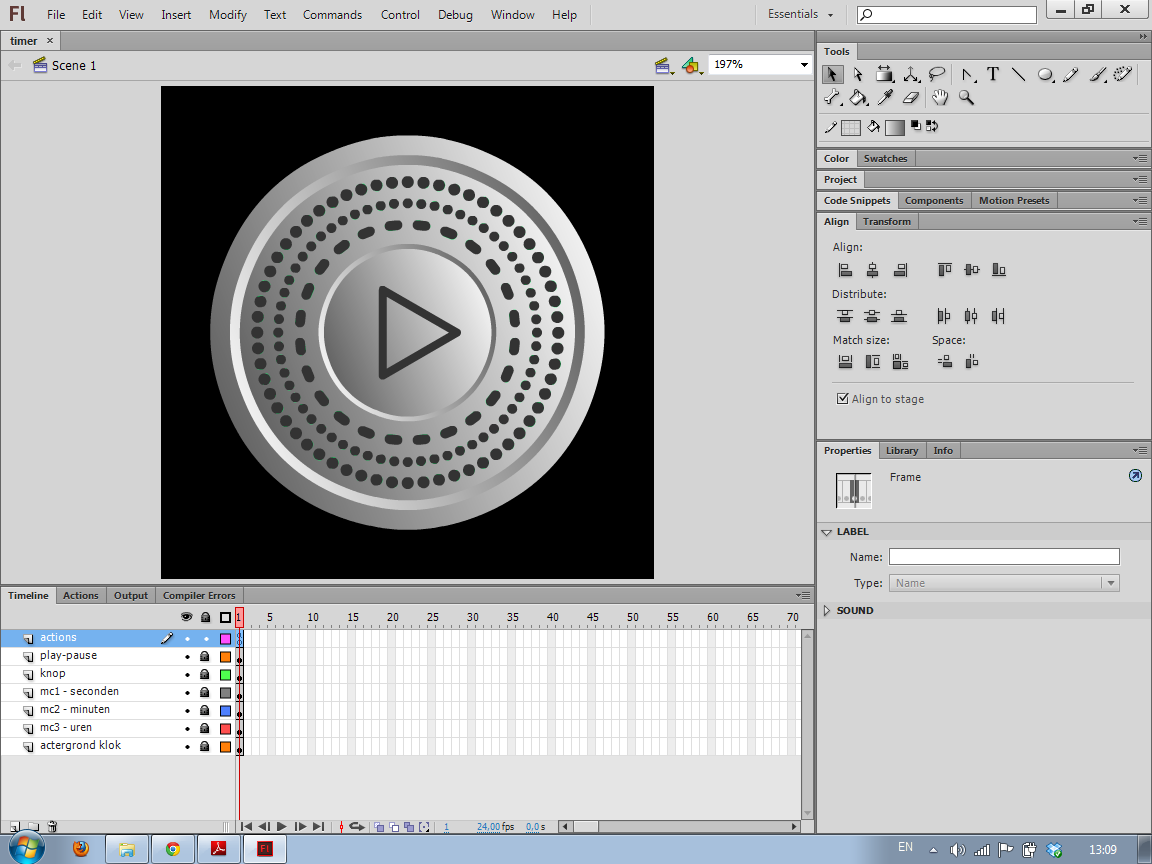
The outer ring of dots is mc1 and the second ring of dots is mc2.
Copy link to clipboard
Copied
its important that ypu place the abobe posted code inside a Enterframe function, otherwise it will only be triggered once at the start of yur app, like so:
import flash.events.Event;
function checkFrames(e:Event):void
{
trace("mc1-PLAYHEAD is at:" + mc1.currentFrame + " of " + mc1.totalFrames);
trace("mc2-PLAYHEAD is at:" + mc2.currentFrame + " of " + mc2.totalFrames);
trace("mc3-PLAYHEAD is at:" + mc3.currentFrame + " of " + mc3.totalFrames);
//do stuff depending on the state of the different Playheads
if (mc1.currentFrame == (61))
{
mc1.gotoAndPlay(2);
mc2.nextFrame();
}
}
Copy link to clipboard
Copied
That's what I did wrong. Thank you so much! I hope to finish the rest by myself. If not I will ask again.
Once again thanks a lot!


Get ready! An upgraded Adobe Community experience is coming in January.
Learn more
 AdChoices