
Conveyor Belt Animation (Looping)
Hi all, I'm new to Adobe Animate and have never used flash before.
The closest thing to an animation that I've ever done before was simple GIF.
I'm trying to create a small looping animation, but just couldn't get the conveyor belt part working properly.
I need several blocks moving along the belt and loop this part to create an illusion of a non-stop animation.
I've tried placing movie clip symbols, but once the first symbol (a block) reached the edge of the scene, the second block disappeared as well without reaching the edge.
I've tried duplicating the layer containing a classic tween-ed block, and delayed the starting frame to make a second block, but the speed of the 2nd block would be different to the 1st one.
So far all I could achieve was to make one block move along the belt and leave the scene,
but I need the belt to keep pushing the blocks out of the scene and look like an endless animation.
Tried different keywords and searched multiple tutorials still couldn't find a solution, maybe I used the wrong keywords...
Please kindly help me.
here's the screenshot:
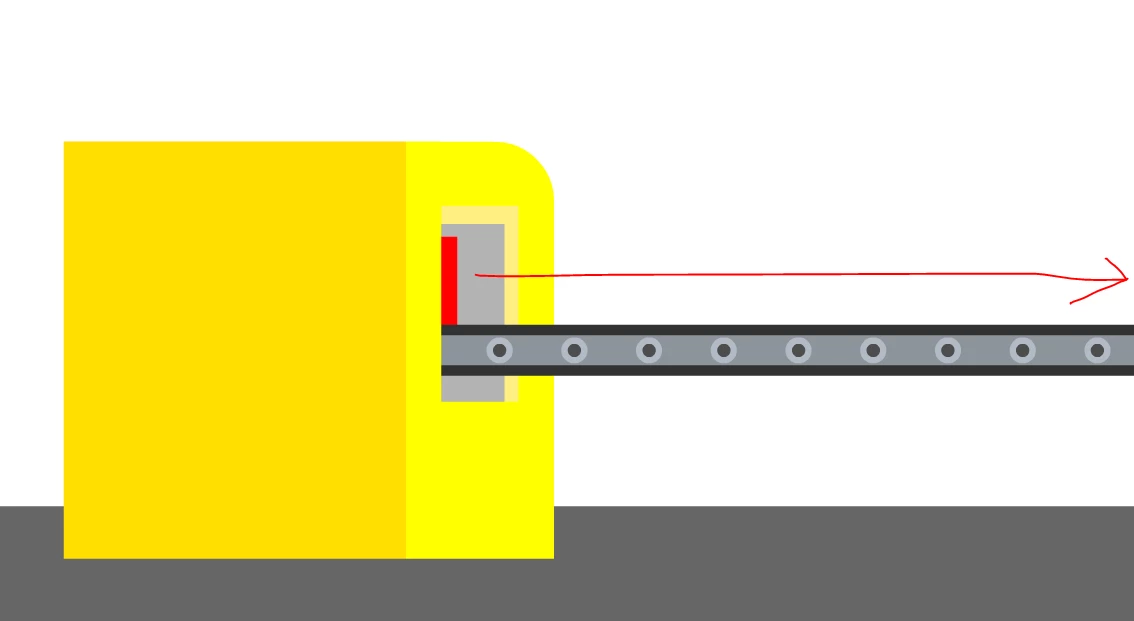
The red block on the belt needs to move along the belt at the direction of the red arrow, and eventually leave the scene.
I need them to look like below image all the time, having several blocks on the belt non-stop looping.
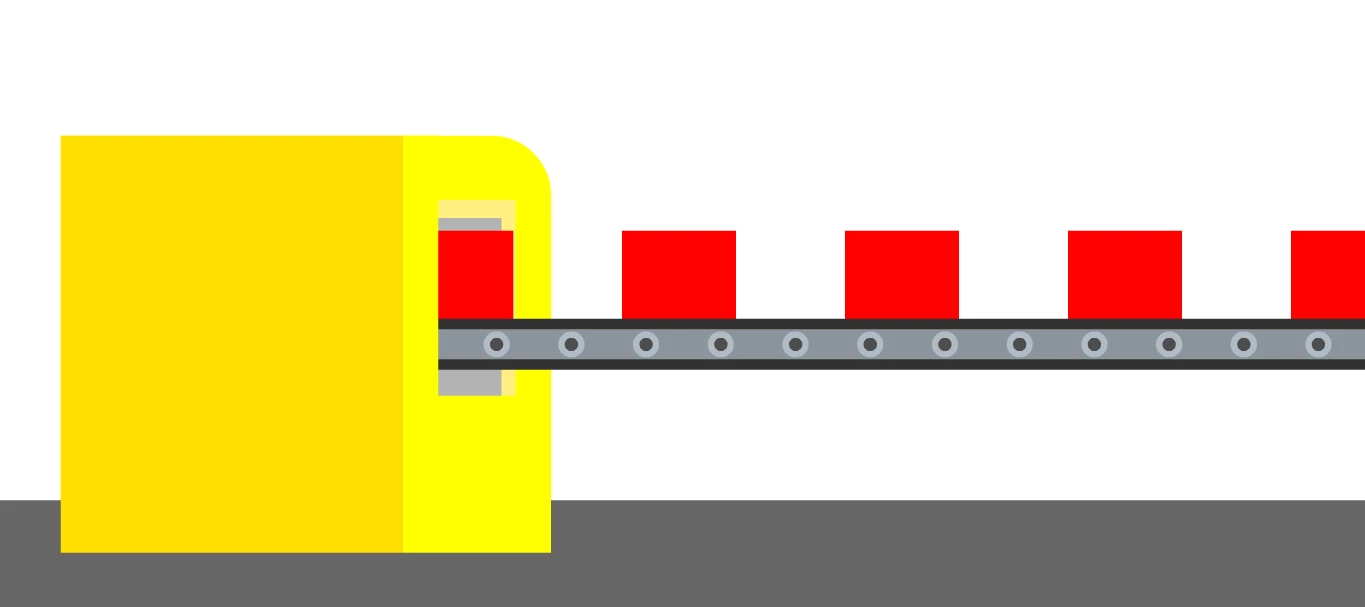
Any thoughts please? Appreciate all helps!
 AdChoices