


Debugging help

Copy link to clipboard
Copied
Hi, let me first start by saying that I have searched for answers before posting. I am sure this topic has come up, but I can not find an answer. Used abobe flash 20 years ago, this week I got started again with Animate cc. I have an HTML5 document and I am struggeling to figure out how to debug it? If I read right on someone asking the question, the reason the debug is greyed out in the menu and can't open external debugging is because I have an HTML5 document?
If so, how do I debug my script? I have some programming expereince, but not AS.
Thanks!


 4
Replies
4
4
Replies
4




Copy link to clipboard
Copied
Hi.
Welcome back!
To debug HTML5 Canvas output generated by Adobe Animate, you have to use the developer tools of your browser. Generally the shortcut is F12.
Regards,
JC
Copy link to clipboard
Copied
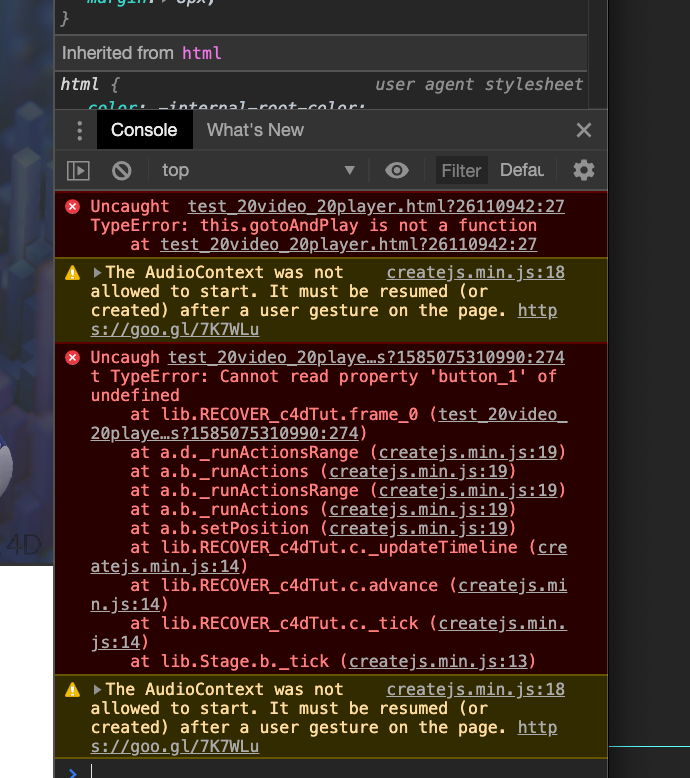
Thank you. This gives me an idea of where to start looking, using Chrome.

Copy link to clipboard
Copied
I click F12 and I get the clickable
myFile.js:122
But then I am not taken to such line in my code
Copy link to clipboard
Copied

Only rarely -- when I click unintest.js:3610 -- I get the line with the error.
Most times -- when I click the error message -- NOTHING HAPPENS
What I am doing that is wrong ?
João, como faço para encontrar meus posts anteriores?
Thanks


Get ready! An upgraded Adobe Community experience is coming in January.
Learn more
 AdChoices