

patricka92731453
Participating Frequently
November 11, 2019
Answered

Downgrading to animate CC2019

  • November 11, 2019
  • 3 replies
  • 2153 views

Hi everyone
4 days ago i had to update animate. Now i have blank canvas everytime i open one of my project.
Since there is no solution to fix this yet i would like to downgrade my animate program to CC2019.
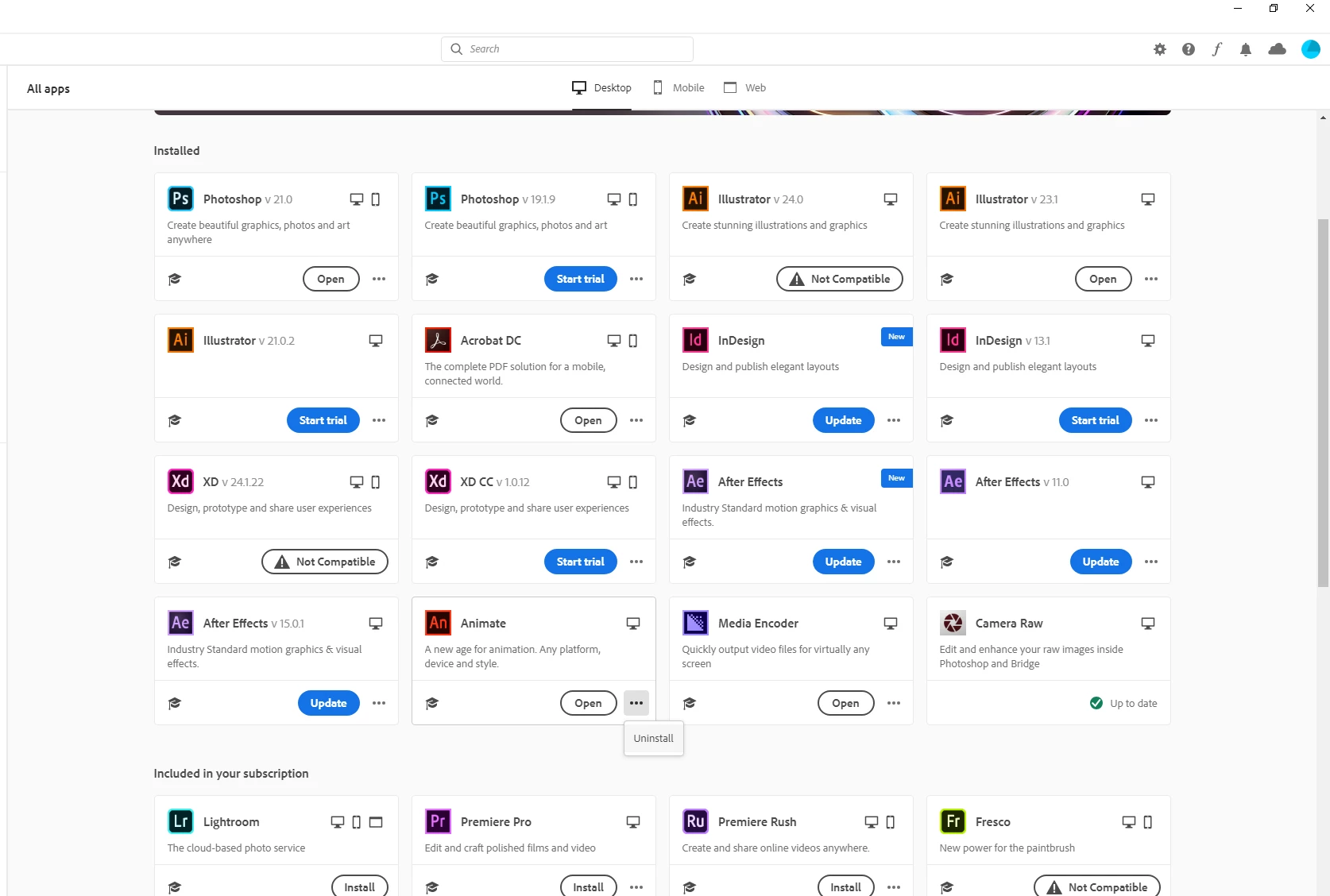
The problem now is that in the new Adobe Creative interface i can't see old versions of animate....
How can i install it anyway?

Thanks for your help!!
This topic has been closed for replies.
Correct answer smallhaggis

If you are still having problems, you can download Creative Cloud desktop apps directly on these pages:


2019 - https://helpx.adobe.com/download-install/kb/creative-cloud-apps-download.html#CreativeCloud2019apps

2018 - https://helpx.adobe.com/download-install/kb/creative-cloud-apps-download.html#creative-cloud-2018-apps

3 replies

smallhaggisCorrect answer
Inspiring
November 12, 2019
Legend
November 12, 2019

Interesting that they've removed Animate 2018 from CC Desktop, but left the direct download page intact. I guess they haven't gotten around to nuking it yet. My advice to everyone is to grab a copy of the installer for 2018 and hang on to it.

Legend
November 11, 2019

They're under the overflow ("...") menu for each app.


Also note that if you want to go back to Animate 2018, too bad. You can't, because Adobe hates their customers.

patricka92731453
Participating Frequently
November 13, 2019

ClayUUID
Thanks for the tip but like shown in the picture attached to my first post and the fact that 'show older apps' is selected i only see the uninstall option 😞

kglad
Community Expert
Community Expert
November 13, 2019

if you show uninstall for cc 2019, it's already installed.  if either cc 2020 or cc2019 are not installed, you should see the option to install.  eg, i have 2020 installed, but not 2019:


also, until recently adobe previously supplied cs2, cs3, cs4, cs5, cs6 and all cc versions. lawsuits regarding failure to pay royalties to companines that contributed to those versions drove adobe to stop supplying them.  their new policy is to only supply the latest and the previous version.

kglad
Community Expert
Community Expert
November 11, 2019

in your file>preferences>apps make sure you have 'show older apps' selected:


patricka92731453
Participating Frequently
November 13, 2019

Kglad
Thanks for your comment. Unfortunately i tried it before and i only see the new version 😞