Participant
August 26, 2020
Answered

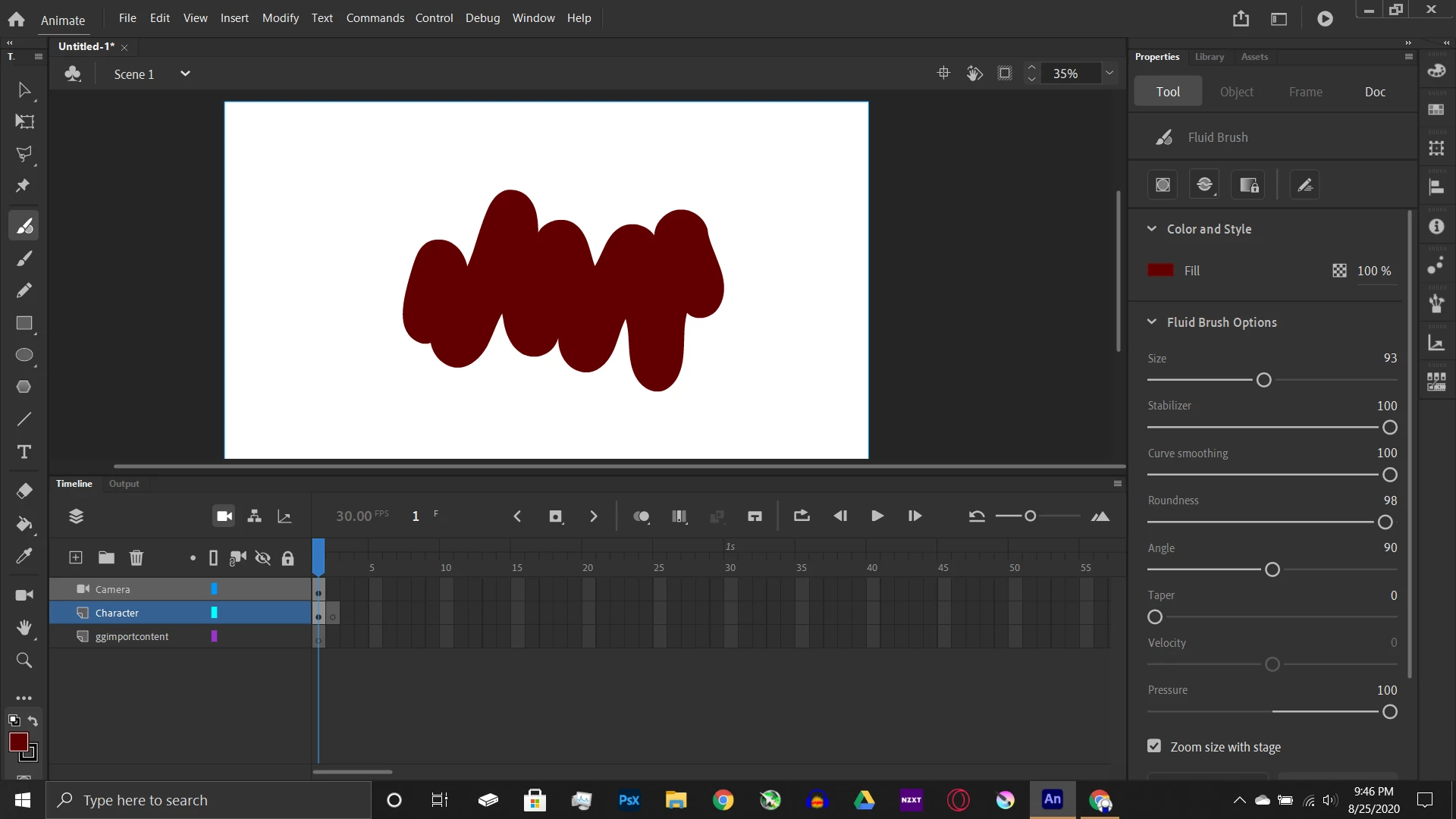
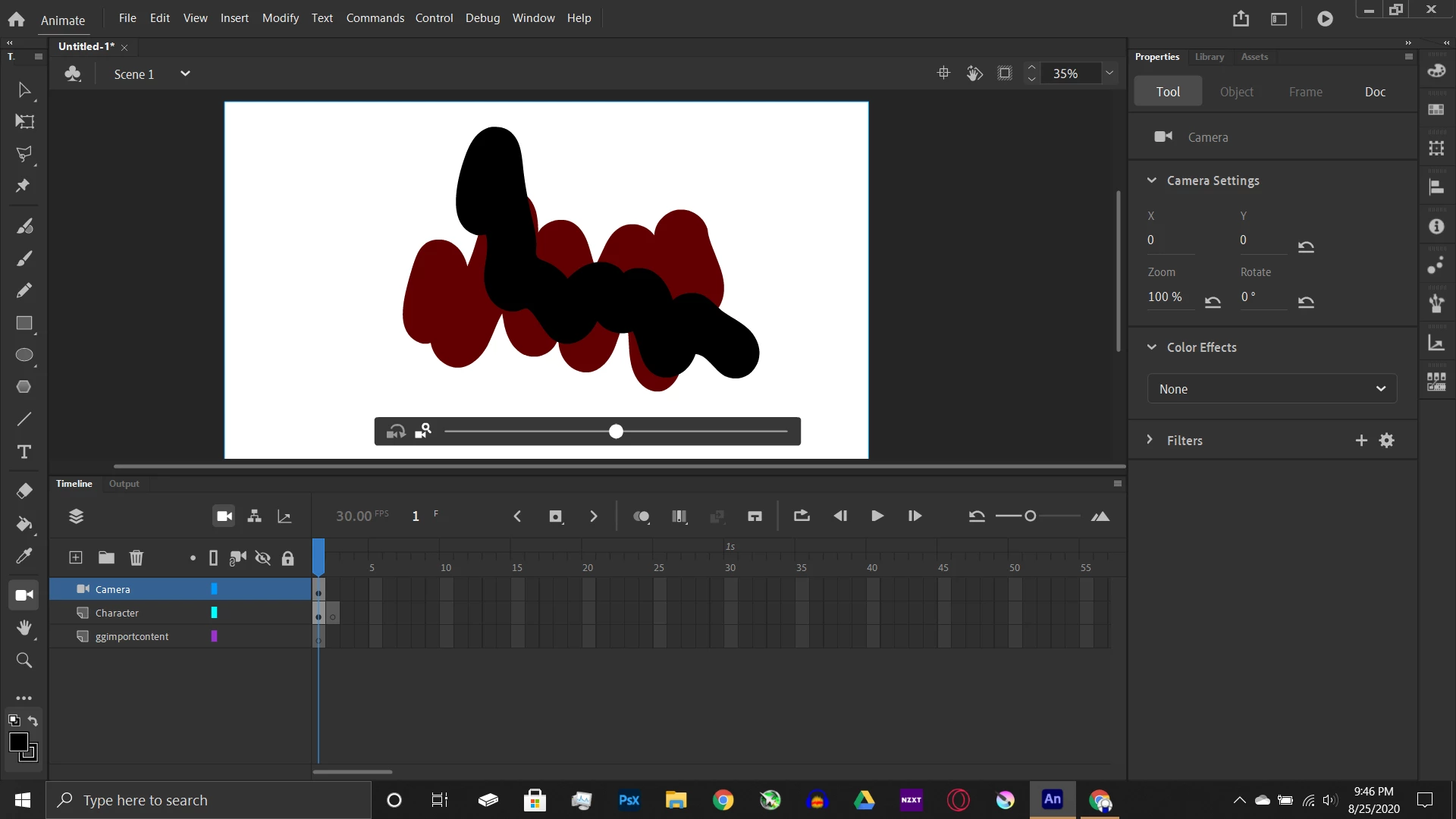
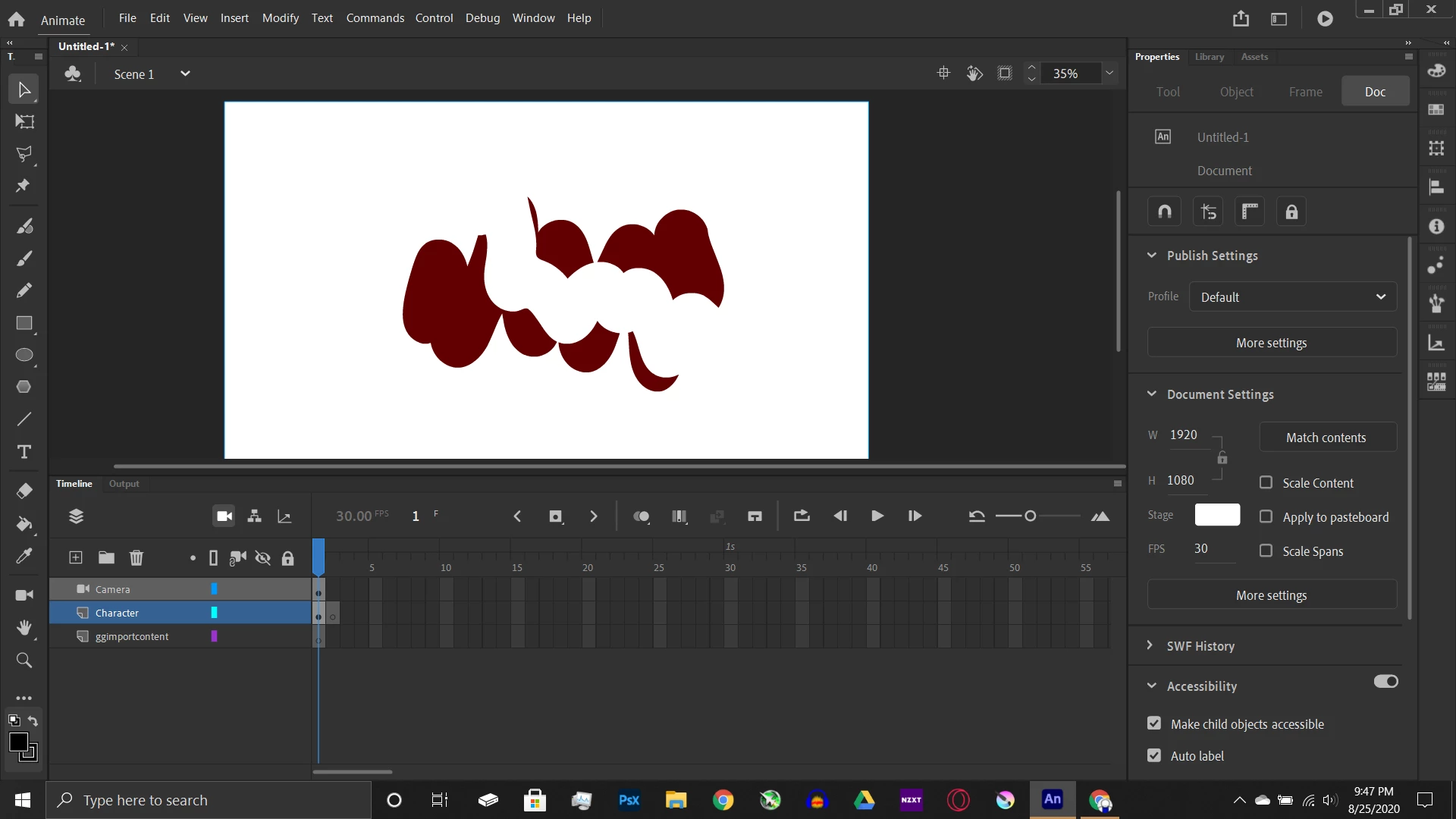
Drawing on top of something erases it

  • August 26, 2020
  • 1 reply
  • 279 views

(screenshots below)I was wondering if there was a way to access the canvas layers because it seems that adobe puts all the drawings into one layer.

(Also please keep in mind I am a newbie so I could easily be screwing up)
    This topic has been closed for replies.
    Correct answer n. tilcheff

    Hi mate,


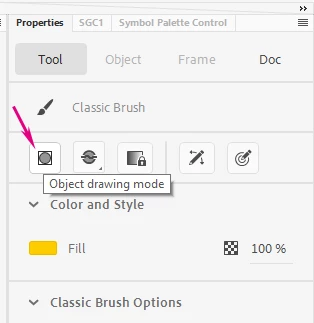
    If you want to draw shapes on the same layer without them intersecting, enable Object Drawing mode. Then each brush stroke will become a separate Drawing Object and you will be able to retain the ones underneath intact.


    Alternatively, you can create as many layers as you like with the little + button at the top left of the timeline and place your strokes on different layers.


    1 reply

    n. tilcheff
    n. tilcheffCorrect answer
    Legend
    August 26, 2020

    Hi mate,


    If you want to draw shapes on the same layer without them intersecting, enable Object Drawing mode. Then each brush stroke will become a separate Drawing Object and you will be able to retain the ones underneath intact.


    Alternatively, you can create as many layers as you like with the little + button at the top left of the timeline and place your strokes on different layers.


    Nick - Character Designer and Animator, Flash user since 1998 | Member of the Flanimate Power Tools team - extensions for character animation
    BBB5C59Author
    Participant
    August 26, 2020

    It worked! Thanks for the reply, I'm still finding my way around Animate.