


- Home
- Animate
- Discussions
- Dynamic text font or scale size based on value fro...
- Dynamic text font or scale size based on value fro...
Dynamic text font or scale size based on value from XML

Copy link to clipboard
Copied
Hi,
I am working with HTML5 canvas.
I need to change the font size or the scale size of the dynamic text, based on value which i get from XML file. For example, I have set
By default font size is 25px, because the placeholder have only one word "Hello"
this.textFIeld.font = '25px';
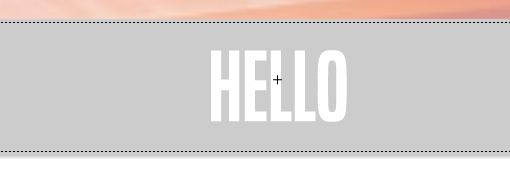
But as soon as i get longer text from XML, example "Lorem Ipsum Dolorem Sit, Lorem Ipsum Dolorem Sit"
with font size 25px, it destroy the design, and it' overlay the background(grey background) where the text needs to fit.
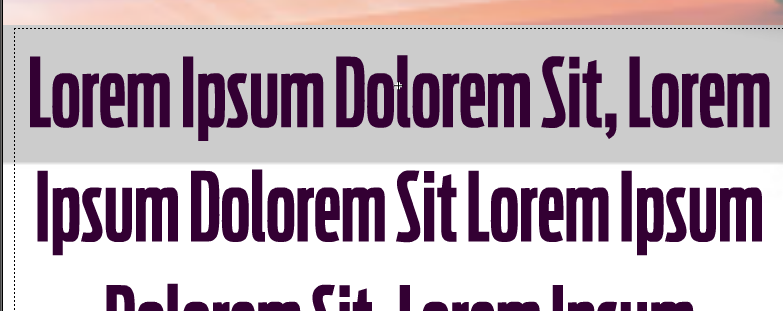
I tried to dynamic change font, but then I need to change the line height. When I do both, they never look properly as they should, plus it's not cross browser compatible, firefox have issues Text Alignment issues with Firefox · Issue #650 · CreateJS/EaselJS · GitHub
If I fix this, there are some other things to be fixed. So what I need is a cleaner way to do this. Maybe there is an actually easy way to do this.
Thank you


 4
Replies
4
4
Replies
4


Copy link to clipboard
Copied
So... do you have a question?
Copy link to clipboard
Copied
Yes, as I mention above I need a way to make the dynamic text be always the same size width and height, to fit the background(gray), regardless of the text length. But I need help on how to achieve this?
Copy link to clipboard
Copied
To constrain text to a single line no matter the length, just set the maxWidth property on the text object.
Unfortunately there is no equivalent setting for vertical height, because the HTML5 canvas text API has nothing for text height. But if you're not going to be dynamically altering the font or font size that shouldn't be a problem.
Copy link to clipboard
Copied
Actually I need it to go multiline, since it could be a paragraph. And paragraph could look too long on a single line. So a paragraph but still the same size as the container


Get ready! An upgraded Adobe Community experience is coming in January.
Learn more
 AdChoices