
Inspiring
November 7, 2024
解決済み

Exporting as both MOV and MP4 slightly changes the colour

  • November 7, 2024
  • 返信数 2.
  • 1786 ビュー

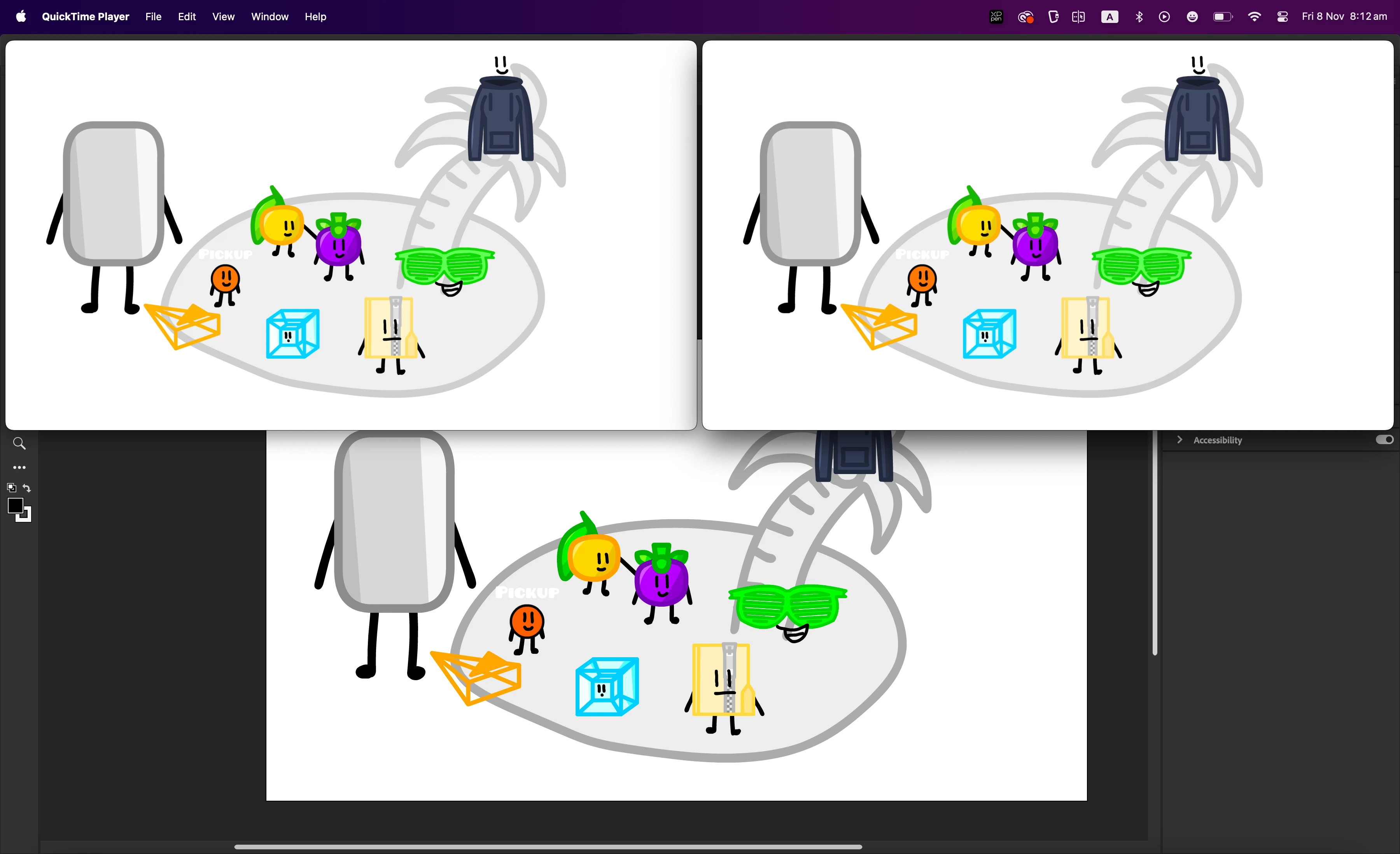
When I press file > export > export as video/media, the videos that are created are sort of desaturated? The image is an example. The top-right corner is the mp4, the top-left corner is the mov, and the part at the bottom is adobe animate. I used H.264 with a preset of High Quality 1080p HD for my mp4 and Quicktime with a preset of Apple ProRes 422 HQ for my mov. Is it a problem with the presets, and is there a way to fix this? I'm on a Mac, and I hope that isn't why it's breaking.
    このトピックへの返信は締め切られました。
    解決に役立った回答 Firewood:D

    You need to change different players to view the true color of the video. Generally, there is no problem after correct settings and export, but different players will cause color deviation. In addition, the larger mov format files will also have deviations, but they will be normal after compression and transcoding.

    返信数 2

    Firewood:D
    Firewood:D解決!
    Inspiring
    November 8, 2024

    You need to change different players to view the true color of the video. Generally, there is no problem after correct settings and export, but different players will cause color deviation. In addition, the larger mov format files will also have deviations, but they will be normal after compression and transcoding.

    nicholas_4540作成者
    Inspiring
    November 8, 2024

    Yeah, I saw this reply on other posts similar to mine. When I post it to youtube the colour deviation is still there, which is annoying. Do you think its a file problem, or is youtube just a player that has deviation (unfourtunately)?

    Firewood:D
    Inspiring
    November 9, 2024

    I encountered the color difference problem in Windows system, and it took a long time to find that it was the problem of the player. If you are not sure and cannot solve it, try to export the jpg/png sequence and output it in the editing software. There is no problem.
    In addition, I noticed that although I don’t know how to operate in Mac, the default Default (Animate) should be used for the export preset. If you choose other presets, you should make sure you understand the difference between different presets, otherwise use the default

    kglad
    Community Expert
    Community Expert
    November 8, 2024

    experiment with different settings.

    nicholas_4540作成者
    Inspiring
    November 8, 2024

    I'll see what results I get.