
Question
Flash full screen with dual screen moniter
Dear all,
I have an AIR application that will go full screen when the application starts:
stage.displayState = StageDisplayState.FULL_SCREEN_INTERACTIVE;
The stage size is 2560 x 1024. And I have 2 moniters (1280 x 1024 , 1280 x 1024)
When I start the application, it shows my application on one of my moniter only.
What is the problem?
I need the left side of the stage to be shown in moniter 1 and right side of the stage to be shown in moniter 2.
Currently, both sides are shown in moniter 1, and in moniter 2, it shows nothing but my default desktop.
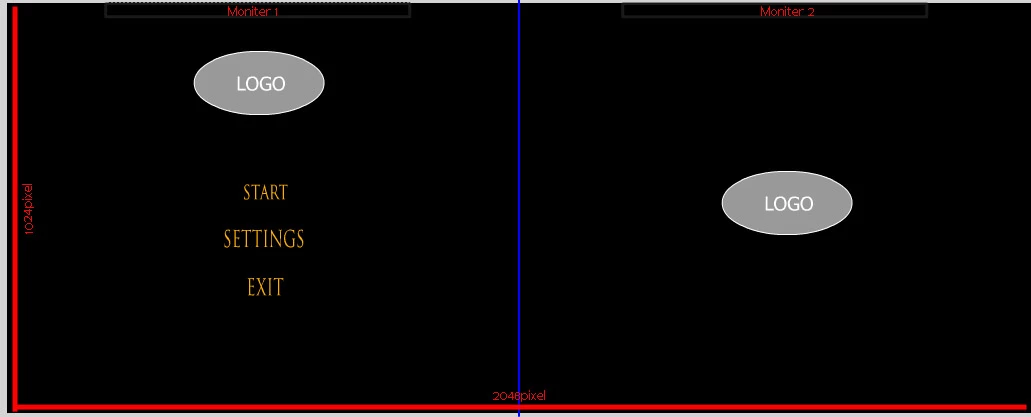
*The blue color line is a divider for better visual purpose.
How do I make the left side of the stage to appear in moniter 1 and right side of the stage to appear in moniter 2 when the application starts in full screen mode?
Thanks for reading,
-Zainuu
 AdChoices