


- Home
- Animate
- Discussions
- Google web font styles missing in Animate
- Google web font styles missing in Animate

Copy link to clipboard
Copied
Hi, here is my problem,
I create a dynamic text field in animate (CC2019), import and select a google font (Lato for instance).
The problem is that the google font has 10 styles (thin, thin Italic, Light, Light Italic, Regular, Regular Italic, Bold, Bold italis, black, black italic)
but once imported in animate and selected has web font family (at the top of the list with the "F" in a circle icon) the only styles available are : regular, regular italic, bold, bold italic...
This is happening with all google fonts... on the other hand if I use a Typekit font all styles appears in the drop down selector.
I need to use the google font (client's choice).
Can you help me to sort this out please?
many Thanks!


 1 Correct answer


Hi Greg, the style issue is up for investigation will let you know once we identify the solution. Can you please elaborate a bit on the missing font issue at Adobe Animate CC Feature Request/Bug Report Form
Thanks!
Mohan

 14
Replies
14
14
Replies
14


Copy link to clipboard
Copied
Hi Samuel
You are indeed right. I added Lato in Animate and get also only these four styles: italic, regular, bold, bold italic.
I added a short while ago Barlow Condensed from Google fonts and here too I only get: italic, regular, bold, bold italic.
Although Barlow Condensed contains 18 styles. It seems that Animate currently only takes these basic styles from Google.
I have since a long time Open Sans with 11 or so styles and those are all available. But as I said I added this font years ago.
This seems to be a new bug. Maybe related to an effort to drive more users towards Adobe Fonts?
Please post a bug report Adobe Animate CC Feature Request/Bug Report Form
Klaus
Copy link to clipboard
Copied
Hi - We have raised a bug to track this internally. Will keep you posted once the issue is resolved.
Thanks!
Mohan
Copy link to clipboard
Copied
Hi Klaus, Hi Mohan,
I've just posted a bug report.
Many thanks for your help !

Copy link to clipboard
Copied
Hi Mohan,
any word on when an update to fix this will be out? It sometimes is creating a problem of blanks pages, as the missing fonts are just being defined as 'WebFonts' in the Family drop down menu instead of it saying 'Roboto', Open Sans' etc, until the font is changed. Not ideal if you are having to change a lot, plus some might not understand why they are getting a blank page.
Cheers
Greg
Copy link to clipboard
Copied
Hi Greg, the style issue is up for investigation will let you know once we identify the solution. Can you please elaborate a bit on the missing font issue at Adobe Animate CC Feature Request/Bug Report Form
Thanks!
Mohan

Copy link to clipboard
Copied
Hello
The bug is still there in Version 20.0.1 (build 19255)
best regards

Copy link to clipboard
Copied
This is still an issue. On my imac in Adobe Animate font weights are not showing up. For Museo, the font list shows just Museo, even though I have 5 different weights of that font installed. Also depending on when you type, the single Museo listed will show up as different weights seemingly randomly. Please fix this issue asap thank you!

Copy link to clipboard
Copied
I just ran into this issue. I updated to Catalalina and I am using Animate version 20.0.1
I cannot use font weights in Animate. The box is greyed out. This seems to be effecting all my fonts.
Is this an issue that will be resolved soon? I depend on animate to make banner ads and fonts are integral to that.
Please fix this asap, thanks!

Copy link to clipboard
Copied
Same problem here after updating to Catalina.
No font weights available for any fonts.

Copy link to clipboard
Copied
I am also having the same problem. Any news if it is going to be fixed soon!

Copy link to clipboard
Copied
Same problem with Catalina OS - Animate 20.0.1
Any idea when this is gonna get fixed?

Copy link to clipboard
Copied
download and install ADOBE CREATIVE CLOUD DESKTOP then sign in your google or any account you have. Now restart or open any adobe software. Hope this will help you guys.

Copy link to clipboard
Copied
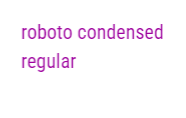
Hi Guys, I also have an issue with google fonts in Animate. I hope someone can help. Its the Roboto Condensend - when I publish the HTML, the Text looks like this on the Image. I would be happy if someone can Assist and thnx in Advance



Copy link to clipboard
Copied
i see this with font size 16. what font size are you using?


Get ready! An upgraded Adobe Community experience is coming in January.
Learn more
 AdChoices