
Participant
June 17, 2017
Answered

How do I change a custom cursor to the default using the Animate CC 2017 flash code?

  • June 17, 2017
  • 1 reply
  • 2961 views

I have a small flash game where, for a section, I need a sniper scope custom cursor. After this section I want to return to using the default cursor. Does anyone know the code needed to do so, as the code snippets within animate and other discussions haven't been able to help me.

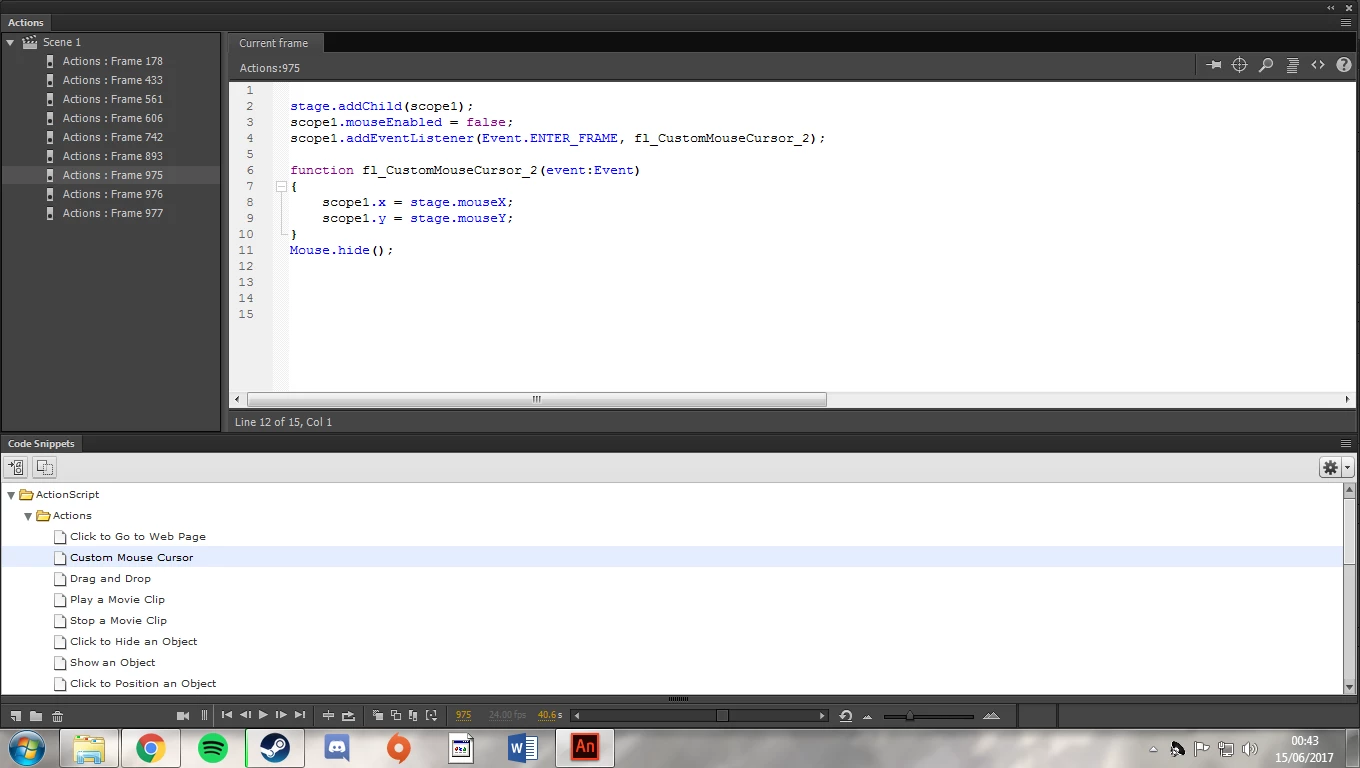
This is the current code I'm using to create the cursor (animate code snippet with my cursor name "scope1"):
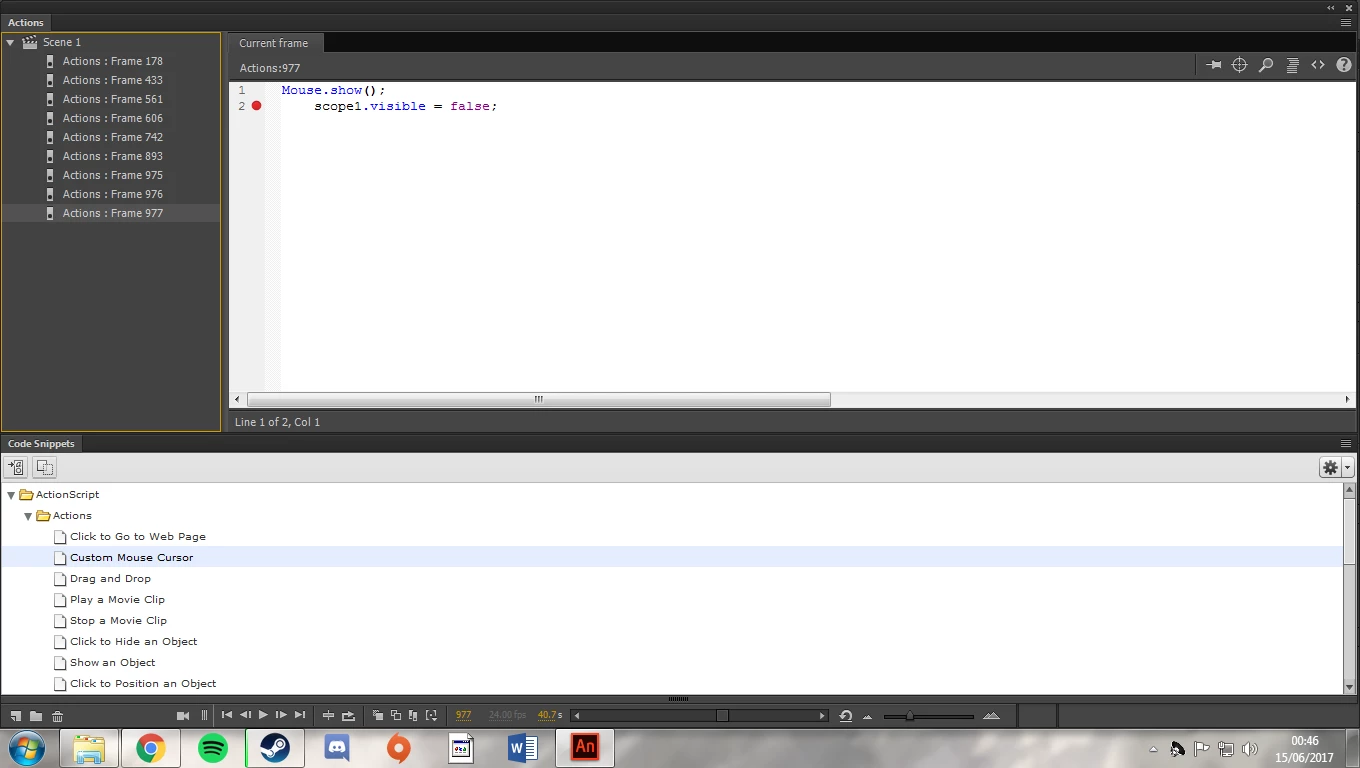
And this is the closest I have been to resolving it so far:
Thank you for any and all help,

Rob.

This topic has been closed for replies.
Correct answer Colin Holgate

If there is no other code than what you showed, the timeline would have gone quickly onto the Mouse.show() frame. You would normally have a stop() somewhere, and only go on to the Mouse.show() when you're finished with the custom cursor.

Also, if there is anything inside the scope sight that might trap the mouse click you ought to set mouseChildren to false.

Here are scripts I just tested, and the initial frame:

scope1.mouseEnabled = false;

scope1.mouseChildren = false;

scope1.visible = true;

scope1.addEventListener(Event.ENTER_FRAME, fl_CustomMouseCursor);

stage.addEventListener(MouseEvent.CLICK, clicked);

function fl_CustomMouseCursor(e: Event) {

  scope1.x = stage.mouseX;

  scope1.y = stage.mouseY;

}

function clicked(e: MouseEvent) {

  stage.removeEventListener(MouseEvent.CLICK, clicked);

  scope1.removeEventListener(Event.ENTER_FRAME, fl_CustomMouseCursor);

  play();

}

Mouse.hide();

stop();

and on a frame after that, which is reached because to the play() line:

Mouse.show();

scope1.visible = false;

stop();

1 reply

Colin Holgate
Colin HolgateCorrect answer
Inspiring
June 18, 2017

If there is no other code than what you showed, the timeline would have gone quickly onto the Mouse.show() frame. You would normally have a stop() somewhere, and only go on to the Mouse.show() when you're finished with the custom cursor.

Also, if there is anything inside the scope sight that might trap the mouse click you ought to set mouseChildren to false.

Here are scripts I just tested, and the initial frame:

scope1.mouseEnabled = false;

scope1.mouseChildren = false;

scope1.visible = true;

scope1.addEventListener(Event.ENTER_FRAME, fl_CustomMouseCursor);

stage.addEventListener(MouseEvent.CLICK, clicked);

function fl_CustomMouseCursor(e: Event) {

  scope1.x = stage.mouseX;

  scope1.y = stage.mouseY;

}

function clicked(e: MouseEvent) {

  stage.removeEventListener(MouseEvent.CLICK, clicked);

  scope1.removeEventListener(Event.ENTER_FRAME, fl_CustomMouseCursor);

  play();

}

Mouse.hide();

stop();

and on a frame after that, which is reached because to the play() line:

Mouse.show();

scope1.visible = false;

stop();

Participant
June 18, 2017

This is perfect and works completely. I can't thank you enough for the super quick response and fix. You've just made me and my lecturer very happy.

Colin Holgate
Inspiring
June 18, 2017

Always a good thing to make lecturers happy!