
Participating Frequently
March 19, 2020
Question

How to collapse timeline layer in Adobe Animate

  • March 19, 2020
  • 1 reply
  • 759 views

I'm new to Animate. While working, I did something and the third layer in the timeline opened up as shown below....
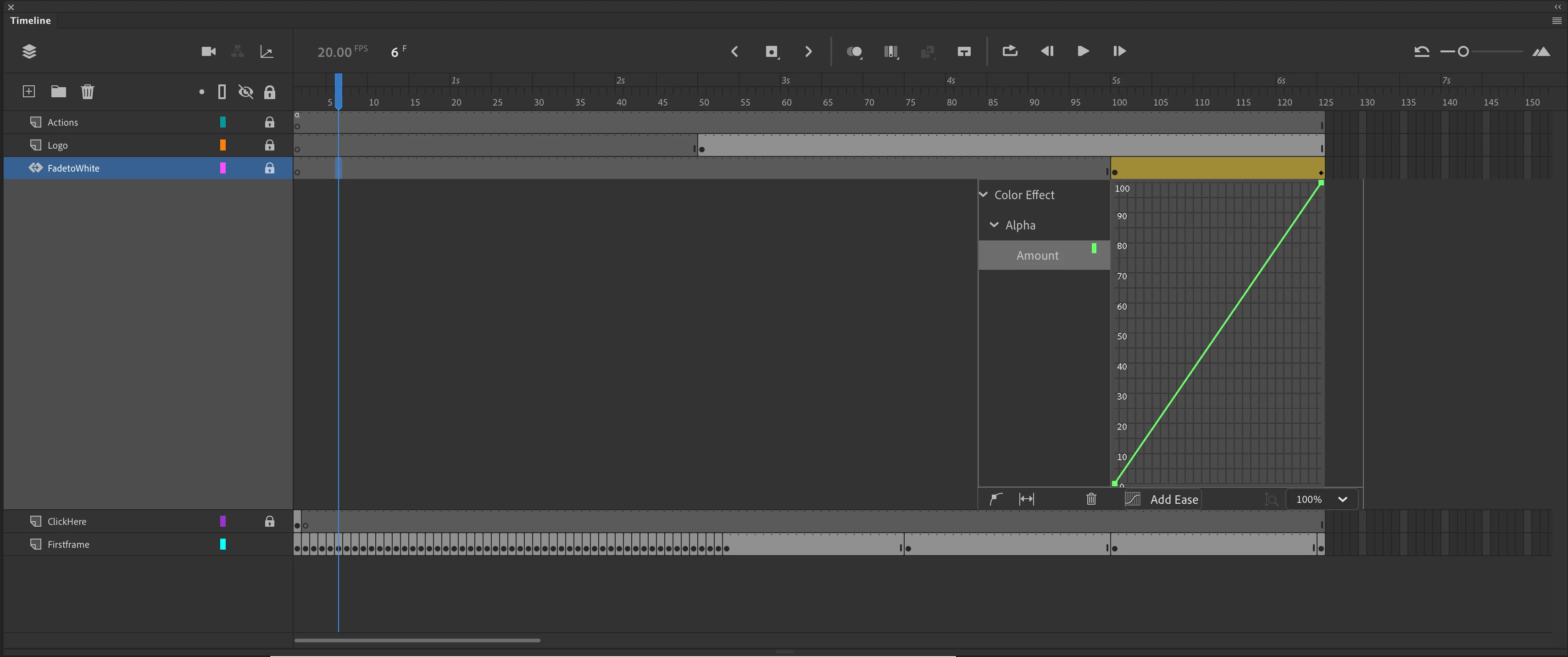
How do you make the third timeline layer collapse back to a single line layers like the other layers?

    This topic has been closed for replies.

    1 reply

    Legend
    March 19, 2020

    You double-clicked a motion tween. Just right-click on it and uncheck Refine Motion Tween.


    Then delete the motion tween and promise to never use motion tweens again. Classic tweens work perfectly well for nearly everything, and they're exponentially easier to deal with.