
New Participant
September 23, 2021
Question

How to make entire HTML canvas clickable including video component? Adobe Animate CC

  • September 23, 2021
  • 1 reply
  • 715 views

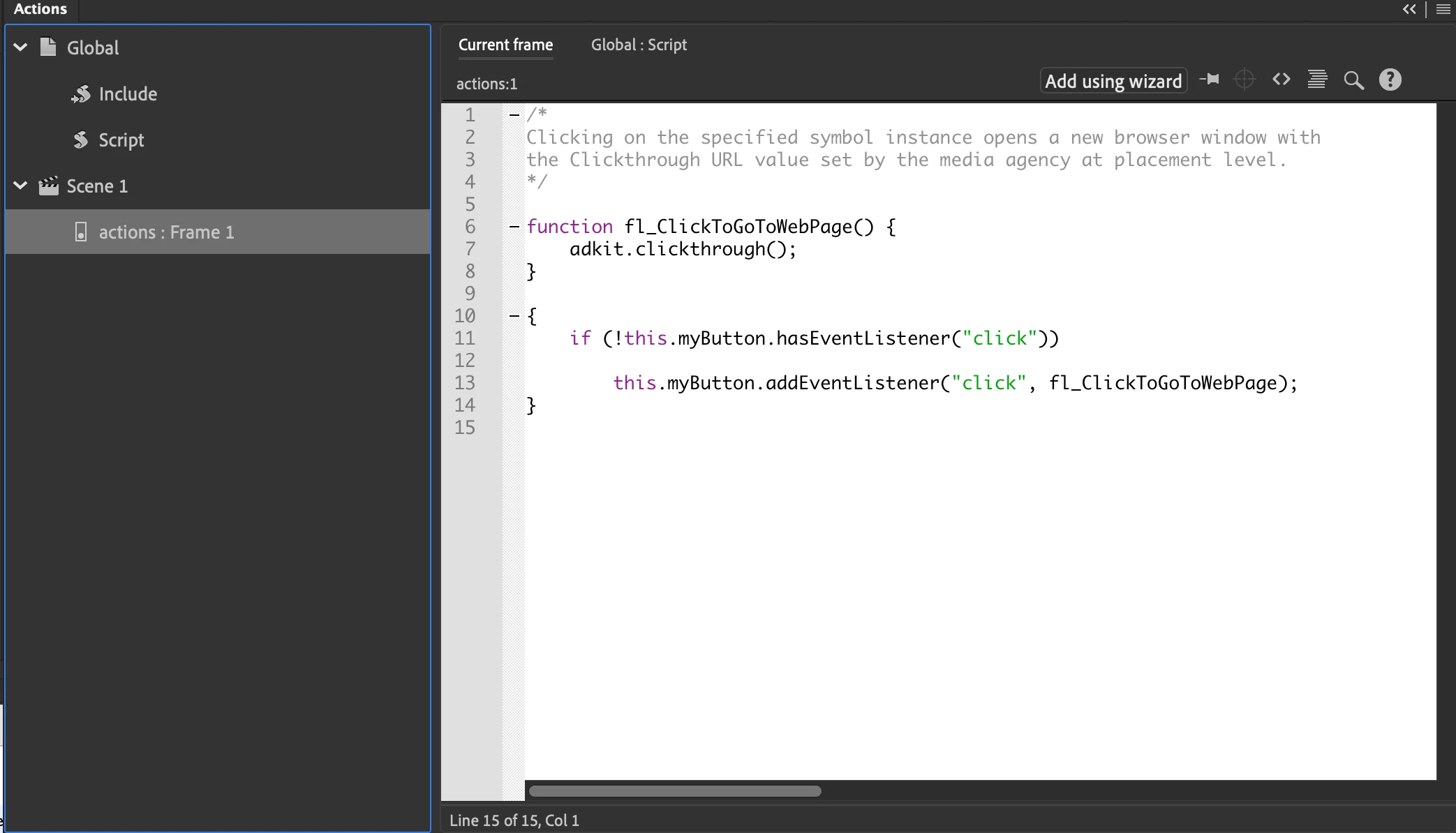
I have a HTML canvas with a transparent button that makes the entire area clickable except when I add in a video component it overrides the button. I have tried making the video component clickable as well. The url does not go directly into the action script (see screen shot), I cannot mess with the script as this is what is used for tracking purposes.


I have included a link to the creative. You will see that it's clickable all around the video but not the video itself. 


Can anyone help me problem solve? Thank you!! 


https://platform.sizmek.com/adPreview/prod/share/hwobadgnsh7 

This topic has been closed for replies.

1 reply

Joseph Labrecque
Community Expert
September 24, 2021

Any components in HTML5 Canvas documents sit on a DOM element ABOVE the canvas element - so they will always obscure everything beneath them. You might try shifting the video component off-stage until someone clicks the button and then move it into proper alignment. 

New Participant
September 27, 2021

Thank you Joseph for the reply! Unfortuately I need the video to play immediately and for any click to go directly to the website we are redirecting the user to. Is it possible to make the DOM element clickable as well?