
How to scale line thickness?
I don't know what I'm doing, but I need to create an animation for college. So far I've designed some characters but have hit a bit of an issue which is that I drew them too small and can't upscale them without it all going horribly wrong. I've searched around a bit and Illustrator's "scale strokes and effects" seems to be what I want, but there is no such option in Animate and attempting to copy the layers into Illustrator results in a bitmap.
I've attached an image of one of my characters as its original scale, then an enlargened version and then a copy which has been converted to a symbol before being scaled. As you can see, neither of those options work too well. And yes, there are better ways of doing things than colouring things in the old-fashioned way, but I couldn't get anything else to work.
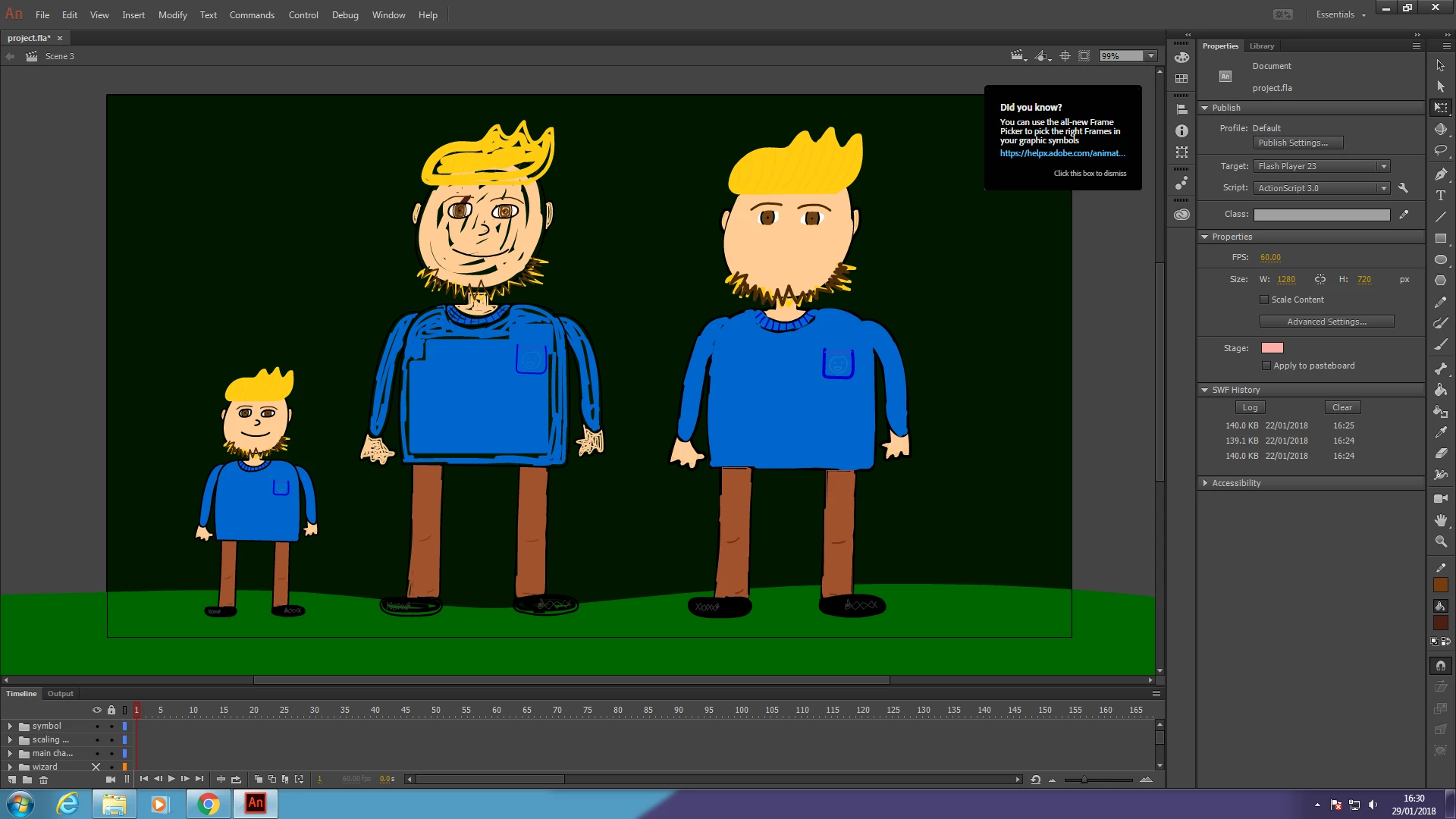
Any ideas on how to scale line thickness with the rest of the content as well then? Seems like a weird limitation. 😕😕
 AdChoices